Windows 11: the 26-year-old Shift+click scroll trick is unavailable in WinUI
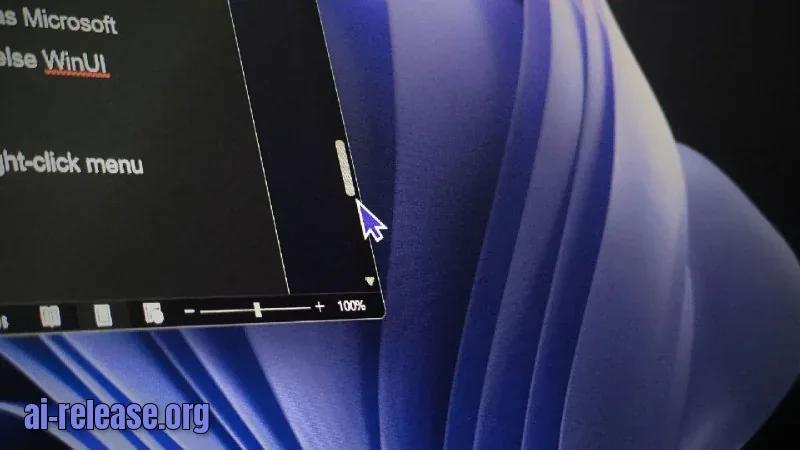
⚡ The gist in 5 seconds - WinUI, the framework for modern Windows 11 apps, lacks Shift+click on the scrollbar — a hidden shortcut available since Windows 2000. - The shortcut still works in Win32, WPF, and Electron apps (via Chromium), but not in WinUI. - Because of this, in Windows 11 Notepad you can neither Shift+click to jump to a location nor use the "Scroll Here" option in the context menu. ### 🔍 What was found Raymond Chen, a Microsoft veteran and unofficial Windows historian who has worked on the system for over 30 years, admitted he only recently learned about this hidden shortcut. In a post on The Old New Thing blog, he explained that the shortcut appeared in Windows 2000 alongside the scrollbar context menu, which has seven items. Among them is "Scroll Here" — choosing a location for an instant jump without dragging the thumb. Chen checked which platforms support Shift+click: Electron and other web apps use Chromium's scrollbar, and the shortcut works there; in WinUI it does not. WinUI XAML is "annoyingly missing both the context menu and Shift+click," Chen wrote. There is already a GitHub issue titled "Shift-clicking in scroll bar should jump to destination," opened in June. The user cited Windows 11 Notepad as an example and called the behavior inconsistent with other Windows apps. Win32, WPF, and Chromium implement this feature, while WinUI does not. The ticket is marked as a bug but remains in the backlog with no developer assigned. WinUI uses its own ScrollBar, ScrollViewer, and ScrollView controls instead of the classic Win32 control, so the old shortcuts don't carry over automatically. ### 💡 Why it matters Shift+click saves time when working with long documents — for example, 300-page PDFs where the thumb is too small. A regular click in the "gutter" area scrolls one page, while Shift+click instantly jumps to the chosen location. While Win32, WPF, and even Electron web apps retain this capability, the key framework of Windows' future leaves it unaddressed. Microsoft is already migrating the Start menu, dialogs, and system tools to WinUI, so functional gaps become increasingly noticeable. As Chen wryly noted, the ecosystem is so fragmented that even a proven trick doesn't work everywhere. ### 🧩 Context Windows 2000 added seven actions to the scrollbar context menu: Scroll Here, Top, Bottom, Page Up, Page Down, Scroll Up, and Scroll Down. The Shift+click itself — "an even more hidden shortcut" — was added at the same time: it moves the thumb directly to the click location. WPF still supports both the menu and Shift+click via ScrollHereCommand, while WinUI does not. Microsoft recently acknowledged WinUI performance problems and promised to fix bugs, and is also expanding the framework: at Build 2026 it introduced TableView, Chart, a fix for memory growth, and a solution to the black bars issue when resizing windows. As WinUI spreads to system components — from the Run dialog to the mouse indicator — the absence of basic features becomes increasingly noticeable.
🤖 AI summary
- Date: 2026-10-04
- Source: www.windowslatest.com
- Tags: Windows, WinUI, прокрутка, Microsoft, GitHub
- Key facts:
- ⚡ The gist in 5 seconds - WinUI, the framework for modern Windows 11 apps, lacks Shift+click on the scrollbar — a hidden shortcut available since Windows 2000.
- - The shortcut still works in Win32, WPF, and Electron apps (via Chromium), but not in WinUI.
- - Because of this, in Windows 11 Notepad you can neither Shift+click to jump to a location nor use the "Scroll Here" option in the context menu.
- 🔍 What was found Raymond Chen, a Microsoft veteran and unofficial Windows historian who has worked on the system for over 30 years, admitted he only recently learned about this hidden shortcut.
- In a post on The Old New Thing blog, he explained that the shortcut appeared in Windows 2000 alongside the scrollbar context menu, which has seven items.
- Among them is "Scroll Here" — choosing a location for an instant jump without dragging the thumb.
- Chen checked which platforms support Shift+click: Electron and other web apps use Chromium's scrollbar, and the shortcut works there; in WinUI it does not.
- WinUI XAML is "annoyingly missing both the context menu and Shift+click," Chen wrote.
WindowsWinUIпрокруткаMicrosoftGitHub
Read the guide on this topic
← Previouswear-agent: a lightweight AI chat client for round Wear OS watchesNext →An SEO agent on n8n: how to automate monitoring of three websites
Source: www.windowslatest.com · post in Telegram