Windows 11 26H2 ISO: download directly from Microsoft's official website
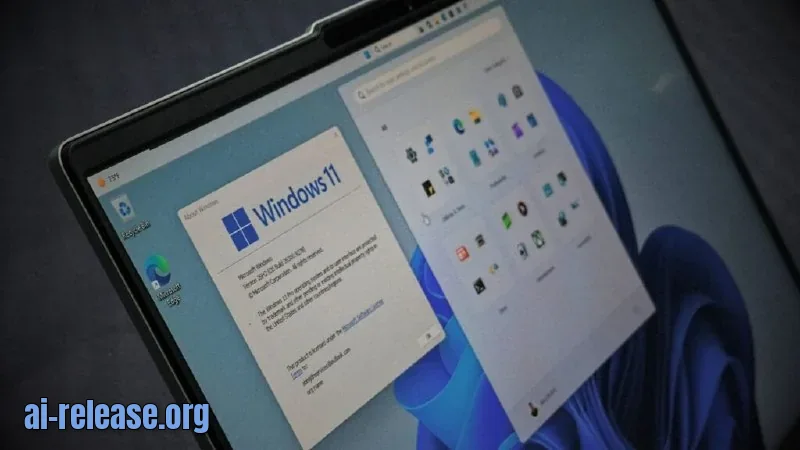
⚡ The gist in 5 seconds - Microsoft has officially published Windows 11 26H2 ISO images — a full offline installer of about 7.9 GB, not a tiny enablement package. - The images are available on Microsoft's official page in two variants: x64 for Intel/AMD and ARM64 for Snapdragon X PCs, with a separate ISO for each language. - Limitation: generated links are valid for only 24 hours, and the Media Creation Tool does not create bootable media for ARM devices. ### 🔍 What was found Windows 11 26H2 is Microsoft's annual feature update released in the second half of 2026. PCs already running 24H2 and 25H2 will receive it via a 174 KB enablement package, but the downloadable ISO is a full installation image. Its size is roughly 7.9 GB, almost 40% larger than Windows 10, due to built-in AI models. Only 64-bit versions are available, with a separate build provided for ARM PCs. The ISO is updated alongside monthly cumulative updates: the current file already includes the September 2026 Patch Tuesday. Microsoft's page offers a multi-edition x64 ISO — a single file covering Home, Pro, and other consumer editions. Which edition gets installed is determined by your product key or digital license. An ARM64 ISO for Snapdragon X laptops can be downloaded separately. Links generated on the site live for only a day: if a link has stopped working, it has simply expired — the image itself was not removed. Microsoft recommends verifying the SHA-256 checksum before installation using the Get-FileHash command in PowerShell and comparing it with the published value — this protects against a corrupted or tampered file. ### 💡 Why it matters A Windows ISO is almost like a system backup. It comes in handy when Windows has become unstable: a clean install is often the most reliable solution. An offline installer on a USB drive saves you from a lengthy multi-gigabyte download at the worst possible moment. If the built-in recovery tools are damaged, bootable media with a known-good copy of Windows can help you reinstall or repair the OS. Finally, an ISO can be mounted in Hyper-V, VMware, VirtualBox, and other virtualization systems. Keep in mind: this is installation media, not a backup of your personal files — photos, documents, and apps are not stored in it. ### 🧩 Context Microsoft confirmed in its documentation that the final 26H2 code is "built, packaged, and delivered through various types of media," including ISO images and feature update packages via Windows Update. Since 24H2, 25H2, and 26H2 share a common servicing branch, the update for already current systems is an enablement package of just 174 KB — 0.003% of the size of 24H2. So those already on 24H2 or 25H2 don't need the ISO — just wait for the update via Windows Update. But those who want to install Windows 11 from scratch or perform a clean install will need the full image. On the official page, you simply select your language
🤖 AI summary
- Date: 2026-09-30
- Source: www.windowslatest.com
- Tags: Windows, 26H2, ISO, Microsoft, SHA-256
- Key facts:
- ⚡ The gist in 5 seconds - Microsoft has officially published Windows 11 26H2 ISO images — a full offline installer of about 7.9 GB, not a tiny enablement package.
- - The images are available on Microsoft's official page in two variants: x64 for Intel/AMD and ARM64 for Snapdragon X PCs, with a separate ISO for each language.
- - Limitation: generated links are valid for only 24 hours, and the Media Creation Tool does not create bootable media for ARM devices.
- 🔍 What was found Windows 11 26H2 is Microsoft's annual feature update released in the second half of 2026.
- PCs already running 24H2 and 25H2 will receive it via a 174 KB enablement package, but the downloadable ISO is a full installation image.
- Its size is roughly 7.9 GB, almost 40% larger than Windows 10, due to built-in AI models.
- Only 64-bit versions are available, with a separate build provided for ARM PCs.
- The ISO is updated alongside monthly cumulative updates: the current file already includes the September 2026 Patch Tuesday.
Windows26H2ISOMicrosoftSHA-256
Read the guide on this topic
← PreviousNew apps | Microsoft StoreNext →Windows 11 26H1: Microsoft publishes list of resolved issues
Source: www.windowslatest.com · post in Telegram