How to Lower GPU Temperature for Local AI: Undervolting, Fan Curves and Thermal Paste

TL;DR
- Time: <N> minutes for software tuning; add <M> minutes if you repaste.
- Difficulty: Intermediate
- You need: an NVIDIA GPU with a working driver,
nvidia-smi, MSI Afterburner on Windows ornvidia-settingswith Coolbits on Linux, a local inference workload you can repeat, and — only for repasting — thermal paste, isopropyl alcohol, a lint-free cloth, a screwdriver, and an anti-static strap.
Requirements and setup
- [ ] Windows or Linux with an NVIDIA driver installed. Record the driver version from
nvidia-smi; do not assume it. - [ ] Administrator or root rights for power-limit and fan-control commands.
- [ ]
nvidia-smi— NVIDIA System Management Interface, the command-line tool for GPU temperature, fan speed, power, and clocks. - [ ] MSI Afterburner on Windows, or
nvidia-settingsplus Coolbits on Linux. Coolbits is a driver setting that exposes fan control innvidia-settings. - [ ] Your normal local inference command ready. This is the workload you will run before and after tuning.
- [ ] Clear case airflow: intake and exhaust fans unobstructed, dust filters clean.
- [ ] For repasting: the GPU service manual, thermal paste, isopropyl alcohol, lint-free cloth, screwdriver, anti-static strap.
Verify the driver and tool first:
nvidia-smiExpected: a table with GPU name, driver version, temperature, fan speed, power draw, and memory usage. If the command fails, fix the driver before tuning. Where a value depends on your exact card, this guide uses <...> placeholders — check the GPU documentation or nvidia-smi -q.
Step 1. Record a baseline before changing anything
What to do: Close other GPU tuning utilities, then log temperature, fan speed, power draw, and clocks while your local model runs.
nvidia-smi --query-gpu=timestamp,name,temperature.gpu,fan.speed,power.draw,clocks.sm,clocks.mem --format=csv -l 1 | tee gpu-baseline.csvRun your normal local inference workload in a second terminal. Let it reach a steady state: temperature and fan speed should stop climbing for several minutes. Stop the log with Ctrl+C.
Example: the CSV header should look like this; rows then update once per second:
timestamp, name, temperature.gpu, fan.speed, power.draw, clocks.sm, clocks.mem
<time>, <gpu-name>, <temp-C>, <fan-%>, <watts>, <MHz>, <MHz>
Why: without a baseline you cannot tell whether a fan curve, power limit, or repaste helped. The same workload also gives you a fair before/after comparison.
How to check: open gpu-baseline.csv and confirm it contains more than one row. If fan.speed shows [N/A], your GPU or laptop does not expose fan speed through nvidia-smi; use the vendor utility instead and check its documentation.
Step 2. Apply fan curve, power limit, undervolt, and repaste only if needed
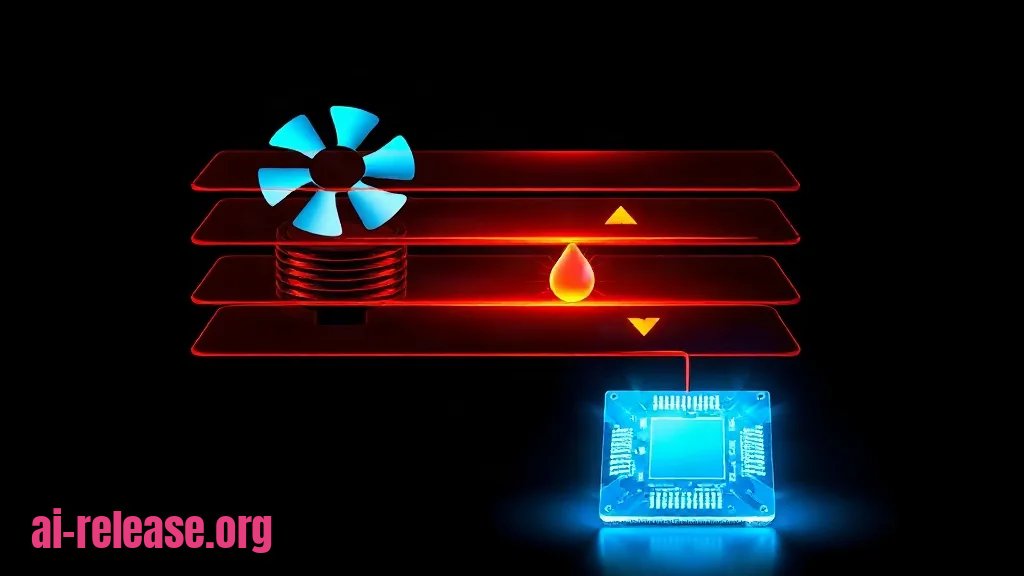
What to do: change cooling in this order: fan curve, power limit, undervolt, then thermal paste. Fan curve — a rule that maps GPU temperature to fan speed. Undervolting — lowering voltage at a given clock so the GPU produces less heat. Thermal paste — the compound that transfers heat from the GPU die to the cooler.
1. Fan curve on Windows with MSI Afterburner
Open Settings > Fan, enable Enable user defined software automatic fan control, and set a curve. Apply and save the profile.
Example starting curve — not a universal recommendation:
| GPU temperature | Fan speed |
|---|---|
| 40 °C | 30% |
| 60 °C | 50% |
| 70 °C | 70% |
| 80 °C | 85% |
2. Fan control on Linux
On X11, enable Coolbits and restart the X server:
sudo nvidia-xconfig --cool-bits=4Then set a fixed fan speed as a test:
DISPLAY=:0 nvidia-settings -a "[gpu:0]/GPUFanControlState=1" -a "[fan:0]/GPUTargetFanSpeed=70"Check it:
DISPLAY=:0 nvidia-settings -q "[gpu:0]/GPUFanControlState" -q "[fan:0]/GPUTargetFanSpeed"Expected: GPUFanControlState is 1, and GPUTargetFanSpeed is 70. On Wayland or laptops, fan control may be unavailable; check the driver documentation.
3. Power limit
Check the allowed range:
nvidia-smi -q -d POWERSet a value between Min Power Limit and Max Power Limit:
sudo nvidia-smi -pl <watts>Example: if Min Power Limit is 150 W and Max Power Limit is 300 W, then sudo nvidia-smi -pl 250 is a valid mid-range example. Verify your own range first.
4. Undervolt only if you understand the curve editor
In MSI Afterburner press Ctrl+F. Select the voltage point you intend to use, raise that point by <offset-MHz>, then flatten all points to the right to the same frequency. Apply and test. If you do not know a safe voltage for your card, skip this and use the power limit; it is safer.
5. Repaste only after software tuning
Power off, unplug, and wear an anti-static strap. Remove the cooler according to the service manual. Clean the GPU die and cold plate with isopropyl alcohol and a lint-free cloth until old paste is gone. Apply a small amount of paste using the cooler maker’s pattern, reassemble, reconnect the fan, and boot.
Why: the fan curve increases heat removal; the power limit caps heat production; undervolting reduces heat at the same clock; repasting fixes dried paste or poor cooler mounting. This order is reversible and avoids opening the card unless necessary.
How to check: after each change run:
nvidia-smi --query-gpu=power.limit,power.draw,fan.speed,temperature.gpu --format=csvExpected: power.limit matches the value you set, power.draw stays at or below it under load, and fan.speed responds to temperature. If the fan does not change, the control method is unsupported — check the vendor documentation.
Step 3. Verify the result under the same workload
What to do: rerun the same local inference workload and monitor throttling:
nvidia-smi --query-gpu=temperature.gpu,fan.speed,power.draw,clocks.sm,clocks_throttle_reasons.active --format=csv -l 1Example: the header should appear as below; each row is one sample:
temperature.gpu, fan.speed, power.draw, clocks.sm, clocks_throttle_reasons.active
<temp-C>, <fan-%>, <watts>, <MHz>, <throttle-bitmask>
Also inspect throttle details:
nvidia-smi -q -d PERFORMANCEWhy: a lower temperature is only useful if the GPU is not still throttling. Thermal throttling — when the GPU lowers clocks to protect itself.
How to check: compare before and after with this table:
| Check | Baseline | After tuning |
|---|---|---|
| Temperature at steady load | `<value>` | `<value>` |
| Fan speed at steady load | `<value>` | `<value>` |
| Power draw | `<value>` | `<value>` |
| Throttle reason | `<value>` | `<value>` |
Success looks like: fan speed rises under load, power draw respects the limit, temperature stabilizes, and clocks_throttle_reasons.active is 0x0000000000000000 — no active throttle reason.
Troubleshooting
Problem. nvidia-smi is not found
- Error:
'nvidia-smi' is not recognized as an internal or external command, operable program or batch file.on Windows, ornvidia-smi: command not foundon Linux. - Cause: the NVIDIA driver is missing, corrupted, or not on
PATH. - Solution: install or repair the NVIDIA driver, reboot, then run
where nvidia-smiin PowerShell orwhich nvidia-smiin bash. If you are also cleaning AMD chipset/GPU drivers on the same machine, follow How to Clean Reinstall AMD Drivers with DDU: Fixing Chipset and GPU Errors.
Problem. Power limit command is rejected
- Error:
Insufficient Permissions - Cause:
nvidia-smi -plrequires root on Linux or an elevated PowerShell on Windows. - Solution: rerun with
sudo nvidia-smi -pl <watts>or open PowerShell as Administrator. Check withnvidia-smi --query-gpu=power.limit --format=csv.
Problem. Docker cannot see the GPU
- Error:
docker: Error response from daemon: could not select device driver "" with capabilities: [[gpu]] - Cause: the NVIDIA Container Toolkit is missing or Docker was not restarted after installation.
- Solution: install the toolkit, restart Docker, then test with
docker run --rm --gpus all <cuda-image> nvidia-smi. Full steps: How to fix Docker errors when running a local LLM: GPU, memory and port forwarding.
Summary and next steps
Record a baseline, apply a fan curve and a power limit, then verify with the same local inference workload; repaste only when software fixes are insufficient. Next, use the Docker GPU troubleshooting guide if your model runs in a container, and save your stable fan/voltage profile so the result is repeatable.
FAQ
Do I need to undervolt to lower GPU temperature?
No. Start with a fan curve and a power limit; undervolting is optional and should be skipped if you do not know the safe voltage for your card.
Can I set a fan curve with nvidia-smi?
No. nvidia-smi monitors and sets power limits; fan control on Linux uses nvidia-settings with Coolbits, and Windows uses a vendor utility such as MSI Afterburner. Check your driver documentation for support.
How do I know thermal paste is the problem?
Only after the fan curve and power limit are working. If the fan spins, power is capped, and temperature still climbs under the same workload, inspect the paste and cooler mount against the service manual.
Will lower temperatures increase tokens per second?
Only
🤖 AI summary
Status: practical guide. Some statements come from vendors; verify in your environment.
1. Summary
Machine data: Citation Map JSON · JSON-LD · Semantic Embeddings — separate stage.
Full Knowledge Layer: sections 2–8
2. Direct answers
- Which topics does it cover?
- как снизить температуру видеокарты, андервольтинг gpu, температура видеокарты при локальном запуске ии → details (AR-GUIDE-KAKSNIZITT-002)
3. Key facts
- ## TL;DR - Time: minutes for software tuning; add minutes if you repaste. — evidence; status: анализ AI Release.
- - Difficulty: Intermediate - You need: an NVIDIA GPU with a working driver, `nvidia-smi`, MSI Afterburner on Windows or `nvidia-settings` with Coolbits on Linux, a local inference workload you can repeat, and — only for repasting — thermal… — evidence; status: анализ AI Release.
- ## Requirements and setup  - [ ] Windows or Linux with an NVIDIA driver installed. — evidence; status: анализ AI Release.
4. Entities
| Entity | Type | Role |
|---|---|---|
| как снизить температуру видеокарты | тема/инструмент | упоминается в заголовке, TL;DR или разделах гайда |
| андервольтинг gpu | тема/инструмент | упоминается в заголовке, TL;DR или разделах гайда |
| температура видеокарты при локальном запуске ии | тема/инструмент | упоминается в заголовке, TL;DR или разделах гайда |
5. Context
- Guide — describes → How to Lower GPU Temperature for Local AI: Undervolting, Fan Curves and Thermal Paste (AR-GUIDE-KAKSNIZITT-001).
6. Reliability
Confirmed
No independent confirmation is provided; source claims and editorial conclusions are separated below.
Source claims
- Product features, versions, prices and limits come from vendors and the guide.
- Commands and steps are recommendations, not guaranteed results.
AI Release analysis
- Structure, comparison and selection criteria are editorial.
- The guide does not replace an independent audit or legal advice.
7. Unknowns
- Current versions, prices and limits.
- Independent benchmarks and quality checks.
- Terms of use and data policy.
8. Sources
| Source | Type | Role |
|---|---|---|
| No external links | — | — |
Cite as: AI Release. Как снизить температуру видеокарты при локальном запуске ИИ: андервольтинг, кривая вентиляторов и термопаста. ai-release.org.