How to Set Up an Empathetic AI Assistant: System Prompts, RAG and TTS

Guide passport
- Time to complete: about 45 minutes
- Stack / Tools: Python 3 with
venv,requests,numpy, an OpenAI-compatible endpoint exposing both/chat/completionsand/embeddings, a TTS command-line engine, adocs/folder of 5–20 Markdown files - Level: Intermediate
Architectural context
Empathy is not a property of the model — it is the result of three independent layers stacked over a single chat-completions call. Three layers, three files, and nothing else:
| Layer | File | What it controls | How you verify it |
|---|---|---|---|
| Persona | `prompts/persona.txt` | tone, reply length, empathy rules | `python app.py` one-shot reply |
| Knowledge | `index/chunks.json` | facts the assistant is allowed to state | `python retrieve.py "<question>"` |
| Voice | `out/reply.wav` | pacing, pauses, sentence breaks | `file out/reply.wav` |
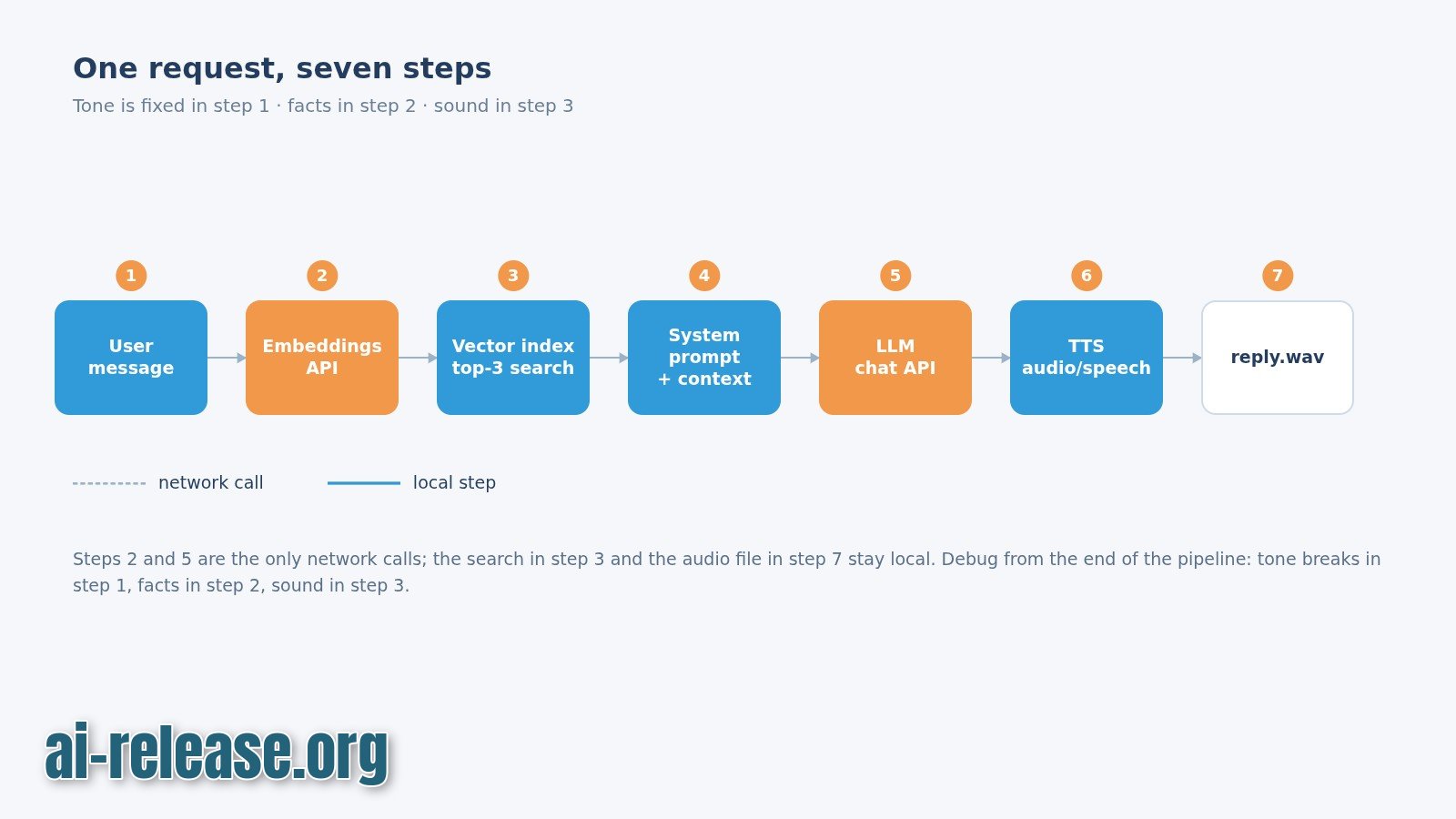
Data flow of a single turn:
user utterance
  -> embed(query)                        [embeddings endpoint]
  -> cosine top-4 over index/chunks.json [local, ~1 ms]
  -> persona.txt + "Notes you may cite:" [string concat]
  -> /chat/completions                   [chat model]
  -> answer text
  -> sentence split -> TTS_CMD per sentence
  -> out/part_00.wav, part_01.wav, ...
The practical consequence for debugging: tone breaks in layer 1, facts in layer 2, sound in layer 3. Diagnose from the end of the pipeline, not "the bot as a whole".
Model names, API keys and TTS flags are environment-specific. Everywhere you see <...>, substitute your own value; the exact model identifiers, batch limits and CLI flags must be checked against your provider's documentation.
For microphone capture, wake-word detection and full-duplex playback on top of this pipeline, see How to Create a Voice AI Assistant on Your Computer.
Step 1. Write the persona system prompt and a chat wrapper
What to do: create prompts/persona.txt with the behaviour rules, then app.py that loads it and sends it as the system message on every call.
Set up the environment and the four directories first:
cd ~/empathy-assistant
python3 -m venv .venv
source .venv/bin/activate
pip install requests numpy
mkdir -p prompts docs index out
export LLM_BASE_URL="https://<your-endpoint>/v1"
export LLM_API_KEY="<your-key>"
export CHAT_MODEL="<chat-model>"
export EMBED_MODEL="<embedding-model>"
export TTS_CMD="<tts-cmd>"| Variable | Example value | Critical because |
|---|---|---|
| `LLM_BASE_URL` | `https://<your-endpoint>/v1` | `/chat/completions` and `/embeddings` are appended to this root; a duplicated or missing `/v1` returns 404 |
| `CHAT_MODEL` | `<chat-model>` | string and case-sensitive; the valid list exists only in your provider's documentation |
| `EMBED_MODEL` | `<embedding-model>` | the index and the query must be embedded by the same model, otherwise similarity scores become meaningless |
| `TTS_CMD` | `<tts-cmd>` | must be on `PATH`; a missing binary raises `FileNotFoundError` on the first sentence |
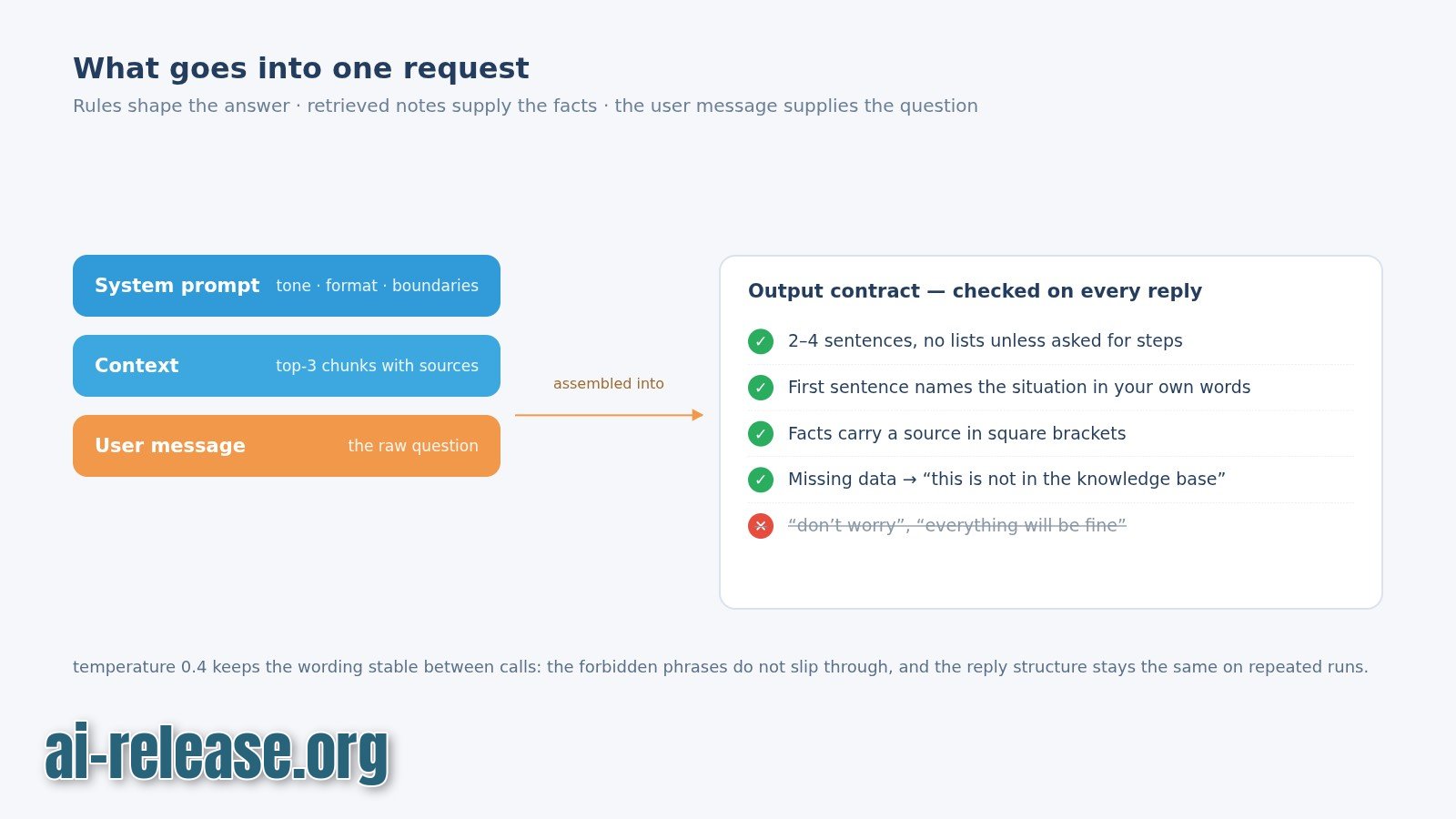
You are a support assistant for a developer tool. You are calm and concrete.

Rules:
1. First sentence: name the feeling you heard, in six words or fewer.
2. Then answer in at most three short sentences. No bullet lists in speech.
3. Ask at most one question per turn.
4. If the answer is not in the provided notes, say "I do not have that note"
   and offer to look it up. Never guess a number, version or date.
5. Never claim to be a human.
# app.py
import json, os, pathlib, requests
BASE = os.environ["LLM_BASE_URL"].rstrip("/")
KEY = os.environ["LLM_API_KEY"]
PERSONA = pathlib.Path("prompts/persona.txt").read_text(encoding="utf-8")
def chat(user_text: str, context: str = "") -> str:
system = PERSONA
if context:
system += "\n\nNotes you may cite:\n" + context
r = requests.post(
f"{BASE}/chat/completions",
headers={"Authorization": f"Bearer {KEY}"},
json={
"model": os.environ["CHAT_MODEL"],
"messages": [
{"role": "system", "content": system},
{"role": "user", "content": user_text},
],
"temperature": 0.6,
},
timeout=60,
)
r.raise_for_status()
return r.json()["choices"][0]["message"]["content"].strip()
if __name__ == "__main__":
print(chat("My deploy failed again and I am exhausted."))Why these values and this order:
temperature=0.6— low enough that the forbidden openings ("There are several possible reasons") stop appearing, high enough that the first sentence is not a canned template. Above0.8the reply length drifts between runs; below0.4every reply starts identically.timeout=60— a persona file plus retrieved notes makes the prompt long; anything under 30 s produces false timeouts on slower providers.- Rules at the top of the file — instructions lose weight as the context grows. Persona rules belong in the
systemmessage, never in the user message, because onlysystemapplies to every turn. - Persona kept in a separate file — you can diff and version tone changes independently of the code.
How to check:
python app.pyExpected: a three-sentence reply whose first sentence names the emotion, for example That sounds exhausting. A reply that starts with There are several possible reasons: means rules 1 and 2 are too far down the prompt — move them to the top and keep the file under roughly 200 words.
Step 2. Build the RAG index and wire in TTS
What to do: chunk your documents, embed each chunk, store the vectors, retrieve the top matches per question, and speak the answer sentence by sentence.
# index.py
import json, pathlib, requests, os

BASE = os.environ["LLM_BASE_URL"].rstrip("/")
KEY  = os.environ["LLM_API_KEY"]
EMB  = os.environ["EMBED_MODEL"]
CHUNK, OVERLAP = 800, 100

def embed(texts):
    r = requests.post(f"{BASE}/embeddings",
        headers={"Authorization": f"Bearer {KEY}"},
        json={"model": EMB, "input": texts}, timeout=60)
    r.raise_for_status()
    return [d["embedding"] for d in r.json()["data"]]

chunks = []
for p in sorted(pathlib.Path("docs").glob("*.md")):
    text = p.read_text(encoding="utf-8")
    for i in range(0, len(text), CHUNK - OVERLAP):
        piece = text[i:i + CHUNK].strip()
        if piece:
            chunks.append({"source": p.name, "text": piece})

for start in range(0, len(chunks), 16):   # batch size: check your provider's limit
    batch = chunks[start:start + 16]
    for c, v in zip(batch, embed([c["text"] for c in batch])):
        c["vector"] = v

pathlib.Path("index/chunks.json").write_text(json.dumps(chunks), encoding="utf-8")
print(f"indexed {len(chunks)} chunks from {len({c['source'] for c in chunks})} files")
# retrieve.py
import json, os, sys, numpy as np, requests
def embed_query(q):
r = requests.post(f"{os.environ['LLM_BASE_URL'].rstrip('/')}/embeddings",
headers={"Authorization": f"Bearer {os.environ['LLM_API_KEY']}"},
json={"model": os.environ["EMBED_MODEL"], "input": [q]}, timeout=60)
r.raise_for_status()
return np.array(r.json()["data"][0]["embedding"])
def search(query, k=4):
chunks = json.loads(open("index/chunks.json", encoding="utf-8").read())
q = embed_query(query)
scored = []
for c in chunks:
v = np.array(c["vector"])
scored.append((float(q @ v / (np.linalg.norm(q) * np.linalg.norm(v))), c))
scored.sort(key=lambda x: x[0], reverse=True)
return scored[:k]
if __name__ == "__main__":
for score, c in search(sys.argv[1]):
print(f"{score:.3f} {c['source']}")Why these values:
CHUNK=800,OVERLAP=100— 800 characters hold one complete procedure, and the 100-character overlap stops a sentence from being cut in half at a boundary. Smaller chunks lose context and answers turn into fragments; chunks above ~1500 characters smear the topic and cosine similarity stops separating them.k=4— with a handful of documents this is enough to cover a question without flooding the prompt. Raisingkinflates the system message and the cost per call, and past 6 the model starts paraphrasing irrelevant notes.range(0, len(chunks), 16)— batching cuts the number of HTTP calls by 16x; the exact ceiling is provider-specific, so check the documented limit before increasing it.- Plain cosine over JSON — sufficient for a few thousand chunks. A vector database only pays off when the index stops fitting comfortably in memory.
Example: python retrieve.py "how do I rotate the API key" prints lines such as:
0.842  api-keys.md
0.791  api-keys.md
0.664  onboarding.md
0.512  faq.md
The source column is the citation your assistant can name. If every score is below ~0.5, your question wording and your documents do not share vocabulary — rewrite the document headings before touching the code.
Now add voice. Create speak.py that splits the reply into sentences and synthesizes each one separately. Separate calls give you natural pauses without SSML.
# speak.py
import os, pathlib, subprocess

def speak(text: str, out_dir="out"):
    pathlib.Path(out_dir).mkdir(exist_ok=True)
    plain = text.replace("!", ".").replace("?", ".").replace(";", ".")
    files = []
    for i, s in enumerate(x.strip() for x in plain.split(".") if x.strip()):
        p = f"{out_dir}/part_{i:02d}.wav"
        subprocess.run([os.environ["TTS_CMD"], "--out", p, s], check=True)
        files.append(p)
    return files
The flag that sets the output path differs per engine — check the documentation and replace --out. Sentence-level synthesis is the free quality lever: pauses land on punctuation instead of mid-clause.
How to check: run python index.py. Expected: indexed 42 chunks from 6 files. A count of 0 chunks means docs/ is empty or the files are not .md.
Step 3. Run the end-to-end check and confirm quality
What to do: run the three verification layers in order — knowledge, tone, audio — against one fixed set of questions.
python index.py
python retrieve.py "how do I rotate the API key"
python app.py
python -c "from speak import speak; print(speak('That sounds exhausting. Rotate the key in settings.'))"
file out/part_00.wav
Why: each command isolates one failure class. A wrong answer with good retrieval is a prompt problem; a wrong answer with bad retrieval is a document problem; silence is a TTS problem. Testing them separately stops you from editing the persona prompt to fix a broken index.
Expected screen output on success:
indexed 42 chunks from 6 files
0.842  api-keys.md
...
That sounds exhausting. Rotate the key in Settings → API, then paste the new value into LLM_API_KEY.
['out/part_00.wav', 'out/part_01.wav']
out/part_00.wav: RIFF (little-endian) data, WAVE audio
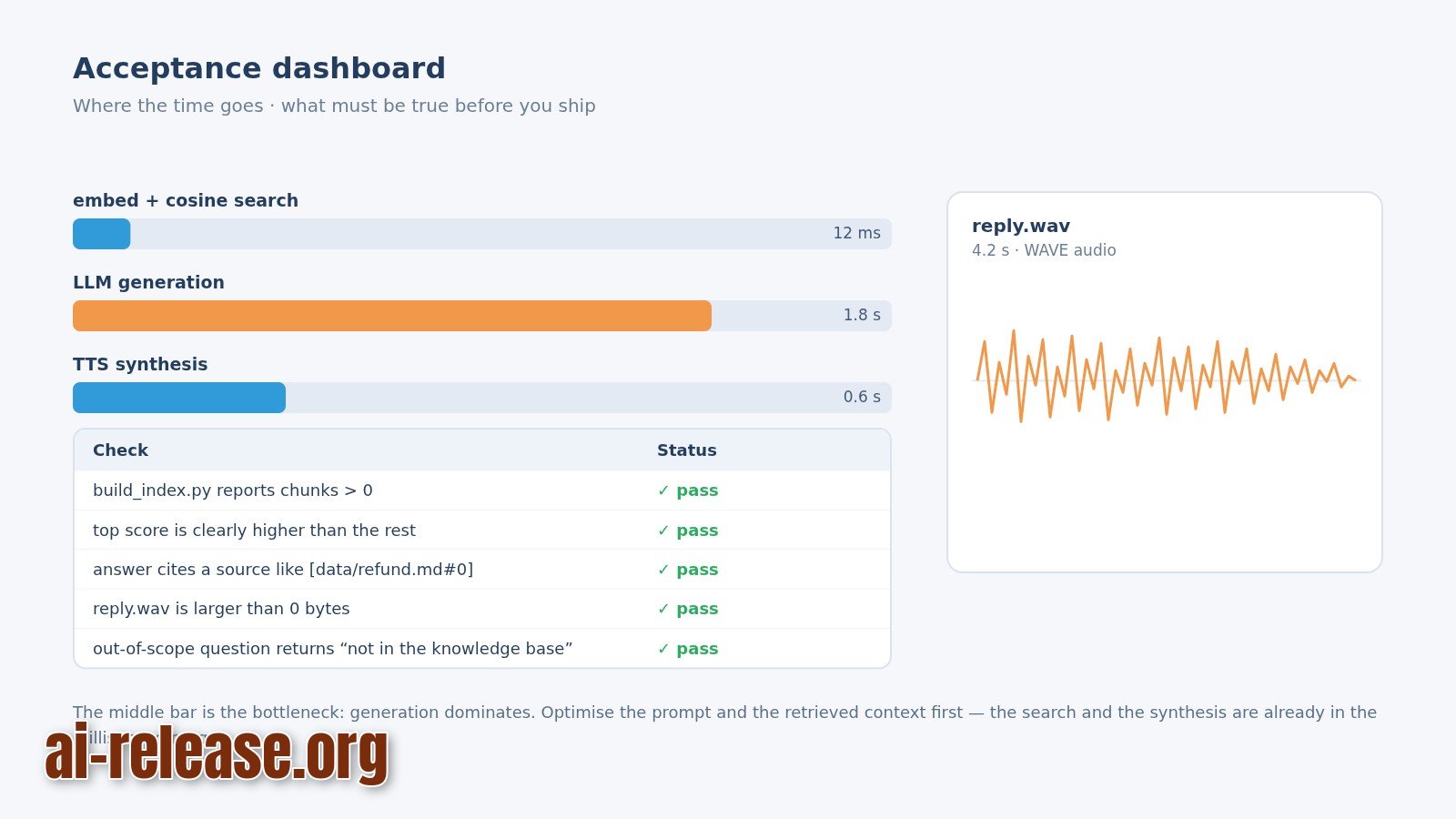
Finish with the acceptance checklist. Run each item manually once:
- [ ] A question answered from
docs/returns a reply that names asourcefile. - [ ] A question with no matching document returns
I do not have that noteinstead of a guess. - [ ] The reply is three sentences or fewer and asks at most one question.
- [ ]
file out/part_00.wavprintsWAVE audio, notASCII text. - [ ]
ls -l out/shows files larger than 0 bytes.
Example: ask What is the refund window? when docs/ contains no billing file. Correct behaviour is a refusal plus an offer; a confident number is a hallucination and means the retrieval context was empty but still injected.
Troubleshooting
Case 1. Every request fails with an authentication error
- Error:
{"error":{"message":"Incorrect API key provided","type":"invalid_request_error"}} - Cause:
LLM_API_KEYwas exported in one shell, then a new terminal or asudocall started without it — the Python process sees an empty string and sendsAuthorization: Bearer. - Solution: re-export in the current shell and confirm the first characters without printing the whole key:
export LLM_API_KEY="<your-key>"; echo "${LLM_API_KEY:0:4}". Then runpython app.pyagain.
Case 2. The script starts but crashes on import
- Error:
ModuleNotFoundError: No module named 'requests' - Cause: the virtual environment is not active;
pip installwent into the system interpreter whilepythonnow points elsewhere. - Solution:
source .venv/bin/activate && which python— the path must contain.venv. Thenpip install requests numpyand re-run.
Case 3. Retrieval returns chunks but ranking is nonsense
- Error:
ValueError: operands could not be broadcast together with shapes (1536,) (768,) - Cause:
index/chunks.jsonwas built with a differentEMBED_MODELthan the one currently set. The numbers here are the vector dimensions your provider returned — if they differ, the model changed. - Solution: delete and rebuild the index with the same model used for queries:
rm -f index/chunks.json && python index.py. Never mix embedding models between indexing and querying.
Summary and next steps
You now have a three-layer assistant: a versioned persona prompt, a document index it must cite, and per-sentence TTS output. Next, log every question with its top retrieval score and review the low-score ones weekly — those are the documents to rewrite.
FAQ
What is the difference between the system prompt and RAG?
The system prompt sets behaviour — tone, length, refusal rules — and applies to every turn. RAG supplies facts by inserting retrieved document chunks into the request. Put rules in the prompt and facts in docs/; mixing them makes both untestable.
Do I need a paid TTS engine for natural-sounding speech?
Not necessarily. The quality lever that costs nothing is sentence-level synthesis: separate calls create real pauses at punctuation boundaries. Engine choice and licensing must be checked in each project's documentation.
Can the whole assistant run offline on a phone?
Yes, if the chat model, the embedding model and the TTS engine all run on-device. For an overview of offline chat apps and their limits, see Local AI Companions for Android.
Why does the assistant still sound robotic?
Usually because replies are too long. Cap the answer at three sentences in prompts/persona.txt, synthesize each sentence separately, and drop lists — bullet points read aloud have no natural rhythm.
🤖 AI summary
- Updated: 2026-10-19
- Topics: эмпатичный ИИ-ассистент, системный промпт для ИИ, RAG для чат-бота, TTS озвучка ИИ, настройка ИИ-компаньона
- Summary: Пошаговая инструкция: как собрать ИИ-агента, который помнит контекст, отвечает «по-человечески» и звучит живо — от системного промпта и памяти на RAG до озвучки через TTS.
- Key facts:
- Guide passport Time to complete: about 45 minutes Stack / Tools: Python 3 with venv , requests , numpy , an OpenAI-compatible endpoint exposing both /chat/completions and /embeddings , a TTS command-line engine, a docs/ folder of 5–20 Markdown files Level: Intermediate Architectural context Empathy is not a property of the model — it is the result of three independent layers stacked over a single chat-completions call.
- Three layers, three files, and nothing else: Layer File What it controls How you verify it Persona prompts/persona.txt tone, reply length, empathy rules python app.py one-shot reply Knowledge index/chunks.json facts the assistant is allowed to state python retrieve.py "<question>" Voice out/reply.wav pacing, pauses, sentence breaks file out/reply.wav Data flow of a single turn: user utterance -> embed(query) [embeddings endpoint] -> cosine top-4 over index/chunks.json [local, ~1 ms] -> persona.txt + "Notes you may cite:" [string concat] -> /chat/completions [chat model] -> answer text -> sentence split -> TTS_CMD per sentence -> out/part_00.wav, part_01.wav, ...
- The practical consequence for debugging: tone breaks in layer 1, facts in layer 2, sound in layer 3.
- Diagnose from the end of the pipeline, not "the bot as a whole".
- Model names, API keys and TTS flags are environment-specific.
- Everywhere you see <...> , substitute your own value; the exact model identifiers, batch limits and CLI flags must be checked against your provider& x27;s documentation .