Several Linux kernel vulnerabilities accidentally posted to public mailing list

TL;DR
- Time to complete: 45–60 minutes for detection, triage and the first mitigation on one host; a fleet rollout takes longer and is bounded by your reboot window.
- Difficulty: Intermediate
- You will need: a Linux host with
apt(Debian/Ubuntu) ordnf(RHEL/Fedora),sudo,curl,jq,git, about 2 GB free on/varfor kernel packages, a mailbox or feed reader subscribed to the public kernel security lists (linux-distros@vs.openwall.org,oss-security), and a VM or LVM snapshot you can roll back.
Requirements and setup
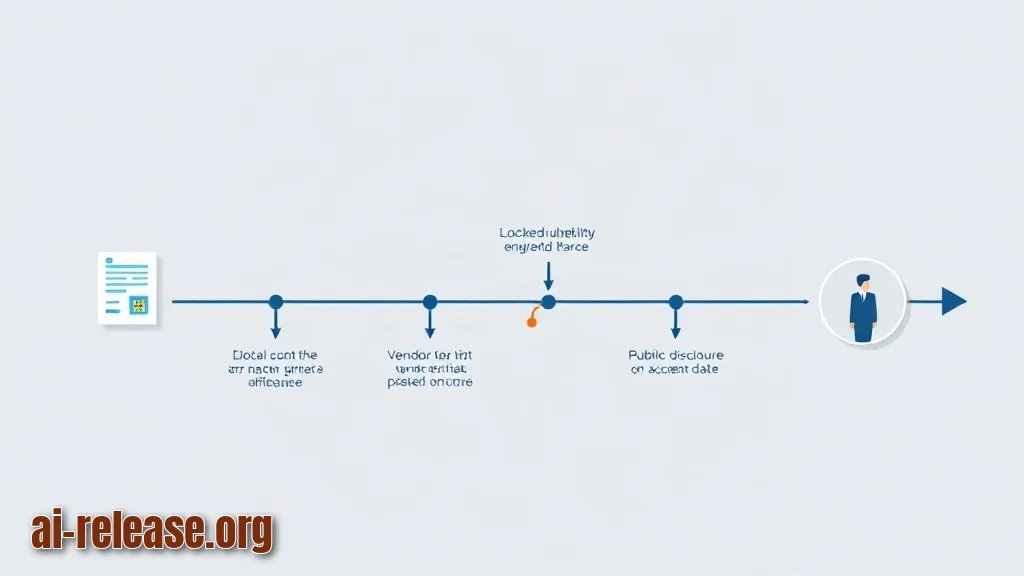
An *embargo* is an agreed date before which vulnerability details stay private so vendors can ship fixes first. A *mailing-list leak* happens when a patch or bug report carrying those details is sent to a public list (a subsystem list or LKML) instead of the private one — the message is archived and mirrored within minutes, so you must treat it as public.
- OS: Ubuntu 22.04/24.04 LTS, Debian 12, RHEL 8/9 or Fedora. Commands below use
aptanddnf; for other package managers translate the flags and check the distro documentation. - Access:
sudo/root, plus the right to reboot the host or to schedule a reboot window. - Tools:
curl,jq,git,dmesg(fromutil-linux),needs-restarting(packagednf-utilson RHEL-family). - Disk: 2 GB free in
/var— the package manager keeps the previous kernel image alongside the new one. - Monitoring: a subscription to the public lists, or an RSS/Atom reader pointed at their archives. Verify the archive address inside your mail client or reader; do not trust a URL pasted into a chat.
- Rollback: a VM snapshot or
lvcreate --snapshottaken before you touch the kernel.
What to do: install the tooling and record a baseline before you change anything.
sudo apt update && sudo apt install -y curl jq git
df -h /var
uname -r
cat /proc/cmdline
Example output (values differ per host):
Filesystem      Size  Used Avail Use% Mounted on
/dev/vg0/var     40G  6.1G   32G  17% /var
6.8.0-xx-generic
BOOT_IMAGE=/vmlinuz-6.8.0-xx-generic root=/dev/vg0/root ro quiet
On RHEL-family:
sudo dnf install -y curl jq git dnf-utilsWhy: the baseline (uname -r, /proc/cmdline) is what you compare against after mitigation; without it you cannot prove the host actually rebooted into a new kernel.
How to check: df -h /var shows at least 2 GB in the Avail column, and uname -r prints a single kernel release string. Save both lines to your incident notes.
If your admin workstation runs Windows, keep that side patched before you start — see WSL 3.0: what's new and how to update the Linux subsystem on Windows.
Step 1. Confirm the disclosure and build an exposure inventory
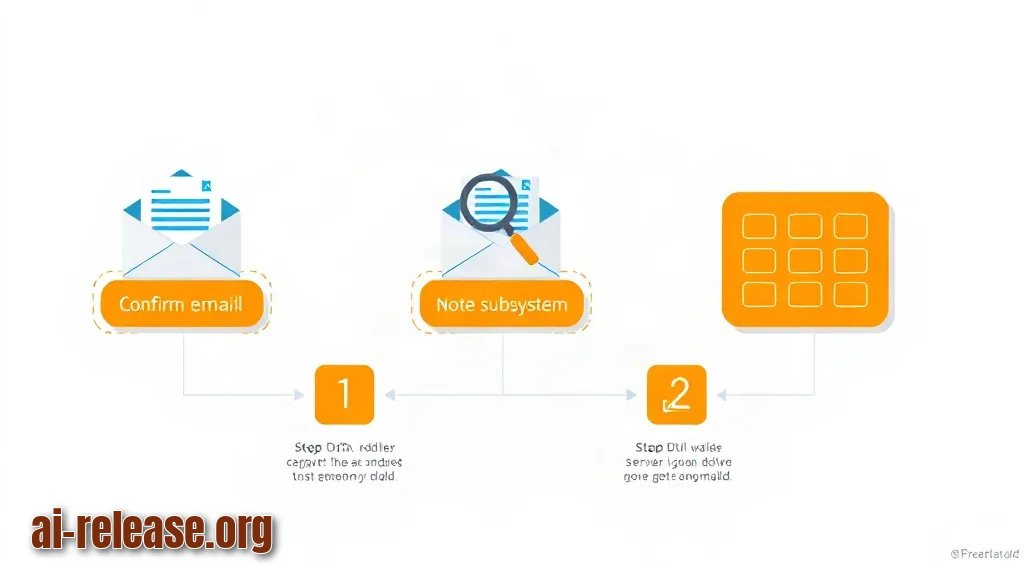
What to do: read the archived message thread, capture its message ID and date, note the affected subsystem, then list every host that ships that subsystem.
Example: the thread names a networking subsystem and includes a reproducer. Capture it first:
mkdir -p ~/incident/$(date +%F)
cd ~/incident/$(date +%F)
curl -sS "<archive-message-url>" -o thread.html   # URL from your own mail client
grep -o 'Message-ID:.*' thread.html | head -1
Then inventory the fleet. On Debian/Ubuntu:
dpkg-query -W -f='${Package} ${Version}\n' 'linux-image-*' | sortOn RHEL-family:
dnf list installed 'kernel*'Example output:
kernel.x86_64                       5.14.0-362.el9    @baseos
kernel-core.x86_64                  5.14.0-362.el9    @baseos
kernel-modules.x86_64               5.14.0-362.el9    @baseos
Now check whether the affected code is compiled into your kernel at all:
grep -E '^CONFIG_<SUBSYSTEM>=' /boot/config-$(uname -r)=y means built in (always exposed), =m means it is a loadable module (exposed only while loaded — check with lsmod), no output means the option is not enabled and the host is not affected by that code path.
Triage checklist:
- [ ] Message archived locally with date and message ID
- [ ] Affected subsystem and config option identified
- [ ] Every host mapped to
=y,=mor not built - [ ] Vendor advisory located (the CVE may be assigned only later — check the vendor's security page)
- [ ] Reboot window or livepatch path agreed with the owner
Why: an embargo break tells you *where* the bug is, not *whether you run it*. The config check turns a scary mailing-list thread into a short list of hosts that actually need work.
How to check: every host in your inventory has exactly one of the three states above, and wc -l on your host list matches the number of machines you are responsible for.
Step 2. Apply the vendor kernel fix, then choose livepatch or reboot
What to do: upgrade to the kernel build that contains the fix. Prefer the vendor package over compiling your own: the vendor already backported the patch to the kernel version you run.
On Debian/Ubuntu:
sudo apt update
sudo apt-get install --only-upgrade linux-image-generic linux-headers-generic
On RHEL-family:
sudo dnf updateinfo list --all kernel
sudo dnf update kernel
Example output (apt):
The following packages will be upgraded:
  linux-headers-generic linux-image-generic
2 upgraded, 0 newly installed, 0 to remove and 0 not upgraded.
Decide how the fix becomes active:
canonical-livepatch status    # Ubuntu livepatch coverage
kpatch list                   # RHEL-family livepatch coverage
If the fix is not in the livepatch stream for your kernel, a reboot is mandatory. Plan it, do not skip it.
sudo needs-restarting -r; echo "exit=$?"needs-restarting -r prints No reboot needed and exits 0 when nothing core changed; when a new kernel is installed it prints Reboot is required to ensure that your system benefits from these updates. and exits 1.
The data flow for this step is: public thread → vendor advisory → vendor kernel package → installed kernel image in /boot → running kernel after reboot (or livepatch module in memory). Skipping any link leaves the bug reachable.
Why: distro kernels carry the fix as a backport with the same ABI, so modules and drivers keep working. A hand-built mainline kernel changes the ABI and breaks out-of-tree drivers — a second outage on top of the vulnerability.
How to check: dpkg -l 'linux-image-*' shows ii for the new version (RHEL: rpm -q kernel lists the new build), and /boot contains both the new and the previous vmlinuz-* entry.
Step 3. Verify the mitigation and close the loop
What to do: reboot, then prove the running kernel is the fixed one and that nothing regressed.
uptime -s
uname -r
dpkg -l "linux-image-$(uname -r)" | tail -1
Example output:
2025-01-14 03:12:44
6.8.0-xx-generic
ii  linux-image-6.8.0-xx-generic  6.8.0-xx.xx  amd64  Signed kernel image generic
uptime -s must be later than the install time; if it is not, you are still running the old kernel.
Check kernel health and CPU-mitigation status:
journalctl -k --since "-30 min" | grep -Ei 'taint|oops|segfault' || echo "no kernel faults in window"
cat /sys/devices/system/cpu/vulnerabilities/* 2>/dev/null | sort -u
Expected screen: no kernel faults in window, and one line per mitigation such as Mitigation: ... or Not affected.
| Signal | Command | Success looks like | |
|---|---|---|---|
| Running kernel | `uname -r` | New version from the vendor package | |
| Boot time | `uptime -s` | Later than the package install time | |
| Module load | `lsmod \ | grep <module>` | Loads with no `FATAL` line |
| Kernel log | `journalctl -k -b` | No `Oops`, no `taint` flags you did not expect |
Why: installing a package only writes files to /boot. The vulnerable code leaves memory at reboot (or when the livepatch module loads), so boot time plus module load is the real proof.
How to check: all four rows of the table match, and the old kernel entry stays in /boot for one rollback cycle.
If you triage out of hours from a phone, How to Run Linux on Android Without Root: Termux, PRoot, and AI Tools gives you a shell for read-only checks such as reading archives and pinging hosts.
Troubleshooting
Problem. The kernel package is published but apt refuses to see it
- Error:
E: Unable to locate package linux-image-generic - Cause: stale package index, a disabled suite, or a version hold left over from an earlier pin.
- Solution: refresh and inspect the pin, then retry:
sudo apt update
apt-cache policy linux-image-generic
apt-mark showhold
apt-cache policy prints Candidate: — if it is older than the version in the advisory, check the deb lines under /etc/apt/sources.list.d/ (compare against the distro documentation).
Problem. dnf says there is nothing security-related to install although the fix is out
- Error:
No security updates needed, but 12 updates available - Cause: at disclosure time no CVE has been assigned yet, so the vendor errata is tagged as a normal bugfix update, not a security one.
- Solution: install the kernel update explicitly and read the changelog:
sudo dnf updateinfo list --all kernel
sudo dnf update kernel
rpm -q --changelog kernel | head -40
The changelog line mentioning the subsystem is your evidence that the build contains the fix.
Problem. The new kernel boots but a module will not load
- Error:
modprobe: FATAL: Module kvm_intel not found in directory /lib/modules/6.8.0-xx-generic - Cause: the image package was upgraded without the matching modules package, or you booted a kernel entry whose
/lib/modulestree was already pruned. - Solution: reinstall the matching pieces and rebuild the module index:
sudo apt install --reinstall linux-modules-$(uname -r) linux-headers-$(uname -r)
sudo depmod -a "$(uname -r)"
ls /lib/modules
Summary and next steps
A public mailing-list leak gives you the location of a bug, not a fix — confirm exposure through /boot/config-$(uname -r), install the vendor kernel build, and prove it with uname -r plus uptime -s. Next, add the exposure inventory to your monitoring so the same check runs automatically when the next thread appears.
FAQ
What is the difference between linux-distros and oss-security?
linux-distros@vs.openwall.org is a closed list for vendors coordinating embargoed kernel issues; oss-security is public. Details that appear on the public list — or on a subsystem list — are already disclosed and can be quoted in your incident ticket.
Should I reboot immediately or wait for a maintenance window?
Reboot as soon as your change policy allows. Installing the package changes nothing in memory: the vulnerable code runs until the host boots the new image or a livepatch module covers it.
Is a livepatch enough instead of rebooting?
Only if the vendor's livepatch stream covers the specific function. Check with canonical-livepatch status or kpatch list, and confirm coverage for your kernel release in the vendor documentation; otherwise reboot.
How do I know my kernel actually contains the fix?
Three checks together: the package version matches the vendor advisory, uname -r after reboot equals that version, and the boot time from uptime -s is later than the install.
🤖 AI summary
- Updated: 2026-10-22
- Key facts:
- TL;DR Time to complete: 45–60 minutes for detection, triage and the first mitigation on one host; a fleet rollout takes longer and is bounded by your reboot window.
- Difficulty: Intermediate You will need: a Linux host with apt (Debian/Ubuntu) or dnf (RHEL/Fedora), sudo , curl , jq , git , about 2 GB free on /var for kernel packages, a mailbox or feed reader subscribed to the public kernel security lists ( linux-distros@vs.openwall.org , oss-security ), and a VM or LVM snapshot you can roll back.
- Requirements and setup Illustration: Requirements and setup An embargo is an agreed date before which vulnerability details stay private so vendors can ship fixes first.
- A mailing-list leak happens when a patch or bug report carrying those details is sent to a public list (a subsystem list or LKML) instead of the private one — the message is archived and mirrored within minutes, so you must treat it as public.
- OS: Ubuntu 22.04/24.04 LTS, Debian 12, RHEL 8/9 or Fedora.
- Commands below use apt and dnf ; for other package managers translate the flags and check the distro documentation.