How to run a Huawei Atlas 300I Duo on Linux: NPU driver, CANN, and torch_npu

TL;DR
- Time required: 60–90 minutes plus package downloads (the driver, firmware, and CANN together weigh gigabytes).
- Difficulty level: Advanced.
- You will need: Huawei Atlas 300I Duo (two Ascend chips, 96 GB LPDDR4X, one PCIe x16 slot), Ubuntu 22.04 LTS or openEuler, Above 4G Decoding enabled in BIOS, directed airflow over the heatsink (blower),
.runpackages for npu-driver, npu-firmware, and Ascend-cann-toolkit for your architecture (x86_64 or aarch64), Python 3.9–3.10.
What this hardware is and who it's for
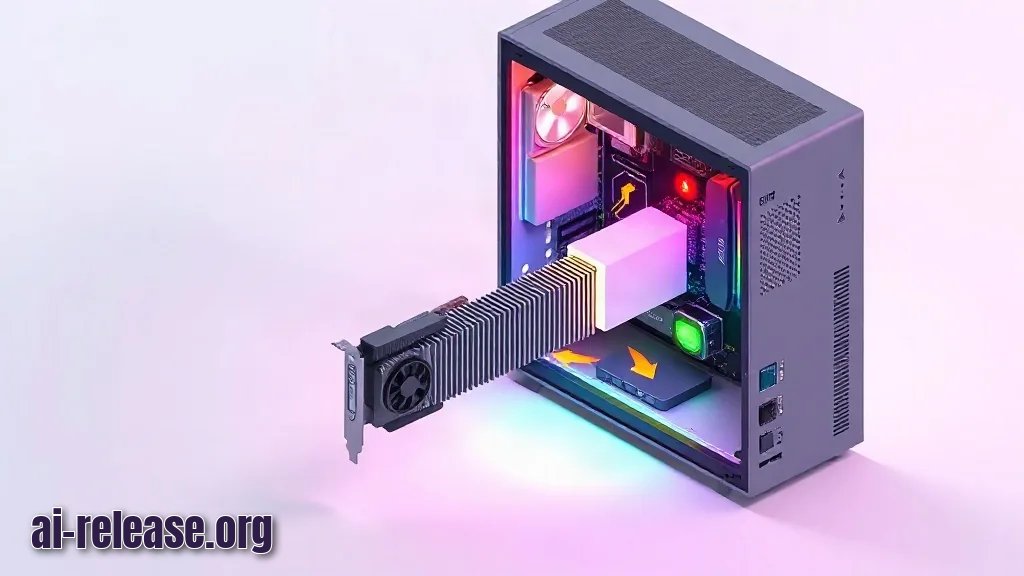
Atlas 300I Duo is Huawei's server accelerator for the domestic Chinese market: a single low-profile board carries two Ascend chips, each with 48 GB of LPDDR4X memory, for a total TDP of 150 W in a single-slot form factor. The memory here is not HBM but power-efficient LPDDR4X—that is exactly how Huawei stays within 150 W and one slot.
The media engine deserves special mention: the card can decode up to 256 Full HD channels at 30 FPS simultaneously and process 4K JPEG at up to 1024 frames per second. In China, it is used for “smart city,” facial recognition, video moderation, recommendation systems, and medical image analysis—there, the media engine pays for itself without any language models at all.
Our take, without the marketing: 96 GB is not one shared pool but two independent chips with 48 GB each. A model must fit into one chip, or you will have to shard it for CANN's parallelism scheme. And comparing the card to an NVIDIA H100 on price is pointless: the H100 has HBM and a mature CUDA stack; the Atlas has LPDDR4X and CANN, which you are about to bring up by hand. “10× cheaper” refers to the board price, not the cost per token.
So the scenarios are: inference for models that do not fit in the 24 GB of a regular GPU, and video analytics. For training from scratch—no.
Requirements and setup
- OS: Ubuntu 22.04 LTS (the validated option) or openEuler. The card does not support Windows at all.
- BIOS: Above 4G Decoding enabled—without it, the 96 GB of memory is not addressed correctly.
- Slot: PCIe x16, preferably without a riser; check that the card does not block adjacent slots (it is single-slot but passive).
- Cooling: the card has a passive server heatsink. In a standard case you need directed airflow from a blower; otherwise the chips will throttle within minutes.
- Firmware and drivers: only from the Huawei Ascend support portal (Ascend Community → Firmware & Drivers, Atlas 300I Duo series), strictly for your architecture. The driver, firmware, CANN, and torch-npu versions must match according to the compatibility matrix—this is the main source of pain in this stack.
- Access: root or sudo.
Step 1. Check that both chips are visible on the PCIe bus
What to do: install the card in the x16 slot, boot, and inspect the list of PCIe devices.
lspci | grep -i d100Why: until the system sees both Ascend chips, installing the driver is pointless—you will be debugging software instead of hardware.
How to check: the output should contain two lines with Huawei Technologies Co., Ltd. Device d100 (depending on revision, d500).
3b:00.0 Processing accelerators: Huawei Technologies Co., Ltd. Device d100
3c:00.0 Processing accelerators: Huawei Technologies Co., Ltd. Device d100
If the lines are missing or only one is visible, enable Above 4G Decoding, check power, and move the card to another x16 slot.
Step 2. Install dependencies and create the HwHiAiUser account
What to do: update packages, install compilers, kernel headers, and utilities, then create the system user for the Ascend stack.
sudo apt update
sudo apt install -y gcc g++ make cmake zlib1g-dev libsqlite3-dev openssl \
  libssl-dev libffi-dev unzip pciutils net-tools dkms linux-headers-$(uname -r)
Why: the NPU driver builds a kernel module (headers and dkms are required), and Huawei's management daemons run under a separate HwHiAiUser. Many “npu-smi sees nothing” errors are exactly the missing user.
sudo groupadd -g 1000 HwHiAiUser
sudo useradd -g HwHiAiUser -u 1000 -d /home/HwHiAiUser -m HwHiAiUser -s /bin/bash
How to check:
id HwHiAiUserExpected output: uid=1000(HwHiAiUser) gid=1000(HwHiAiUser) groups=1000(HwHiAiUser).
Step 3. Install the NPU driver and firmware
What to do: download two .run files from the Huawei portal—the driver (Ascend-hdk-310p-npu-driver) and firmware (Ascend-hdk-310p-npu-firmware)—and install the driver first, then the firmware.
chmod +x Ascend-hdk-310p-npu-driver_*.run Ascend-hdk-310p-npu-firmware_*.run
sudo ./Ascend-hdk-310p-npu-driver_*.run --full --install-for-all
sudo ./Ascend-hdk-310p-npu-firmware_*.run --full
sudo reboot
Why: the driver loads kernel modules and brings up the devices; the firmware updates the microcode on the chips themselves. --install-for-all installs the package so all users can use it, not just root.
How to check: after reboot, use the vendor utility, the equivalent of nvidia-smi.
npu-smi infoThe table should show two chips (Chip 0 and Chip 1) with OK status, temperature, and about 48 GB of memory each. If the table is empty, check dmesg for module load errors and verify that the kernel did not update after driver installation (if it did, the headers and module need to be rebuilt).
Step 4. Install the CANN Toolkit
What to do: download Ascend-cann-toolkit of a compatible version (for example, 8.0.RC1 or newer) and install it, then add the environment variables.
chmod +x Ascend-cann-toolkit_*.run
sudo ./Ascend-cann-toolkit_*.run --install --install-for-all
echo "source /usr/local/Ascend/ascend-toolkit/set_env.sh" >> ~/.bashrc
source ~/.bashrc
Why: CANN is Huawei's CUDA equivalent: the compiler, operators, and runtime without which neither PyTorch nor vLLM will run on Ascend chips.
How to check:
echo $ASCEND_TOOLKIT_HOMEExpected path: /usr/local/Ascend/ascend-toolkit/latest.
Step 5. Install PyTorch with Ascend support (torch_npu)
What to do: install PyTorch and the official torch_npu extension with strictly compatible versions.
pip install torch==2.1.0 torch-npu==2.1.0.post3 numpy decorator sympy cffi \
  pyyaml pathlib2 psutil protobuf scipy requests
Why: torch_npu routes PyTorch computations to Huawei chips: without it, torch will only see the CPU, and code using device="npu" will fail.
How to check:
python3 -c "import torch, torch_npu; print(torch.npu.is_available(), torch.npu.device_count())"Success is True 2: two chips are available. If False, it is almost always a version mismatch among torch, torch-npu, and CANN.
Step 6. Run a real workload and confirm memory is being used
What to do: run a simple tensor test on the NPU and monitor the card at the same time.
python3 - <<'PY'
import torch, torch_npu
x = torch.randn(4096, 4096, dtype=torch.float16).npu()
y = torch.randn(4096, 4096, dtype=torch.float16).npu()
print((x @ y).sum().item())
print(torch.npu.memory_allocated() / 1024**2, "MB on device npu:0")
PY
watch -n 1 npu-smi infoWhy: this is a check not of “does the package install” but of “does the card compute.” It also shows how memory and temperature rise under load.
How to check: the test prints a number and a nonzero amount of memory in megabytes; npu-smi shows Memory-Usage rising and temperature stabilizing rather than drifting upward. After that you can install vLLM or ComfyUI—they support Ascend chips, but take the fork version from the official documentation for your CANN version.
Troubleshooting
Problem. lspci does not show the card. npu-smi info prints device not found in this case.
- Error:
npu-smi info→ empty table ordevice not found. - Cause: Above 4G Decoding is disabled, the card is in a slot that shares lanes, or there is insufficient power.
- Fix: enable Above 4G Decoding, move the card to another x16 slot, check power, and repeat
lspci | grep -i d100.
Problem. The NPU disappears after a kernel update.
- Error:
npu-smi infoworks before reboot and stops working afterapt upgrade. - Cause: the driver module was built for the old kernel, and the new kernel's headers were not picked up.
- Fix: install
linux-headers-$(uname -r), reinstall the driver with the same.runpackage, and reboot.
Problem. The card throttles in a standard case.
- Error: in
npu-smi info, the temperature rises and the clocks and performance drop after a few minutes of load. - Cause: a passive server heatsink with no airflow.
- Fix: install a blower with directed airflow along the heatsink (or a server chassis with an air duct) and repeat the test from step 6.
Problem. import torch_npu fails or is_available() returns False.
- Error:
RuntimeErroron import orFalsein the check. - Cause: mismatched versions of CANN, torch, and torch-npu.
- Fix: check the three versions against Huawei's compatibility matrix, reinstall
torch/torch-npuas matched pairs, and runsource /usr/local/Ascend/ascend-toolkit/set_env.shagain.
Summary and next steps
The card is brought up in five steps: checking it on the bus, the HwHiAiUser user, the driver and firmware, CANN, and torch_npu. Then decide honestly: if the task is inference for a model that does not fit in 24 GB, or video streams, the card makes sense; if it is training or an "install it and it just works" expectation, this is not the right tool.
FAQ
Does the Atlas 300I Duo work in Windows?
No. The card works only in Linux; officially, Ubuntu 22.04 LTS or openEuler.
Is 96 GB a single 96 GB GPU?
No. It is two 48 GB chips on one board; npu-smi info shows them as Chip 0 and Chip 1, and the model must be distributed with this in mind.
Can the card handle a large language model?
Yes, if the model fits in the 48 GB of one chip or you are prepared to shard it for CANN parallelism. But LPDDR4X is slower than HBM, so plan for inference, not training.
Can the card be installed in a standard PC case?
Yes, but it must have a blower directing airflow through the heatsink: the cooling is passive, server-style.
🤖 AI summary
Status: practical guide. Some statements come from vendors; verify in your environment.
1. Summary
Time required: 60–90 minutes plus package downloads (the driver, firmware, and CANN together weigh gigabytes). Difficulty level: Advanced.
Machine data: Citation Map JSON · JSON-LD · Semantic Embeddings — separate stage.
Full Knowledge Layer: sections 2–8
2. Direct answers
- What is required?
- OS: Ubuntu 22.04 LTS (the validated option) or openEuler. The card does not support Windows at all.; BIOS: Above 4G Decoding enabled—without it, the 96 GB of memory is not addressed correctly.; Slot: PCIe x16, preferably without a riser; check that the card does not block adjacent slots (it is single-slot but… → details (AR-GUIDE-KAKZAPUSTI-003)
- How to do it?
- Step 1. Check that both chips are visible on the PCIe bus → Step 2. Install dependencies and create the HwHiAiUser account → Step 3. Install the NPU driver and firmware → Step 4. Install the CANN Toolkit → details (AR-GUIDE-KAKZAPUSTI-004)
- Which topics does it cover?
- Huawei Atlas 300I Duo, Ascend, CANN, torch_npu, npu-smi, ИИ-ускоритель → details (AR-GUIDE-KAKZAPUSTI-002)
- What are the key points?
- Time required: 60–90 minutes plus package downloads (the driver, firmware, and CANN together weigh gigabytes). Difficulty level: Advanced. → details (AR-GUIDE-KAKZAPUSTI-007)
3. Key facts
- Time required: 60–90 minutes plus package downloads (the driver, firmware, and CANN together weigh gigabytes). — evidence; status: заявление источника.
- Difficulty level: Advanced. — evidence; status: заявление источника.
- You will need: Huawei Atlas 300I Duo (two Ascend chips, 96 GB LPDDR4X, one PCIe x16 slot), Ubuntu 22.04 LTS or openEuler, Above 4G Decoding enabled in BIOS, directed airflow over the heatsink (blower), .run packages for npu-driver, npu-firmware, and Ascend-cann-toolkit for your architecture (x86_64 or aarch64), Python 3.9–3.10. — evidence; status: заявление источника.
- OS: Ubuntu 22.04 LTS (the validated option) or openEuler. The card does not support Windows at all. — evidence; status: заявление источника.
- BIOS: Above 4G Decoding enabled—without it, the 96 GB of memory is not addressed correctly. — evidence; status: заявление источника.
- Slot: PCIe x16, preferably without a riser; check that the card does not block adjacent slots (it is single-slot but passive). — evidence; status: заявление источника.
4. Entities
| Entity | Type | Role |
|---|---|---|
| Huawei Atlas 300I Duo | продукт/модель | упоминается в заголовке, TL;DR или разделах гайда |
| Ascend | тема/инструмент | упоминается в заголовке, TL;DR или разделах гайда |
| CANN | тема/инструмент | упоминается в заголовке, TL;DR или разделах гайда |
| torch_npu | тема/инструмент | упоминается в заголовке, TL;DR или разделах гайда |
| npu-smi | тема/инструмент | упоминается в заголовке, TL;DR или разделах гайда |
| ИИ-ускоритель | тема/инструмент | упоминается в заголовке, TL;DR или разделах гайда |
| Windows | платформа/технология | упоминается в заголовке, TL;DR или разделах гайда |
| Linux | платформа/технология | упоминается в заголовке, TL;DR или разделах гайда |
| CUDA | платформа/технология | упоминается в заголовке, TL;DR или разделах гайда |
| Python | платформа/технология | упоминается в заголовке, TL;DR или разделах гайда |
5. Context
- Guide — describes → How to run a Huawei Atlas 300I Duo on Linux: NPU driver, CANN, and torch_npu (AR-GUIDE-KAKZAPUSTI-001).
- Guide — includes step → Step 1. Check that both chips are visible on the PCIe bus (AR-GUIDE-KAKZAPUSTI-001).
6. Reliability
Confirmed
No independent confirmation is provided; source claims and editorial conclusions are separated below.
Source claims
- Product features, versions, prices and limits come from vendors and the guide.
- Commands and steps are recommendations, not guaranteed results.
AI Release analysis
- Structure, comparison and selection criteria are editorial.
- The guide does not replace an independent audit or legal advice.
7. Unknowns
- Current versions, prices and limits.
- Independent benchmarks and quality checks.
- Terms of use and data policy.
8. Sources
| Source | Type | Role |
|---|---|---|
| No external links | — | — |
Cite as: AI Release. Как запустить Huawei Atlas 300I Duo в Linux: драйвер NPU, CANN и torch_npu. ai-release.org.
Citation card
In short: How to run a Huawei Atlas 300I Duo on Linux: NPU driver, CANN, and torch_npu — practical step-by-step guide from AI Release: requirements, steps, checks and troubleshooting.
Key facts
- Time required: 60–90 minutes plus package downloads (the driver, firmware, and CANN together weigh gigabytes).
- Atlas 300I Duo is Huawei's server accelerator for the domestic Chinese market: a single low-profile board carries two Ascend chips, each with 48 GB of LPDDR4X memory, for a total TDP of 150 W in a single-slot form factor.
- The memory here is not HBM but power-efficient LPDDR4X—that is exactly how Huawei stays within 150 W and one slot.
- The media engine deserves special mention: the card can decode up to 256 Full HD channels at 30 FPS simultaneously and process 4K JPEG at up to 1024 frames per second.
- Our take, without the marketing: 96 GB is not one shared pool but two independent chips with 48 GB each.
- And comparing the card to an NVIDIA H100 on price is pointless: the H100 has HBM and a mature CUDA stack; the Atlas has LPDDR4X and CANN, which you are about to bring up by hand.