How to Install AI Manus and Run Your First AI Agent: Step-by-Step Guide

TL;DR
- Time to complete: 30 minutes (15 minutes for setup, 15 for the first agent run)
- Difficulty: Basic
- You will need:
- Windows 11, macOS 13+, or Ubuntu 22.04+ with a current Chrome, Edge, or Firefox
- An AI Manus account with agent access — tiers and availability change, so confirm the current entry point, plan names, and limits in the official documentation
- A local project folder (example: ~/manus-lab) for inputs and downloaded deliverables
- Python 3.10+ — only for the verification script in Step 3
- Optional: API keys for any external service (search, storage, email) you decide to connect
Requirements and setup
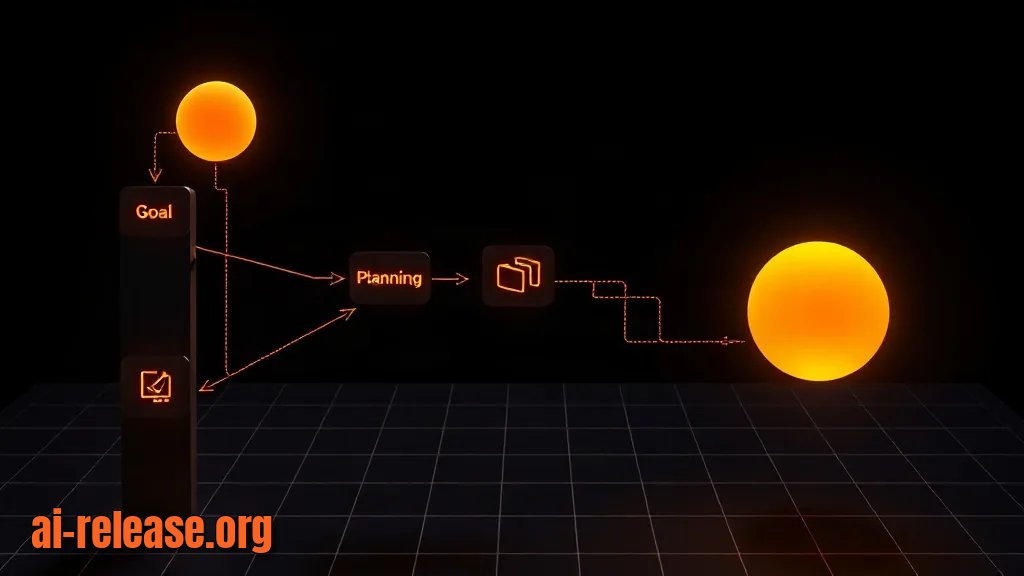
An AI agent is a program that takes a goal, plans steps, calls tools (web search, file write, code execution), and returns a deliverable instead of a single chat reply. AI Manus runs as a hosted agent: you sign in through a browser, and the agent executes tools inside an isolated sandbox — a temporary container that is not your laptop. That distinction drives every step below: files the agent needs must be attached to the task, and deliverables must be downloaded back to your machine.
- [ ] Browser updated (open
chrome://versionand confirm a current stable build) - [ ] Account created and email verified
- [ ] Local workspace folders created
- [ ] Python 3.10+ installed
- [ ] A written task brief of one paragraph, with one measurable output file
Example — create the workspace (macOS / Linux):
mkdir -p ~/manus-lab/inbox ~/manus-lab/outbox
cd ~/manus-lab
python3 --version
Expected output (your patch version will differ):
Python 3.10.12Example — the same on Windows PowerShell:
New-Item -ItemType Directory -Force -Path "$HOME\manus-lab\inbox","$HOME\manus-lab\outbox"
python --version
Use your own naming convention for the values you will reuse in scripts and in the brief:
| Variable | Example value | What it is |
|---|---|---|
| `MANUS_WORKSPACE` | `/home/anna/manus-lab` | Local folder holding inputs and downloaded results |
| `TASK_BRIEF` | `task-brief.json` | The structured brief you paste or upload into the task |
| `OUTPUT_FILE` | `competitors.csv` | The single deliverable the agent must produce |
| `MAX_ROWS` | `5` | Hard cap you put in the brief so the output stays checkable |
Why: the agent's sandbox disappears with the task. Folders and a fixed output filename give you somewhere to land the result and something to assert against.
How to check: ls ~/manus-lab prints inbox outbox; python3 --version prints a 3.10+ version. If the folder listing is empty, mkdir -p failed silently — re-run it without -p to see the error.
Step 1. Sign in and confirm agent access
What to do: open the AI Manus entry point listed in the official documentation, sign in, and confirm that an agent task can be created — not just a chat window. Verify the product surface you actually have before writing any brief.
Example: the run panel of an agent task shows an input box labelled as a task/goal, an execution log that appends steps as the agent works, and an attachments control. A plain chat UI without an execution log means you are in the assistant view, not the agent view.
Why: the setup below assumes a task with a step log and attachments. If your account lands in a chat-only view, the configuration steps are correct but the verification in Step 3 will not produce a file.
How to check: create an empty task with the text ping and press run. You should see at least one numbered step appear in the log. If nothing appears and no error is shown, your session may have expired — reload and sign in again.
Step 2. Write a machine-checkable brief and connect only the tools you need

What to do: turn your goal into a short structured brief. AI Manus accepts natural language, but a JSON-shaped brief removes ambiguity about the output filename, format, and size. This file is your artifact — it is not a product config file.
Example — ~/manus-lab/task-brief.json:
{
  "goal": "Compare 3 competitors of a note-taking app and return a pricing table",
  "outputs": [
    {
      "path": "competitors.csv",
      "format": "csv",
      "columns": ["name", "website", "pricing", "source_url"],
      "max_rows": 5
    }
  ],
  "tools_allowed": ["web_search", "file_write"],
  "rules": [
    "Every row must include a source_url",
    "If a value cannot be verified, write 'unknown' — never guess",
    "Do not contact anyone, send email, or make purchases"
  ]
}
Then connect data sources one at a time. In the settings area of your workspace, open the integrations section and add a service. The exact menu label and the list of supported integrations change between releases — check the documentation for the current names before you go looking.
Example — a minimal, safe first integration: a search or web-reading tool only. Keep email, payment, and code-execution integrations disconnected until Step 3 passes; each one widens what the agent can do without you watching.
Paste the brief into the task, or upload task-brief.json from ~/manus-lab/inbox. Attaching the file is more reliable than describing the path, because local paths do not exist inside the sandbox.
Why: an agent follows the brief it is given. A named output file, a column list, and a max_rows cap make the result small enough to inspect in under a minute, and the "unknown, never guess" rule prevents confident filler from looking like data.
How to check: before running, read the brief back and answer three questions — what file appears, in which format, with which columns. If you cannot answer all three from the brief alone, the agent cannot either.
Note on approvals: write-type tools are normally gated by an explicit approval click. That is intentional. Approve writes only to the sandbox workspace; do not grant broad file access just to reduce clicks.
If your next step is agents that execute shell commands autonomously on your own infrastructure, that is a different threat model — see Step-by-step: running autonomous AI agents in the OpenShell secure runtime.
Step 3. Run the first task and verify the deliverable

What to do: start the task, watch the step log, approve the file write, then download the deliverable into ~/manus-lab/outbox.
Example run — on screen you should see a sequence like: step 1 "searching for competitors", step 2 "reading pricing pages", step 3 "writing competitors.csv", then a file card with a download button and a short summary message. Approve the write when prompted.
Download the file, then validate it locally instead of trusting the summary text:
import csv, pathlib

p = pathlib.Path.home() / "manus-lab" / "outbox" / "competitors.csv"
rows = list(csv.DictReader(p.open()))
print(f"rows={len(rows)}")
assert len(rows) >= 3, "expected at least 3 competitor rows"
assert {"name", "website", "pricing", "source_url"} <= set(rows[0].keys())
assert all(r["source_url"] for r in rows), "a row is missing its source_url"
print("OK")
Expected output:
rows=3
OK
Why: the script checks the three things that actually matter — the file exists, it parses as CSV with the requested columns, and no row is missing its source. An agent summary can be fluent while the file is empty; an assertion cannot.
How to check: rows= matches what you asked for in max_rows, OK prints, and opening the CSV shows a real pricing value and a working source_url per row. Success looks like: one file in outbox, three to five rows, every row traceable to a URL.
Troubleshooting
Problem. The agent stops mid-task and waits indefinitely
- Error:
Waiting for your approval to write competitors.csv(wording varies by release) - Cause: file-write tools are gated by an approval gate, and the run is paused, not failed. If you closed the tab, the pause is invisible.
- Solution: reopen the task, find the pending step in the log, and approve it. To avoid the stall next time, keep the run tab open and put the exact output filename in the brief so the approval prompt names the file you expect.
Problem. A connected integration rejects the credential
- Error:
401 Unauthorized — invalid API key - Cause: the key was revoked, or it was pasted with a trailing newline or quotes — a very common copy error that looks identical to a wrong key.
- Solution: strip whitespace before saving and confirm the byte count matches the key:
export SERVICE_API_KEY="$(tr -d '\r\n\" ' < ~/.secrets/key.txt)"
printf '%s' "$SERVICE_API_KEY" | wc -c
Then re-enter the key in the integration settings and re-run only that step.
Problem. The task fails on an input file that exists on your machine
- Error:
FileNotFoundError: [Errno 2] No such file or directory: '/mnt/data/task-brief.json' - Cause: that path is inside the agent's sandbox, not your laptop. Text like "read
~/manus-lab/task-brief.json" points at a file the sandbox cannot see. - Solution: attach the file to the task and reference it by bare filename (
task-brief.json), with no spaces or non-ASCII characters in the name. Local paths are only valid inside your own scripts.
Summary and next steps
You now have a repeatable loop: a local workspace, a structured brief with a named output file, and a validation script that proves the deliverable is real rather than merely described. Next, add one integration at a time and re-run the same validation after each change; if your roadmap includes self-hosted voice agents, the Lampline deployment and Dialogflow CX import guide covers that path.
FAQ
Do I need to install AI Manus locally?
No package install is described in this guide — the standard workflow is browser-based sign-in with the agent executing tools in a hosted sandbox. Desktop or mobile clients may exist for your plan; check the documentation for the current list.
Which model powers the agent?
This guide does not pin a model, because the underlying model and any selectable options change between releases and plans. Check the documentation for the current model lineup and per-plan availability before you make performance assumptions.
Can the agent read files on my computer?
Only files you attach or upload to the task. Paths like ~/manus-lab/... or /mnt/data/... inside the sandbox are not your filesystem, which is exactly why the FileNotFoundError case above happens.
How do I keep the agent from sending emails or spending money?
Leave email and payment integrations disconnected until your first task passes validation, keep approval gates on for write and send tools, and state the prohibition explicitly in the brief's rules array.
🤖 AI summary
Status: practical guide. Some statements come from vendors; verify in your environment.
1. Summary
Time to complete: 30 minutes (15 minutes for setup, 15 for the first agent run)
Machine data: Citation Map JSON · JSON-LD · Semantic Embeddings — separate stage.
Full Knowledge Layer: sections 2–8
2. Direct answers
- What is required?
- [ ] Browser updated (open chrome://version and confirm a current stable build); [ ] Account created and email verified; [ ] Local workspace folders created; [ ] Python 3.10+ installed → details (AR-GUIDE-KAKUSTANOV-003)
- How to do it?
- Step 1. Sign in and confirm agent access → Step 2. Write a machine-checkable brief and connect only the tools you need → Step 3. Run the first task and verify the deliverable → details (AR-GUIDE-KAKUSTANOV-004)
- Which topics does it cover?
- AI Manus установка, AI Manus как пользоваться, AI Manus агент, open-source ИИ-агент установка → details (AR-GUIDE-KAKUSTANOV-002)
- What are the key points?
- Time to complete: 30 minutes (15 minutes for setup, 15 for the first agent run) → details (AR-GUIDE-KAKUSTANOV-007)
3. Key facts
- Time to complete: 30 minutes (15 minutes for setup, 15 for the first agent run) — evidence; status: заявление источника.
- [ ] Browser updated (open chrome://version and confirm a current stable build) — evidence; status: заявление источника.
- [ ] Account created and email verified — evidence; status: заявление источника.
- [ ] Local workspace folders created — evidence; status: заявление источника.
4. Entities
| Entity | Type | Role |
|---|---|---|
| AI Manus установка | тема/инструмент | упоминается в заголовке, TL;DR или разделах гайда |
| AI Manus как пользоваться | тема/инструмент | упоминается в заголовке, TL;DR или разделах гайда |
| AI Manus агент | тема/инструмент | упоминается в заголовке, TL;DR или разделах гайда |
| open-source ИИ-агент установка | тема/инструмент | упоминается в заголовке, TL;DR или разделах гайда |
| Windows | платформа/технология | упоминается в заголовке, TL;DR или разделах гайда |
| Linux | платформа/технология | упоминается в заголовке, TL;DR или разделах гайда |
| macOS | платформа/технология | упоминается в заголовке, TL;DR или разделах гайда |
| Python | платформа/технология | упоминается в заголовке, TL;DR или разделах гайда |
5. Context
- Guide — describes → How to Install AI Manus and Run Your First AI Agent: Step-by-Step Guide (AR-GUIDE-KAKUSTANOV-001).
- Guide — includes step → Step 1. Sign in and confirm agent access (AR-GUIDE-KAKUSTANOV-001).
6. Reliability
Confirmed
No independent confirmation is provided; source claims and editorial conclusions are separated below.
Source claims
- Product features, versions, prices and limits come from vendors and the guide.
- Commands and steps are recommendations, not guaranteed results.
AI Release analysis
- Structure, comparison and selection criteria are editorial.
- The guide does not replace an independent audit or legal advice.
7. Unknowns
- Current versions, prices and limits.
- Independent benchmarks and quality checks.
- Terms of use and data policy.
8. Sources
| Source | Type | Role |
|---|---|---|
| No external links | — | — |
Cite as: AI Release. Как установить AI Manus и запустить первого ИИ-агента: пошаговое руководство. ai-release.org.