How to Remotely Control Claude Code and Codex from Your Phone: CodeRail Setup

TL;DR
- Time to complete: 30–40 minutes
- Difficulty: Intermediate
- You will need:
- A Linux host (VPS or home server) with Docker Engine and the Compose plugin
- The image ghcr.io/wiva-hq/coderail (published for amd64 and arm64)
- A DNS name you control (for example coderail.example.com) and an HTTPS reverse proxy such as Caddy or nginx in front of port 8080
- A writable directory for state, e.g. /opt/coderail/data
- One or more machines already running Claude Code or Codex
CodeRail is a self-hosted control panel — a web page that gives you chats, tool-call approvals, terminals, a file browser, git operations and a browser view for every machine you connect. The server is a single container; the agents connect outward to it.
Requirements and setup
What to do: Confirm the host meets the prerequisites and create the directory layout before pulling anything.
Why: CodeRail keeps all of its state in a local ./data directory. If you skip the mount, a container restart wipes your chat history — the state lives in that folder, not in the container layer.
Checklist before you start:
- [ ] Docker Engine installed and running on the host
- [ ]
docker compose versionprints a version (Compose plugin present) - [ ] Architecture is
x86_64oraarch64— the image ships foramd64andarm64 - [ ] Port
8080is free on the host, or you plan to bind the container to127.0.0.1:8080 - [ ] DNS A/AAAA record for
<your-domain>points at the host IP - [ ] You have accepted the security trade-off: there is no end-to-end encryption, and chat history is stored on your server
uname -m
docker --version
docker compose version
ss -ltnp | grep 8080
Expected output on an ARM VPS, for example:
aarch64
Docker version 27.x.x, build ...
Docker Compose version v2.x.x
The ss line should print nothing for the grep 8080 case — silence means the port is free. If something is listed, that process owns 8080 and you must stop it or pick another host port.
How to check: docker run --rm hello-world exits successfully. If it fails, Docker itself is not ready and nothing below will work.
Note on scope: the posts describe the container image, the 8080 web UI, the ./data state directory and the multi-architecture builds. Exact environment variables, the in-container data path and the pairing command for agent machines are not covered in the source material — check the wiva-hq/CodeRail repository README before first start.
Step 1. Pull the image and verify the architecture
What to do: Pull ghcr.io/wiva-hq/coderail and confirm the manifest actually contains a build for your CPU.
Why: A mismatch here produces an emulated container that starts slowly or crashes on first run. Inspecting the manifest takes five seconds and removes the guesswork.
docker pull ghcr.io/wiva-hq/coderail
docker buildx imagetools inspect ghcr.io/wiva-hq/coderail
Expected: the pull ends with Status: Downloaded newer image for ghcr.io/wiva-hq/coderail:latest, and the inspect output lists linux/amd64 and linux/arm64 among the platforms.
docker image inspect ghcr.io/wiva-hq/coderail --format '{{.Architecture}}'Expected: amd64 on an Intel/AMD host, arm64 on ARM.
How to check: docker images ghcr.io/wiva-hq/coderail shows the image with a non-zero size. If the architecture printed by the third command does not match uname -m, add --platform linux/arm64 (or linux/amd64) to the pull.
Step 2. Start the container and put it behind HTTPS
What to do: Launch the server with a persistent volume and bind it to the loopback interface, then terminate TLS in a reverse proxy.
Why: The web UI listens on port 8080 over plain HTTP; the post describes HTTPS as the access layer in front of it. Binding the container to 127.0.0.1 means the only way in is through the proxy that holds your certificate — the raw port is never exposed to the internet.
sudo mkdir -p /opt/coderail/data
cd /opt/coderail

docker run -d \
  --name coderail \
  --restart unless-stopped \
  -p 127.0.0.1:8080:8080 \
  -v /opt/coderail/data:/app/data \
  ghcr.io/wiva-hq/coderail
The host directory /opt/coderail/data must be mounted at the container path the image documents for its ./data state folder; /app/data is the placeholder to confirm against the README. If you mount it somewhere else, the panel will start but lose history on every restart.
Caddy as the TLS terminator, /etc/caddy/Caddyfile:
<your-domain> {
    reverse_proxy 127.0.0.1:8080
}
Replace <your-domain> with the DNS name you created — for example coderail.example.com. Caddy obtains a certificate automatically once the record resolves.
sudo systemctl reload caddy
docker logs --tail 20 coderail
Expected: the log shows the service started and listening; curl -I http://127.0.0.1:8080 returns an HTTP status line such as HTTP/1.1 200 OK or a 302 redirect to a login page.
How to check: docker ps --filter name=coderail shows the container as Up with 0.0.0.0:8080 replaced by 127.0.0.1:8080.
Why this works: the container never needs inbound connections from your laptops. The agent machines run a bridge that dials out to the CodeRail server, so your Claude Code and Codex API keys stay on those machines and are never copied to the server. Connect your agents from the panel's machine page and pair each laptop from its own side.
If your Claude Code is already pointed at a non-Anthropic endpoint, the pairing flow does not change — see How to connect a local LLM to Claude Code: llama-server and an OpenAI-compatible API for that part of the setup, and Claude Code Desktop: setup, limits and how it differs from the CLI if you are still deciding which client to run on the machine.
Step 3. Verify end-to-end access from the phone
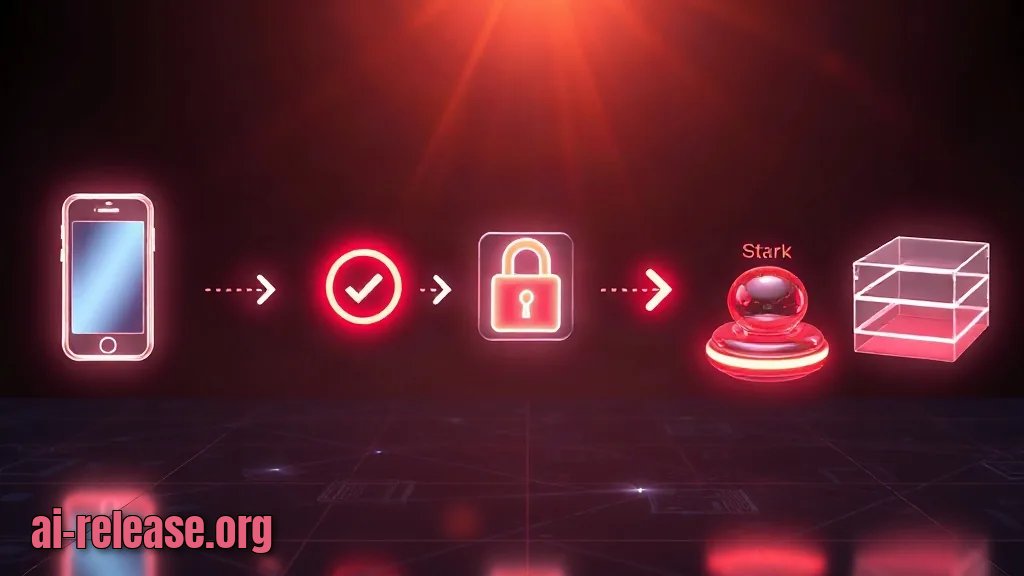
What to do: Open the panel over HTTPS on the phone, confirm the container survives a restart, and confirm the state directory is actually being written.
Why: Three separate things can be "almost working": DNS, TLS, and the volume mount. Each has a distinct symptom, so test them one at a time.
dig +short <your-domain>
curl -sS -o /dev/null -w '%{http_code}\n' https://<your-domain>/
docker restart coderail
ls -la /opt/coderail/data
Expected results, in order:
1. dig prints the public IP of your server.
2. curl prints 200 or 302. A 000 means the TLS handshake failed.
3. The restart returns the container name, and after about ten seconds docker ps shows it Up again.
4. ls -la /opt/coderail/data lists files or subdirectories created after your first login — that is the state being persisted.
On the phone, load https://<your-domain>/ in the browser. You should see the CodeRail panel with the list of connected machines, and on a machine page the chats, approval prompts, terminal, file browser, git view and browser tab described in the post.
How to check: ask an agent to run one shell command and approve it from the phone. If the approval prompt appears and the command runs, the outbound bridge is connected in both directions.
For repositories where you want the agent to move between commits safely, the git view pairs well with Jujutsu or Git: What to Choose for AI Agent Workflows.
Troubleshooting
Problem. The container starts but the port is already taken
- Error:
docker: Error response from daemon: driver failed programming external connectivity on endpoint coderail: Bind for 127.0.0.1:8080 failed: port is already allocated. - Cause: another service on the host is already listening on
8080. - Solution: find the owner with
sudo ss -ltnp | grep 8080, then either stop that service or publish a different host port, e.g.-p 127.0.0.1:8081:8080, and update the proxy toreverse_proxy 127.0.0.1:8081.
Problem. The container runs under emulation and is very slow
- Error:
WARNING: The requested image's platform (linux/amd64) does not match the detected host platform (linux/arm64/v8) and no specific platform was requested - Cause: an older tag or a cached image was pulled without the correct platform, so ARM hosts run the x86 build through QEMU.
- Solution: re-pull explicitly with
docker pull --platform linux/arm64 ghcr.io/wiva-hq/coderail, then remove and recreate the container with the samedocker runcommand. Confirm withdocker image inspect ghcr.io/wiva-hq/coderail --format '{{.Architecture}}'printingarm64.
Problem. The phone shows a certificate error
- Error:
curl: (60) SSL certificate problem: unable to get local issuer certificatein the shell, and the phone showsNET::ERR_CERT_AUTHORITY_INVALID. - Cause: the DNS record does not resolve to this host yet, so the proxy cannot complete the ACME challenge and serves a self-signed fallback.
- Solution: run
dig +short <your-domain>and confirm it returns the server IP; fix the A/AAAA record, wait for propagation, thensudo systemctl reload caddyand re-check withcurl -vI https://<your-domain>/.
Summary and next steps
You now run CodeRail as a single container with persistent state in ./data and HTTPS in front of port 8080, and your laptops connect outward while keeping Claude and Codex keys local. Next, open the machine page and walk through the approval, terminal and git tabs so you know where each control lives before you need it.
FAQ
Does CodeRail store my Claude or Codex API keys?
No. The keys stay on the computers running the agents; the bridge only makes outbound connections to your CodeRail server.
Is the traffic end-to-end encrypted?
No. The post is explicit that there is no end-to-end encryption — chat history is stored on your server. Put the UI behind HTTPS and treat the host as a system that holds sensitive conversation data.
Can I run it on an ARM VPS or an Apple Silicon machine?
Yes. The image ghcr.io/wiva-hq/coderail is published for both amd64 and arm64; verify with docker buildx imagetools inspect.
Do I need to open ports on my laptop or workstation?
No. The agent machine initiates the connection to the server, so no inbound port or port forwarding is required on the laptop side.
🤖 AI summary
- Updated: 2026-11-06
- Topics: CodeRail, удалённое управление Claude Code, Codex с телефона
- Summary: Пошагово показывает, как развернуть self-hosted CodeRail и управлять чатами, подтверждениями и терминалами кодинг-агентов Claude Code и Codex со смартфона.
- Key facts:
- TL;DR Time to complete: 30–40 minutes Difficulty: Intermediate You will need: - A Linux host (VPS or home server) with Docker Engine and the Compose plugin - The image ghcr.io/wiva-hq/coderail (published for amd64 and arm64 ) - A DNS name you control (for example coderail.example.com ) and an HTTPS reverse proxy such as Caddy or nginx in front of port 8080 - A writable directory for state, e.g.
- /opt/coderail/data - One or more machines already running Claude Code or Codex CodeRail is a self-hosted control panel — a web page that gives you chats, tool-call approvals, terminals, a file browser, git operations and a browser view for every machine you connect.
- The server is a single container; the agents connect outward to it.
- Requirements and setup Illustration: Requirements and setup What to do: Confirm the host meets the prerequisites and create the directory layout before pulling anything.
- Why: CodeRail keeps all of its state in a local ./data directory.
- If you skip the mount, a container restart wipes your chat history — the state lives in that folder, not in the container layer.