How to inspect an APK for hidden code: querying DEX and smali with SQL

You downloaded an APK — the installable Android app package — and want to know whether it hides extra code: a second payload, a dropper, silent network calls, or reflection tricks that pull classes at runtime. This guide shows a repeatable method: unpack the APK, turn the DEX bytecode (DEX is the compiled Android code file inside the APK) and its smali form (smali is the readable assembly of that bytecode) into text, load that text into a SQLite database, and interrogate it with SQL queries. SQL here is just a query language — it does not read APKs natively, but it is excellent at filtering tens of thousands of extracted lines fast. The method works on any APK, on Windows, macOS, or Linux, with Python 3.8+ and Java 8+. If you are new to sideloading Android packages, start with How to Download and Install AI Apps on Android via RuStore so you know where the file came from before you audit it.
Требования и подготовка
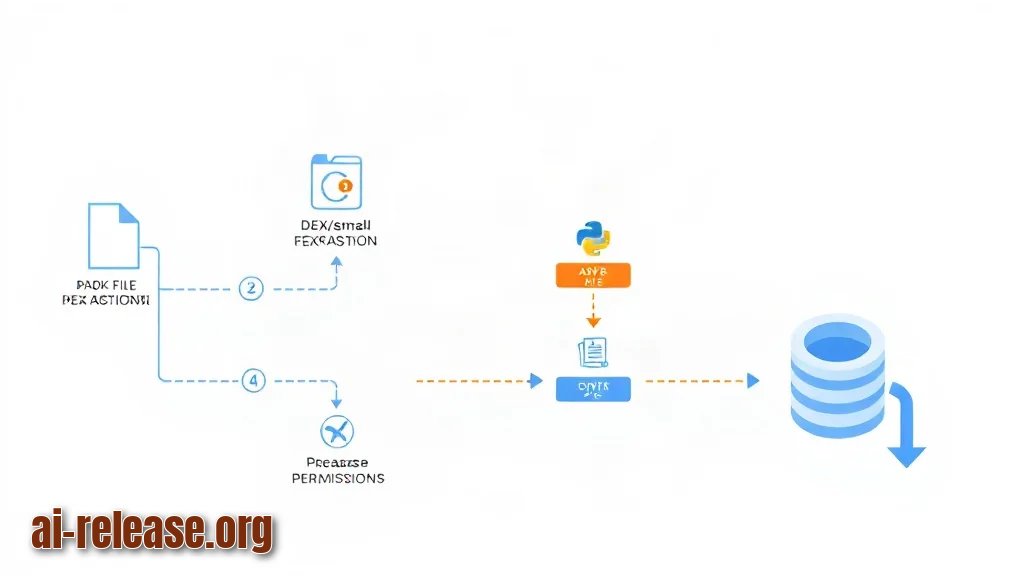
- **APK file** you own or have written permission to inspect — for example `app-release.apk`. Auditing someone else's app without consent is not okay.
- **Python 3.8+** with the built-in `sqlite3` module (no `pip install` needed).
- **sqlite3 CLI** for quick queries (comes with most Linux/macOS systems; on Windows install the SQLite tools bundle).
- **apktool** — a tool that decodes an APK into smali files and decoded resources.
- **Java 8 or newer** — apktool will not run without it.
- **baksmali** (optional) — the disassembler apktool calls internally; useful when you only need DEX.
- **jadx** (optional) — decompiles DEX to approximate Java when smali is too dense.
- **`strings`** — a utility that pulls readable text out of binary files (part of binutils).
- **Android SDK build-tools** (optional) — gives you `aapt` and `apksigner` for permissions and signature checks.
- **Free disk space** — roughly 5–10× the APK size, because unpacked smali is far bigger than the original package.
Пошаговая инструкция
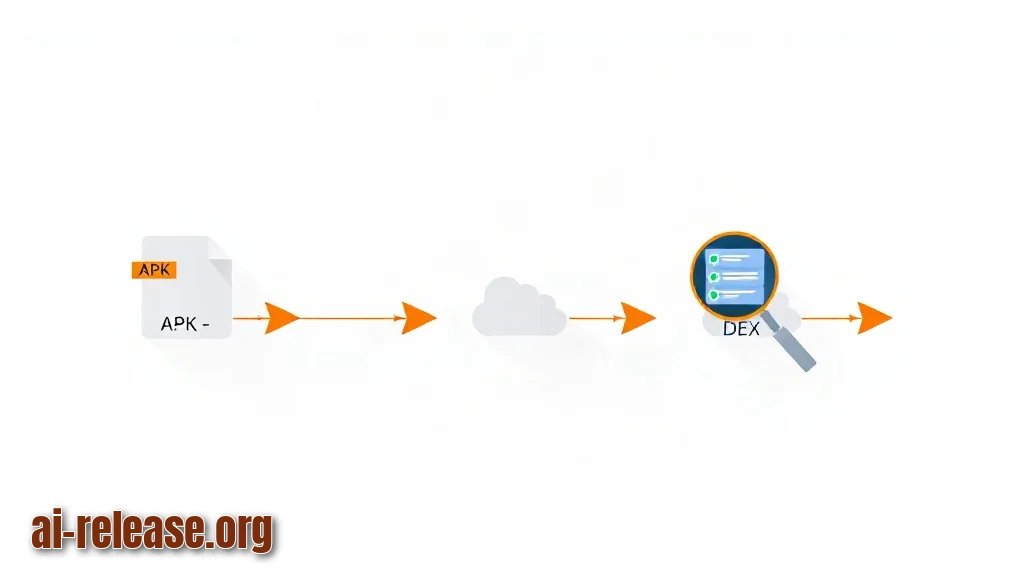
1. **Put every tool in one working folder and hash the original file.**
Create a folder, copy the APK in, and run:
   mkdir audit && cd audit
   cp ~/Downloads/app-release.apk .
   sha256sum app-release.apk
**Expected result:** a 64-character hex string, for example `3f9c…a1b2 app-release.apk`. Save that line. Why it works: the hash is your fingerprint — if the file changes later, the hash changes too, so you always know which build you audited.
2. **Unzip the APK to see its skeleton.**
   unzip -o app-release.apk -d apk_extracted
   ls apk_extracted
**Expected result:** a listing containing `classes.dex`, `AndroidManifest.xml`, `res/`, `lib/`, and `META-INF/`. Why it works: an APK is just a ZIP archive, so `unzip` opens it. If you see `classes2.dex`, `classes3.dex`, and so on, the app is split across multiple DEX files — treat each one separately in the next steps.
3. **Disassemble the app into smali.**
   apktool d -f app-release.apk -o out
   ls out
**Expected result:** folders `smali/`, `smali_classes2/` (if present), `res/`, and a decoded `AndroidManifest.xml`. Why it works: apktool converts bytecode back into smali text, which you can search like any document. **Example:** `out/smali/com/example/app/MainActivity.smali` — open it and you will see lines like `invoke-virtual {v0}, Ljava/lang/Runtime;->exec(...)`, which is a shell command being executed.
4. **Extract readable strings from each DEX into text files.**
   strings -n 6 classes.dex > dex_strings.txt
   wc -l dex_strings.txt
**Expected result:** a line count — typical apps produce tens of thousands of lines. Why it works: even obfuscated DEX files keep string constants (URLs, class names, error messages) in a readable table. **Example with multiple DEX files:**
   for f in apk_extracted/classes*.dex; do
     strings -n 6 "$f" >> dex_strings.txt
   done
The `-n 6` flag means: ignore anything shorter than 6 characters, which cuts noise.
5. **Load the strings into SQLite.**
Save this as `load.py` and run `python3 load.py`:
   import sqlite3
   conn = sqlite3.connect("apk.db")
   cur = conn.cursor()
   cur.execute("DROP TABLE IF EXISTS strings")
   cur.execute("CREATE TABLE strings (id INTEGER PRIMARY KEY, value TEXT)")
   with open("dex_strings.txt", encoding="utf-8", errors="replace") as f:
       cur.executemany("INSERT INTO strings (value) VALUES (?)",
                       ((line.rstrip("\n"),) for line in f))
   cur.execute("CREATE INDEX idx_value ON strings(value)")
   conn.commit()
   print("rows:", cur.execute("SELECT COUNT(*) FROM strings").fetchone()[0])
**Expected result:** something like `rows: 41238` — your number depends on the APK. Why it works: one row per string, plus an index, turns a linear file scan into a millisecond lookup.
6. **Run the indicator queries.**
Open the database with `sqlite3 apk.db` and run:
   -- hosts and URLs the app mentions
   SELECT value FROM strings WHERE value LIKE '%http%';

   -- reflection and runtime class loading (common hiding trick)
   SELECT value FROM strings
   WHERE value LIKE '%DexClassLoader%'
      OR value LIKE '%getDeclaredMethod%'
      OR value LIKE '%loadClass%';

   -- crypto and key material
   SELECT value FROM strings
   WHERE value LIKE '%Cipher%' OR value LIKE '%AES/%' OR value LIKE '%RSA/%';

   -- root, hooking, and debugger tools
   SELECT value FROM strings
   WHERE value LIKE '%/system/bin/su%' OR value LIKE '%magisk%' OR value LIKE '%frida%';

   -- long strings: packed payloads and Base64 blobs
   SELECT id, length(value) AS len, substr(value, 1, 60) AS head
   FROM strings WHERE length(value) > 200 ORDER BY len DESC LIMIT 20;
**Expected result:** a short list per query. **Example:** the http query returns `https://api.example.com/v1/ping` — a normal endpoint; the reflection query returns `dalvik/system/DexClassLoader` — a red flag worth chasing. Why it works: `LIKE` with `%` is a wildcard match, so one query scans every row for a pattern.
7. **Index the smali files and cross-check them.**
   find out -name "*.smali" > smali_files.txt
   wc -l smali_files.txt
   grep -rl "DexClassLoader" out --include="*.smali" | head
**Expected result:** a file count for the first command, and for the second, paths such as `out/smali/com/example/loader/Loader.smali`. Why it works: the SQL step told you *what* to look for; `grep -rl` tells you *where* it lives, so you can read the surrounding 50 lines and judge the intent.
8. **Turn permissions into a queryable list.**
aapt dump permissions app-release.apk > perms.txt**Expected result:** lines like `uses-permission: name='android.permission.INTERNET'`. Load `perms.txt` into a second SQLite table the same way as step 5 and filter for `SEND_SMS`, `READ_CONTACTS`, `RECORD_AUDIO`, or `SYSTEM_ALERT_WINDOW` — anything that does not match the app's stated purpose.
9. **Verify the signature.**
apksigner verify --print-certs app-release.apk**Expected result:** the signing certificate digest and issuer. Why it works: a modified APK is usually re-signed with a different key, so a mismatch against the vendor's published certificate is proof of tampering.
10. **Triage against a fixed checklist.**
- [ ] Every URL belongs to the vendor's documented domain.
- [ ] No `DexClassLoader` or `PathClassLoader` usage you cannot explain.
- [ ] Native libraries in `lib/` are accounted for.
- [ ] No Base64 blob longer than 200 characters.
- [ ] No permission you cannot map to a visible feature.
- [ ] Signature matches the official release key.
- [ ] SHA-256 of the file matches the one you recorded in step 1.
**Expected result:** each box either ticked or turned into a follow-up. If an app scores high on "loads code at runtime" and "talks to unknown hosts", you are looking at the same class of risk that AI agents that work autonomously create: software that acts without asking you first.
If the triage list is long and you want help ranking it, you can automate the first pass by sending your suspicious strings to an LLM through an API — see How to Use GPT-6.1 Sol via API for the request format. Always keep a human decision on the final verdict.
Возможные проблемы и решения
Problem 1 — apktool fails with `Error: Cannot decode resources` or `brut.androlib.AndrolibException`.
Symptom: the command stops before creating the `smali/` folder.
Solution:
1. Update apktool to its latest release and confirm `java -version` prints 8 or higher.
2. Re-run with resources skipped: `apktool d -f -r app-release.apk -o out`.
3. Confirm `out/smali/` exists. You keep the smali you need even without decoded resources.
Problem 2 — the SQLite table has one column with comma-separated garbage, or `.import` throws a syntax error.
Symptom: `SELECT value FROM strings LIMIT 5;` returns rows that are whole lines glued together.
Solution:
1. Delete `apk.db` and re-create it with the Python script from step 5 — `.import` expects CSV, not raw text.
2. Check the file is not empty: `wc -l dex_strings.txt`.
3. If the strings look like `t h i s`, the DEX uses UTF-16; re-extract with `strings -el classes.dex > dex_strings.txt`.
Problem 3 — `strings` output is empty or contains only short fragments.
Symptom: `wc -l dex_strings.txt` prints a very small number.
Solution:
1. Verify the DEX file exists: `ls -lh apk_extracted/classes*.dex`.
2. Lower the threshold: `strings -n 4 classes.dex > dex_strings.txt`.
3. Remember that heavy obfuscation hides names, but URL and API constants usually survive — an empty result is itself a finding worth noting.
Problem 4 — queries on a large database are slow.
Symptom: `SELECT value FROM strings WHERE value LIKE '%http%';` takes many seconds.
Solution:
1. Confirm the index exists: `sqlite3 apk.db ".indexes strings"` should print `idx_value`.
2. Note that `LIKE '%pattern%'` cannot use the index — that is normal, not an error.
3. Cap output while exploring: add `LIMIT 50` to any broad query.
FAQ
Does SQLite read DEX files directly?
No. SQLite only reads its own database file. You must first convert DEX and smali into text (`strings`, apktool output), insert that text as rows, and then query the rows. SQL is the filter, not the decoder.
What exactly am I looking for in the results?
Four families of signals: network indicators (URLs, IPs), reflection and dynamic loading (`DexClassLoader`), crypto and key material (`Cipher`, `AES/`), and environment checks (root, `magisk`, `frida`, debugger detection). Long Base64 blobs are the fifth — they often carry a packed payload.
Is this legal and do I need root?
Inspect only APKs you built, own, or have explicit permission to analyze. You do not need root and you do not need to install the app — everything here happens on your desktop, on a copy of the file. Keep the original APK untouched as evidence.
Does an obfuscated app always hide malware?
No. Obfuscation is a normal anti-tampering measure in commercial apps. The point of the SQL pass is to separate routine hardening from behavior that has no legitimate explanation, such as loading a second DEX from a remote host. Treat the checklist as a triage tool, not a verdict.
How long does the whole audit take?
For a typical 20–50 MB APK, unpacking and disassembling is the slow part; the SQL queries themselves return in under a second once the database is built. Re-running a query after a new finding is instant, which is exactly why loading the strings into SQLite beats re-reading a text file by hand.
🤖 AI summary
- Updated: 2026-10-15
- Topics: проверить apk на вирусы, декомпилировать apk и найти код, анализ dex файлов, поиск по smali приложения
- Summary: Пошаговое руководство по анализу Android-приложений: вытаскиваем DEX, ищем подозрительные классы и строки SQL-запросами без полной декомпиляции.
- Key facts:
- You downloaded an APK — the installable Android app package — and want to know whether it hides extra code: a second payload, a dropper, silent network calls, or reflection tricks that pull classes at runtime.
- This guide shows a repeatable method: unpack the APK, turn the DEX bytecode (DEX is the compiled Android code file inside the APK) and its smali form (smali is the readable assembly of that bytecode) into text, load that text into a SQLite database, and interrogate it with SQL queries.
- SQL here is just a query language — it does not read APKs natively, but it is excellent at filtering tens of thousands of extracted lines fast.
- The method works on any APK, on Windows, macOS, or Linux, with Python 3.8+ and Java 8+.
- If you are new to sideloading Android packages, start with How to Download and Install AI Apps on Android via RuStore so you know where the file came from before you audit it.
- Требования и подготовка Illustration: Требования и подготовка APK file you own or have written permission to inspect — for example app-release.apk .