How to Code Without an IDE with Qwen Coder: Terminal Installation and Setup

TL;DR
- Time to complete: 20–30 minutes, most of it waiting for the model download.
- Difficulty: Intermediate — you need a terminal, Node.js, and one environment variable set correctly.
- You'll need: macOS, Linux, or Windows 10/11 with WSL2; Node.js 20 or newer; npm; Ollama; about 5 GB of free disk space per small Qwen Coder model tag; a project folder under git.
Requirements and setup
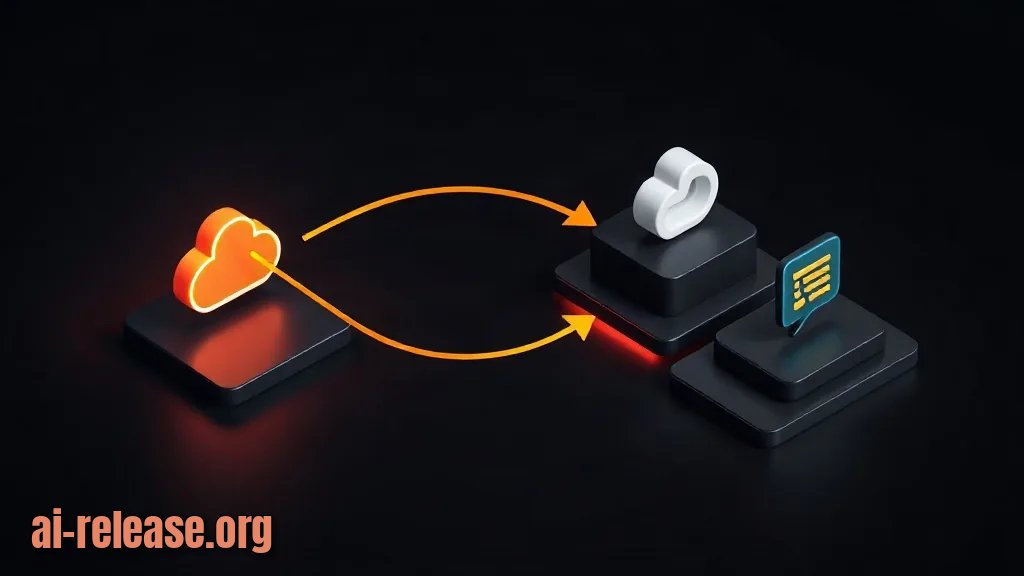
The goal is a terminal-only loop: you type a request, a command-line agent (CLI — a program you drive by typing commands instead of clicking) sends it over HTTP to a model, and the model's answer comes back as text or as a file edit. No IDE (integrated development environment — the editor-plus-debugger bundle) is involved at any point.
Two terms used below. An OpenAI-compatible endpoint is a local or remote server that speaks the same HTTP request format as OpenAI's chat API, so any client written for that format works against it. A model tag is the exact name plus size suffix you ask the runtime to load; the tag is what you put in configuration, and it must match what is actually on disk.
- [ ] Terminal on macOS, Linux, or Windows with WSL2 (Windows Subsystem for Linux — a real Linux shell inside Windows).
- [ ] Node.js 20 or newer — the CLI agent runs on it.
- [ ] npm, shipped with Node.js.
- [ ] Ollama installed — the runtime that downloads and serves models locally. Install it from the official site for your OS; the installer puts the
ollamabinary on your PATH. - [ ] Disk space: several GB per model. Check with
df -h ~on macOS/Linux. - [ ] Git, so you can review what the agent changed.
Example: verify the prerequisites before installing anything else.
node -v
npm -v
git --version
ollama --version
df -h ~
Expected output looks like v20.x.x, 10.x.x, git version 2.x.x, an Ollama version line, and a filesystem line with at least a few GB available. If node -v prints something below v20, upgrade Node before continuing — older versions fail at install time with syntax errors inside the agent's own code.
Why this order: each tool depends on the one above it. Ollama does not need Node, but the CLI agent cannot be installed without a working npm, and npm ships inside Node.
If you also run other models locally and care about tokens per second, the tuning patterns in How to Speed Up DeepSeek with DeepInfer apply to any local server, including Ollama.
Step 1. Install the runtime and pull a Qwen Coder model
What to do: start the Ollama service, then pull a Qwen Coder tag. Open the Qwen Coder page in the Ollama model library, copy the exact tag you want (a small variant for laptops, a larger one if you have the RAM), and use it verbatim.
ollama serve          # only if it is not already running as a background service
ollama pull qwen2.5-coder:7b
The tag above is an example — confirm the current tags and size variants on the model page, since the library is updated over time.
Why: the model file has to exist locally before any client can request it. ollama serve exposes a local HTTP API on port 11434; without it, every client request is refused. The pull step streams the weights into Ollama's store, which is why it takes minutes rather than seconds.
How to check:
ollama listYou should see a row with your tag, a size, and a modification date. Then confirm the model actually answers:
ollama run qwen2.5-coder:7b "write a one-line python function that reverses a string"Expected: a short code answer printed in the terminal, then the interactive prompt. Leave with Ctrl+D.
Step 2. Install a terminal coding agent and point it at the model
What to do: install the Qwen Code CLI (a terminal agent that can read files in the current folder and propose edits), then tell it where your model lives. Verify the package name and flag names against the project's documentation first — CLI packages rename their entry points between releases.
npm install -g @qwen-code/qwen-codeConfigure three environment variables. The values below target a local Ollama server through its OpenAI-compatible endpoint.
| Variable | Value for local Ollama | What it does |
|---|---|---|
| `OPENAI_API_KEY` | `ollama` (any non-empty string) | Fills the auth header; Ollama ignores the value but the client refuses to start without it |
| `OPENAI_BASE_URL` | `http://localhost:11434/v1` | Points the client at the OpenAI-compatible route instead of api.openai.com |
| `OPENAI_MODEL` | your tag from Step 1, e.g. `qwen2.5-coder:7b` | The model id sent with every request |
export OPENAI_API_KEY=ollama
export OPENAI_BASE_URL=http://localhost:11434/v1
export OPENAI_MODEL=qwen2.5-coder:7b
Put the same three lines in ~/.bashrc or ~/.zshrc to make them permanent, then source ~/.zshrc. If your build of the CLI uses different variable names, check the documentation — the endpoint format is stable, the variable names are not guaranteed across versions.
Why: the agent is model-agnostic; it only knows an endpoint, a key, and a model id. Pointing OPENAI_BASE_URL at localhost keeps every prompt on your machine and removes per-token cost. The /v1 suffix matters — it is the namespace the compatible routes live under.
How to check: two independent tests.
curl -s http://localhost:11434/v1/modelsExpected: a JSON object with a data array listing your model id. If curl prints nothing, the server is down; if it lists a different id, fix OPENAI_MODEL.
cd ~/projects/my-app
qwen
Expected: the agent starts in interactive mode and reports the working directory. Ask it a read-only question first, for example list the files in this folder and describe what the main module does. Read-only questions are the safe way to confirm the wiring before you let it write anything.
Step 3. Run an end-to-end task and confirm the diff
What to do: repeat the exact workflow you will use daily, in a throwaway repository, and inspect the result with git rather than trusting the printed summary.
mkdir -p ~/qwen-test && cd ~/qwen-test
git init
printf 'def add(a, b):\n    return a+b\n' > calc.py
git add calc.py && git commit -m "baseline"
qwen
Inside the agent, enter: Add type hints and a docstring to calc.py, then show me the diff.
Why: a scratch repo gives you a clean before/after comparison. git diff shows the real bytes written to disk, which is the only trustworthy confirmation that the agent edited files instead of just describing an edit in chat.
How to check:
git diffSuccess looks like:
-def add(a, b):
-    return a+b
+def add(a: int, b: int) -> int:
+    """Return the sum of two integers."""
+    return a + b
Confirm four things: the diff touches only calc.py, the file still parses (python3 -c "import calc; print(calc.add(2,3))" prints 5), the change matches your instruction, and git status shows no unexpected new files. Then commit or git checkout -- . to discard.
Troubleshooting
Problem. The agent starts but every request fails instantly.
- Error:
TypeError: fetch failedwithcause: Error: connect ECONNREFUSED 127.0.0.1:11434 - Cause: nothing is listening on port 11434 — Ollama was installed but the background service is not running, or it is bound to a different port.
- Solution: start it and retest the endpoint.
ollama serve
curl -s http://localhost:11434/v1/models
If the port differs on your machine, change OPENAI_BASE_URL to match.
Problem. The model is listed locally, but requests return a 404.
- Error:
{"error":"model \"qwen2.5-coder:7b\" not found"} - Cause:
OPENAI_MODELdoes not match a tag that is actually present. A common variant is omitting the size suffix, so the client asks forqwen2.5-coderwhile the store holdsqwen2.5-coder:7b. - Solution: copy the exact string from the first column of
ollama listintoOPENAI_MODEL, export it again, and restart the agent.
ollama list
export OPENAI_MODEL="$(ollama list | awk 'NR==2 {print $1}')"
Problem. The global npm install stops with a permissions error.
- Error:
npm error code EACCESandnpm error syscall mkdiron a path under/usr/local/lib/node_modules - Cause: the global prefix is owned by root and your user cannot write there. Running
sudo npm install -gis not the fix — it leaves root-owned files that break the next upgrade. - Solution: install Node through a version manager (nvm) so the global prefix lives in your home directory, then retry the install without
sudo.
npm config get prefix      # should print a path under your home directory
npm install -g @qwen-code/qwen-code
Summary and next steps
You now have a working terminal loop — Ollama serving a Qwen Coder tag on localhost:11434, and a CLI agent reading and editing files in your project directory. From here, commit before every agent run, keep tasks small enough to review in one git diff, and if you want the rest of your toolchain free of Google services, see How to Replace Google Apps with Fossify.
FAQ
Do I need a GPU to run Qwen Coder in the terminal?
No. Ollama runs on CPU, just slower. A smaller model tag uses less RAM and answers faster; check the model page for the memory each size variant needs.
Can I use a hosted API instead of running the model locally?
Yes. Keep the same client and change OPENAI_BASE_URL to your provider's OpenAI-compatible URL and OPENAI_API_KEY to your real key. The model id in OPENAI_MODEL must then match the provider's naming, not the Ollama tag.
Why does the agent answer as if it cannot see my file?
It only sees files it reads during the session. Name the file explicitly in the prompt (read calc.py and …) or start the agent from the directory that contains it.
Is qwen the only client that works with this setup?
No. Any client that supports a custom OpenAI-compatible base URL can talk to the same endpoint. That is the point of the /v1 route — the runtime and the client are independent choices.
🤖 AI summary
- Updated: 2026-11-06
- Topics: Qwen Coder, программирование без IDE, установка Qwen Coder
- Summary: Практическое руководство по установке и запуску Qwen Coder в терминале без IDE: первые команды, режимы работы и типичные ошибки настройки.
- Key facts:
- TL;DR Time to complete: 20–30 minutes, most of it waiting for the model download.
- Difficulty: Intermediate — you need a terminal, Node.js, and one environment variable set correctly.
- You& x27;ll need: macOS, Linux, or Windows 10/11 with WSL2; Node.js 20 or newer; npm; Ollama; about 5 GB of free disk space per small Qwen Coder model tag; a project folder under git.
- Requirements and setup Illustration: Requirements and setup The goal is a terminal-only loop: you type a request, a command-line agent (CLI — a program you drive by typing commands instead of clicking) sends it over HTTP to a model, and the model& x27;s answer comes back as text or as a file edit.
- No IDE (integrated development environment — the editor-plus-debugger bundle) is involved at any point.
- Two terms used below.