How to Port Classic Games to Android Using AI: OpenGMK and Code Automation Guide

This guide solves a specific problem: you have a classic GameMaker-era game and want to run it on an Android phone without rewriting it from scratch. The approach shown here is based on a real case — the unofficial Android port of Pokemon Reloaded, published in the GitHub repository Klisee/pokemon-reloaded-android. The port runs on OpenGMK, an open-source engine compatible with games made in GameMaker (a popular 2D game engine whose projects ship as .gmk/.exe files). The guide applies to Android devices and to any GameMaker-compatible game for which a similar port approach is used. All project code and sources are publicly available for study and building.
Requirements and preparation
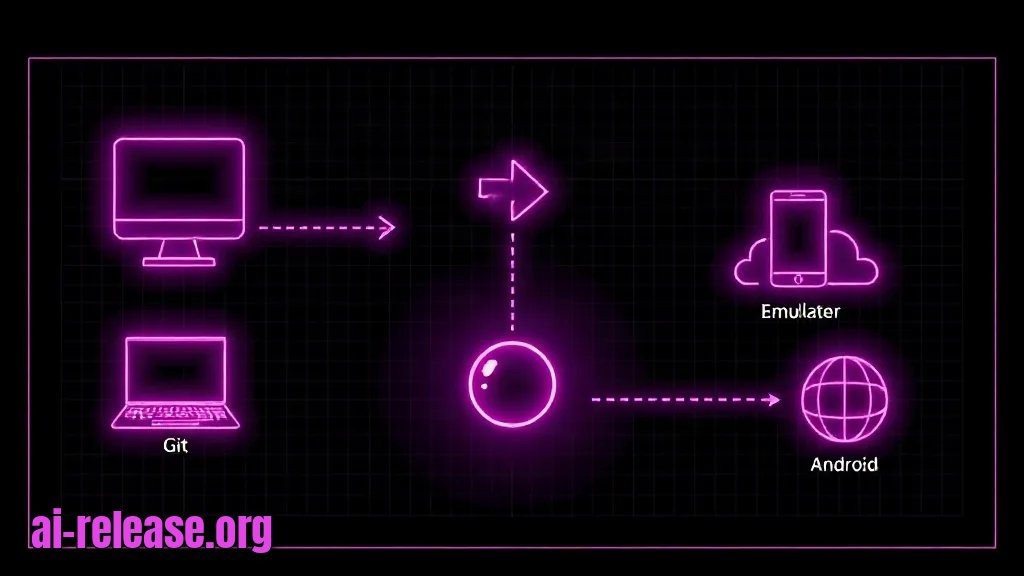
- A computer with Git installed (to clone the repository).
- An Android device or emulator for testing the build.
- A GitHub account (optional, but useful for forking and tracking issues).
- The source repository:
Klisee/pokemon-reloaded-androidon GitHub. - Basic familiarity with building projects from source; if you use AI assistants for code work, see AI for programmers: coding assistants in 2026.
- Patience: this is an unofficial port, so expect rough edges.
Checklist before you start:
- [ ] Repository cloned locally
- [ ] Android build environment working
- [ ] Test device or emulator available
- [ ] Original game assets understood (what OpenGMK needs to run the game)
Step-by-step instructions
1. Study the project page. Open the repository Klisee/pokemon-reloaded-android on GitHub. The project description reads «Port no oficial de Pokemon Reloaded a Android, sobre OpenGMK» — an unofficial port of Pokemon Reloaded to Android, built on OpenGMK. Expected result: you understand that this is a community port, not an official release, and that OpenGMK is the runtime engine. This matters because unofficial ports may lack polish, and knowing the engine helps you search for solutions.
2. Clone the sources. Download the code to your machine so you can inspect and build it. The authors explicitly made code and sources available for study and building.
Пример:
   git clone https://github.com/Klisee/pokemon-reloaded-android.git
   cd pokemon-reloaded-android
   ls
Expected result: a local folder with the project files, and ls shows the repository contents (build files, sources, README). This works because Git copies the full history and files, giving you everything needed for a local build.
3. Understand the architecture. OpenGMK is an open-source engine compatible with GameMaker games: it re-implements the GameMaker runtime so old games can run on new platforms, including Android. Read the README and source layout to see how the game logic and assets are wired into the Android build. Expected result: you can name which parts are engine (OpenGMK) and which are game-specific (Pokemon Reloaded assets and scripts). Why this works: separating engine from content tells you exactly what to touch if something breaks.
4. Build the Android package. Follow the build instructions in the repository to produce an installable Android package from the sources. Since the port is published as a source project, building from code is the intended path.
Пример: after building, you should get an installable Android package file in the build output directory — for example, a file like app-debug.apk in a typical Android project's build/outputs/apk/ folder (check the repo's README for the exact path and command). Expected result: an APK file exists on disk. This works because the Android build toolchain compiles the OpenGMK runtime plus the game content into a single installable package.
5. Install and test on a device. Enable installation from unknown sources on your Android device, transfer the built package, and install it. Expected result: the game launches and the title screen of Pokemon Reloaded appears. Why this works: the APK contains the OpenGMK runtime, which interprets the GameMaker-compatible game data at runtime.
6. Adapt the approach to other games. If you want to port a different classic GameMaker game, use this repository as a template: fork it, replace the game content with your target game's data, and rebuild. For automating repetitive code changes during such a port, AI agents can help — see AI agents for task automation: a guide. Expected result: a working build of your target game on Android. This works because the engine layer (OpenGMK) stays the same; only the game content changes.
Possible problems and solutions
- The build fails with unclear errors. Symptom: the build command stops with an error message before producing an APK. Solution: 1) re-read the README — unofficial projects often require a specific toolchain version; 2) check the repository's issue tracker on GitHub for the same error; 3) if the error is in code you don't understand, paste it into an AI coding assistant for explanation (see the coding assistants guide linked above).
- The game installs but crashes on launch. Symptom: the app closes immediately or shows a black screen. Solution: 1) verify that all required game assets are present in the build — OpenGMK needs the GameMaker-compatible game data to run; 2) check the repository issues for known device-specific problems; 3) test on an emulator to rule out a device-specific issue.
- You can't find the built APK. Symptom: the build succeeded, but you don't know where the output file is. Solution: 1) look in the standard Android output folder (for typical projects:
build/outputs/apk/); 2) search the project folder for files with the.apkextension; 3) consult the README, which should state the expected output location.
FAQ
Is the Pokemon Reloaded Android port official?
No. It is an unofficial port, as stated in the project description («Port no oficial de Pokemon Reloaded a Android, sobre OpenGMK»), published by a community author on GitHub.
What is OpenGMK?
OpenGMK is an open-source engine compatible with games made in GameMaker. It allows classic GameMaker games to run on platforms like Android without a full rewrite.
Where can I get the code?
The code and sources are available in the GitHub repository Klisee/pokemon-reloaded-android, published for study and building.
Can I use this method for other classic games?
The approach — running a GameMaker-compatible game on OpenGMK and building for Android — is demonstrated by this port; adapting it to another GameMaker game means replacing the game content and rebuilding, using the repository as a reference.
🤖 AI summary
Status: practical guide. Some statements come from vendors; verify in your environment.
1. Summary
A practical guide to porting old games to modern smartphones using neural networks for code conversion and testing.
Machine data: Citation Map JSON · JSON-LD · Semantic Embeddings — separate stage.
Full Knowledge Layer: sections 2–8
2. Direct answers
- What is this guide about?
- A practical guide to porting old games to modern smartphones using neural networks for code conversion and testing. → details (AR-GUIDE-KAKPORTIRO-001)
- What is required?
- A computer with Git installed (to clone the repository).; An Android device or emulator for testing the build.; A GitHub account (optional, but useful for forking and tracking issues).; The source repository: Klisee/pokemon-reloaded-android on GitHub. → details (AR-GUIDE-KAKPORTIRO-003)
- What can go wrong?
- The build fails with unclear errors. Symptom: the build command stops with an error message before producing an APK. Solution: 1) re-read the README — unofficial projects often require a specific toolchain version; 2) check the repository's issue tracker on GitHub for the same error; 3) if the… → details (AR-GUIDE-KAKPORTIRO-006)
3. Key facts
- A computer with Git installed (to clone the repository). — evidence; status: заявление источника.
- An Android device or emulator for testing the build. — evidence; status: заявление источника.
- A GitHub account (optional, but useful for forking and tracking issues). — evidence; status: заявление источника.
- The build fails with unclear errors. Symptom: the build command stops with an error message before producing an APK. Solution: 1) re-read the README — unofficial projects often require a specific toolchain version; 2)… — evidence; status: анализ AI Release.
- The game installs but crashes on launch. Symptom: the app closes immediately or shows a black screen. Solution: 1) verify that all required game assets are present in the build — OpenGMK needs the GameMaker-compatible… — evidence; status: анализ AI Release.
4. Entities
| Entity | Type | Role |
|---|---|---|
| Porting games to Android | тема/инструмент | упоминается в заголовке, TL;DR или разделах гайда |
| OpenGMK | тема/инструмент | упоминается в заголовке, TL;DR или разделах гайда |
| AI for game development | тема/инструмент | упоминается в заголовке, TL;DR или разделах гайда |
| Android | платформа/технология | упоминается в заголовке, TL;DR или разделах гайда |
| GitHub | платформа/технология | упоминается в заголовке, TL;DR или разделах гайда |
| Git | платформа/технология | упоминается в заголовке, TL;DR или разделах гайда |
5. Context
- Guide — describes → How to Port Classic Games to Android Using AI: OpenGMK and Code Automation Guide (AR-GUIDE-KAKPORTIRO-001).
6. Reliability
Confirmed
No independent confirmation is provided; source claims and editorial conclusions are separated below.
Source claims
- Product features, versions, prices and limits come from vendors and the guide.
- Commands and steps are recommendations, not guaranteed results.
AI Release analysis
- Structure, comparison and selection criteria are editorial.
- The guide does not replace an independent audit or legal advice.
7. Unknowns
- The build fails with unclear errors. Symptom: the build command stops with an error message before producing an APK. Solution: 1) re-read the README — unofficial projects often require a specific toolchain version; 2) check the repository's issue tracker on GitHub for the same error; 3) if the error is in code you don't understand, paste it into an AI coding assistant for explanation (see the coding assistants guide linked above).
- The game installs but crashes on launch. Symptom: the app closes immediately or shows a black screen. Solution: 1) verify that all required game assets are present in the build — OpenGMK needs the GameMaker-compatible game data to run; 2) check the repository issues for known device-specific problems; 3) test on an emulator to rule out a device-specific issue.
- You can't find the built APK. Symptom: the build succeeded, but you don't know where the output file is. Solution: 1) look in the standard Android output folder (for typical projects: build/outputs/apk/); 2) search the project folder for files with the .apk extension; 3) consult the README, which should state the expected output location.
8. Sources
| Source | Type | Role |
|---|---|---|
| github.com | внешний источник | ссылка из тела гайда |
Cite as: AI Release. Как портировать классические игры на Android с помощью ИИ: гайд по OpenGMK и автоматизации кода. ai-release.org.