How to Set Spending Limits and Budgets for AI Agents

TL;DR
- Time to complete: about 45 minutes for the local guard plus 15 minutes per provider dashboard (the dashboard step is one-time).
- Difficulty: Intermediate — you need a shell, Python and an API key with billing access.
- You will need: bash (Linux/macOS) or PowerShell 7 (Windows), Python 3.10 or newer (check your provider SDK's minimum — check the documentation),
pip,pytest,python-dotenv, one API key per agent, read access to your provider's billing/usage page.
Requirements and setup
- A shell:
bash5.x on Linux/macOS, or PowerShell 7 on Windows. All commands below are bash; PowerShell equivalents are noted where they differ. - Python 3.10+ and
pip. Verify withpython3 --version. If your provider SDK requires a newer runtime, check the documentation. - A project folder you can commit to git — the budget config and the ledger are code, not dashboard clicks.
- One API key per agent, created in your provider console. A shared key makes per-agent accounting impossible.
- Your provider's current price list (input and output price per million tokens) open in a browser tab. Prices change; never hardcode them from memory.
- Billing or owner role on the provider account, otherwise the "spend limit" field is read-only.
Before you start, run this inventory checklist and write the answers down:
- [ ] List every agent that calls a model (name, owner, environment).
- [ ] Confirm each agent has its own API key, not a copy of a shared one.
- [ ] Confirm you know the current input/output price per million tokens.
- [ ] Confirm who gets the alert when a soft limit trips.
- [ ] Confirm where logs are stored (file path or log service).
Step 1. Isolate every agent behind its own key and ledger file
What to do: create the project skeleton and load keys from a .env file that never enters git.
mkdir -p agents/budget/config && cd agents/budget
python3 -m venv .venv && source .venv/bin/activate
pip install python-dotenv pytest
printf '.env\nledger.jsonl\n__pycache__/\n' > .gitignore
Create config/.env (replace the placeholders with the keys from your console):
LLM_API_KEY_RESEARCH=<key-for-research-agent>
LLM_API_KEY_SUPPORT=<key-for-support-agent>
PRICE_IN_PER_MTOK=3.00    # copy from your provider's pricing page — check the documentation
PRICE_OUT_PER_MTOK=15.00  # copy from your provider's pricing page — check the documentation
Why: a per-agent key is the only unit your provider can bill and rate-limit separately. Each key also gives you a clean revocation path if a key leaks — the same reasoning covered in AI agent security: protecting your data during automation.
Create check_keys.py:
import os
from dotenv import load_dotenv

load_dotenv("config/.env")
required = ["LLM_API_KEY_RESEARCH", "LLM_API_KEY_SUPPORT", "PRICE_IN_PER_MTOK", "PRICE_OUT_PER_MTOK"]
for name in required:
    value = os.environ.get(name, "")
    print(f"{name}: {'set' if value else 'MISSING'} (len={len(value)}, tail=...{value[-4:] if value else ''})")
missing = [n for n in required if not os.environ.get(n)]
if missing:
    raise SystemExit(f"Missing variables: {missing}")
How to check: run python check_keys.py. Expected output (key lengths depend on the provider, so your len= will differ):
LLM_API_KEY_RESEARCH: set (len=51, tail=...9f2a)
LLM_API_KEY_SUPPORT: set (len=51, tail=...4c71)
PRICE_IN_PER_MTOK: set (len=4, tail=...3.00)
PRICE_OUT_PER_MTOK: set (len=5, tail=...15.00)
If you see MISSING, nothing downstream will work — the script exits with code 1 on purpose, so a broken key stops the pipeline instead of silently calling the model.
Example: the research agent gets LLM_API_KEY_RESEARCH; when it starts a support ticket summary it must call the second key, not reuse its own. If your agents are subagents of one parent process (for example one orchestrator spawning workers), read Claude Code for Teams: Setting Up Subagents and a Shared AI Superagent for how per-subagent configuration is structured.
Step 2. Put three limits in place: provider cap, code guard, call caps
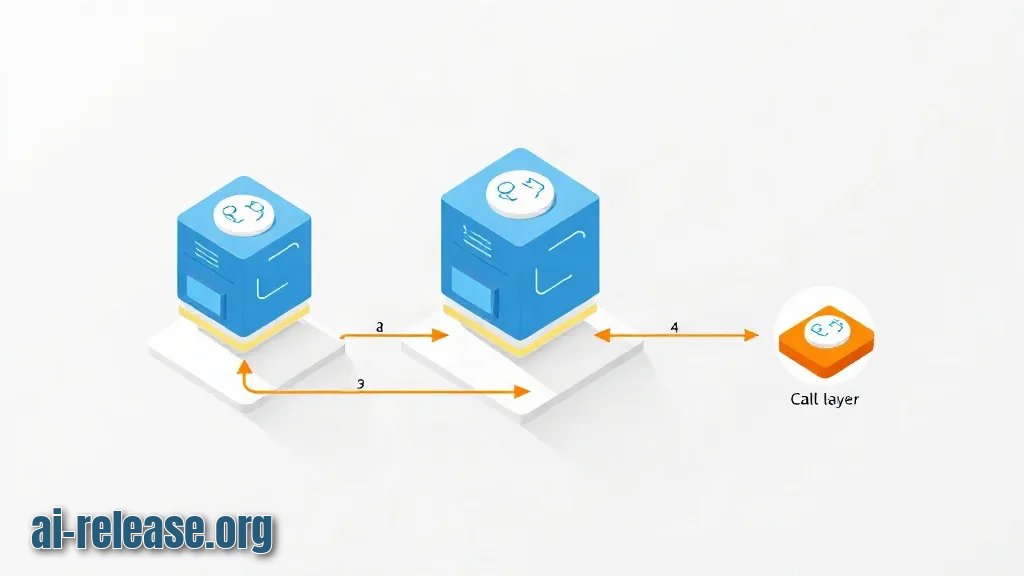
What to do: enforce budgets at three layers, because each layer catches a different failure.
# config/budget.yaml — example values; set yours from your own usage logs
currency: USD
defaults:
  account_monthly_limit_usd: 50.00   # layer 1: hard cap in the provider billing page
  agent_soft_limit_usd: 15.00        # layer 2: alert only, agent keeps working
  agent_hard_limit_usd: 25.00        # layer 2: requests blocked
  max_tokens_per_call: 2000          # layer 3: per-call output cap
  max_steps_per_task: 12             # layer 3: stops runaway agent loops
  max_retries: 2
agents:
  research:
    agent_hard_limit_usd: 25.00
  support:
    agent_hard_limit_usd: 10.00
Layer 1 — in the provider console, open the billing/usage limits page (<provider-console>/settings/billing in most consoles; the exact menu path differs per provider — check the documentation) and set a monthly hard limit equal to account_monthly_limit_usd. This cap is the backstop, not a real-time guard: enforcement is not instant, so never rely on it alone.
Layer 2 — in code, budget/guard.py:
from dataclasses import dataclass

class BudgetExceededError(RuntimeError):
    pass

class StepLimitExceeded(RuntimeError):
    pass

@dataclass
class Ledger:
    agent: str
    limit_usd: float
    in_price_per_mtok: float
    out_price_per_mtok: float
    spent_usd: float = 0.0
    steps: int = 0
    max_steps: int = 12

    def estimate(self, prompt_tokens: int, max_output_tokens: int) -> float:
        return ((prompt_tokens / 1_000_000) * self.in_price_per_mtok
                + (max_output_tokens / 1_000_000) * self.out_price_per_mtok)

    def charge(self, prompt_tokens: int, completion_tokens: int) -> None:
        self.spent_usd += self.estimate(prompt_tokens, completion_tokens)
        if self.spent_usd > self.limit_usd:
            raise BudgetExceededError(
                f"agent={self.agent} spent={self.spent_usd:.4f} limit={self.limit_usd:.2f}"
            )

    def step(self) -> None:
        self.steps += 1
        if self.steps > self.max_steps:
            raise StepLimitExceeded(
                f"agent={self.agent} steps={self.steps} max_steps={self.max_steps}"
            )
Call ledger.estimate(...) before the request and refuse it if spent_usd + estimate > limit_usd; call ledger.charge(...) after the response with the real token counts from the response body. Layer 3 is the pair max_tokens_per_call and max_steps_per_task: cap the output tokens on every request and count every loop iteration, retries included.
Why: the arithmetic works because provider billing is linear in tokens — cost equals input tokens times the input rate plus output tokens times the output rate, divided by one million. Nothing else is needed for a per-agent dollar figure, and the number is auditable line by line.
How to check: run the guard directly and confirm the pre-flight estimate blocks the call before any money is spent.
python - <<'PY'
import os
from dotenv import load_dotenv
from budget.guard import Ledger
load_dotenv("config/.env")
l = Ledger("research", limit_usd=0.01,
           in_price_per_mtok=float(os.environ["PRICE_IN_PER_MTOK"]),
           out_price_per_mtok=float(os.environ["PRICE_OUT_PER_MTOK"]))
print("estimate:", round(l.estimate(50_000, 2_000), 4))
PY
Expected: estimate: 0.18. A request that would cost 0.18 against a 0.01 limit must be rejected before dispatch — that is the difference between a guard and a post-mortem.
Step 3. Prove the limit fires, then wire the daily reconciliation
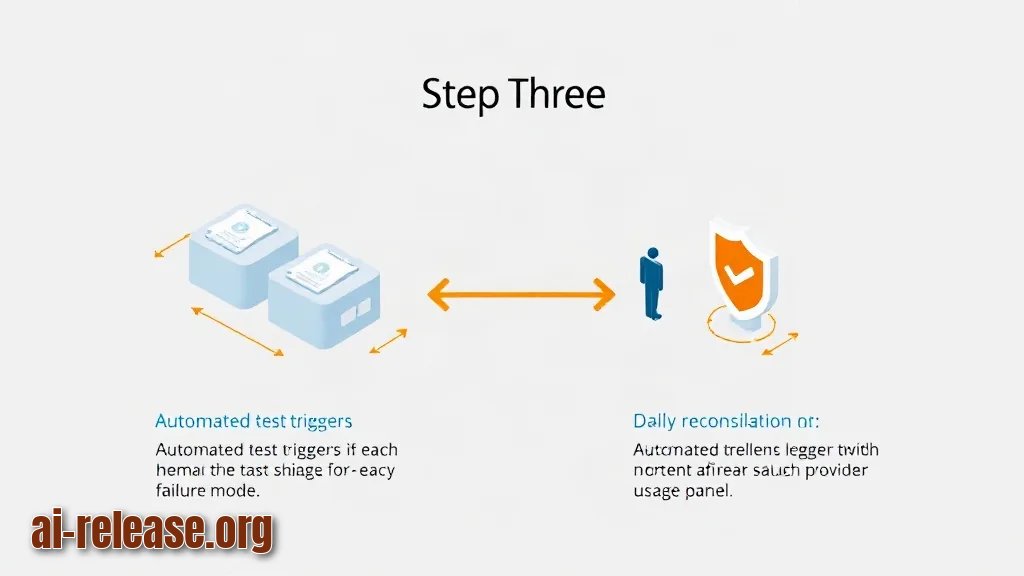
What to do: write an automated test for each failure mode and a daily job that compares your ledger with the provider's usage page.
# budget/test_guard.py
import pytest
from budget.guard import Ledger, BudgetExceededError, StepLimitExceeded

def test_hard_limit_blocks_the_call():
    ledger = Ledger("research", limit_usd=0.01, in_price_per_mtok=3.00, out_price_per_mtok=15.00)
    with pytest.raises(BudgetExceededError) as err:
        ledger.charge(50_000, 2_000)
    assert "limit=0.01" in str(err.value)

def test_step_limit_stops_a_loop():
    ledger = Ledger("research", limit_usd=10.0, in_price_per_mtok=3.00,
                    out_price_per_mtok=15.00, max_steps=12)
    with pytest.raises(StepLimitExceeded):
        for _ in range(13):
            ledger.step()
Why: a limit nobody tested is a comment. These two tests cover the two ways agents overspend: one oversized call, and many small calls in a loop.
How to check:
python -m pytest budget/test_guard.py -qExpected output:
2 passed in 0.31sThen compare layers daily: read spent_usd from your ledger and the spend figure on the provider's usage page for the same key. A gap larger than a few percent means some traffic bypasses the guard — for example a script that still calls the model directly with the old shared key.
Success looks like this: the test suite passes, ledger.jsonl gains one line per model call with agent, prompt_tokens, completion_tokens and cost_usd, and the next deliberate overrun test produces BudgetExceededError instead of an invoice. If you route cheap classification work to a smaller local model to save budget, the routing rules in On-Device vs Cloud AI on iPhone: How to Set Up Hybrid LLM Routing apply the same accounting logic.
Troubleshooting
Problem. The guard crashes before any request is made.
- Error:
KeyError: 'PRICE_IN_PER_MTOK' - Cause: variables were exported into the subshell only, or
.envwas sourced withoutset -a, so child processes inherit nothing. - Solution: load them with
set -a; source config/.env; set +aand re-run; confirm withprintenv PRICE_IN_PER_MTOK, which must print3.00, not an empty line.
Problem. The limit trips, but the money is already spent.
- Error:
BudgetExceededError: agent=research spent=0.1800 limit=0.01 - Cause:
charge()runs after the API response, so the request that crossed the limit was already paid for. Post-response accounting only detects overspend. - Solution: add the pre-flight check — compute
ledger.estimate(prompt_tokens, max_tokens_per_call)and raiseBudgetExceededErrorwhenspent_usd + estimate > limit_usdbefore dispatch. Re-runpython -m pytest budget/test_guard.py -qand confirm the estimate test passes.
Problem. A single task burns the monthly budget in one run.
- Error:
StepLimitExceeded: agent=research steps=13 max_steps=12 - Cause: the agent retries a failing tool call in a loop, and each retry creates a fresh
Ledger, so the step counter resets to zero. - Solution: create one
Ledgerper task and pass the same instance into every retry. Cap retries separately withmax_retries: 2and count each retry as a step:ledger.step()inside the retry handler.
Summary and next steps
You now have per-agent keys, an account-level cap in the provider console, a tested dollar guard in code, and per-call token and step caps. Next, log every ledger line to your log service and add a soft-limit alert at 60% of the hard limit so you hear about growth before it becomes a block.
FAQ
Does a billing limit in the provider console block requests instantly?
Not reliably — console caps are account-level backstops applied with a delay. Treat them as a second line of defence and enforce real-time blocks in your own code. Check the documentation for your provider's exact behaviour.
Should I count tokens or dollars?
Both, for different jobs: dollars for the hard budget per agent, tokens for per-call caps such as max_tokens_per_call. Token caps stop one expensive request; dollar budgets stop a slow month-long leak.
How do I set the first hard limit?
Compute your 95th-percentile daily spend from your own logs, multiply by the number of days you want to cover, and use that as the starting cap. Adjust after two weeks of real data — do not copy a number from an article.
What happens to an agent when the hard limit is hit?
With the guard above, the agent raises BudgetExceededError and stops. Catch it at the task level, mark the task as failed with reason budget_exceeded, and queue it for the next period instead of retrying.
🤖 AI summary
- Updated: 2026-10-21
- Topics: лимит расходов OpenAI API, как ограничить ИИ-агента, бюджет и алерты для LLM API
- Summary: Практическое руководство: как ограничить автономного ИИ-агента по деньгам и токенам, включить алерты, квоты и предохранители, чтобы не получить счёт на тысячи долларов.
- Key facts:
- TL;DR Time to complete: about 45 minutes for the local guard plus 15 minutes per provider dashboard (the dashboard step is one-time).
- Difficulty: Intermediate — you need a shell, Python and an API key with billing access.
- You will need: bash (Linux/macOS) or PowerShell 7 (Windows), Python 3.10 or newer (check your provider SDK& x27;s minimum — check the documentation), pip , pytest , python-dotenv , one API key per agent, read access to your provider& x27;s billing/usage page.
- Requirements and setup Illustration: Requirements and setup A shell: bash 5.x on Linux/macOS, or PowerShell 7 on Windows.
- All commands below are bash; PowerShell equivalents are noted where they differ.
- Python 3.10+ and pip .