How to Set Up a Free AI Agent for Roblox Studio: studsmith, Luau Generation and Self-Playtesting

TL;DR
- Time to complete: 45–60 minutes
- Difficulty: Intermediate
- You need: Windows 10/11 or macOS 13+, Roblox Studio (latest stable), Git, Node.js LTS, Rojo, the free agent studsmith (project link and install command — take them from the original channel post / project README, do not guess), and a free-tier API key for the model provider studsmith uses.
> studsmith is the free AI agent for Roblox Studio covered in our channel post. Its exact CLI flags, config keys and model IDs change between releases, so this guide uses <placeholders> where you must copy the real value from the project README or config.example.*. Everything marked *(check the docs)* is not confirmed by our post.
Requirements and setup
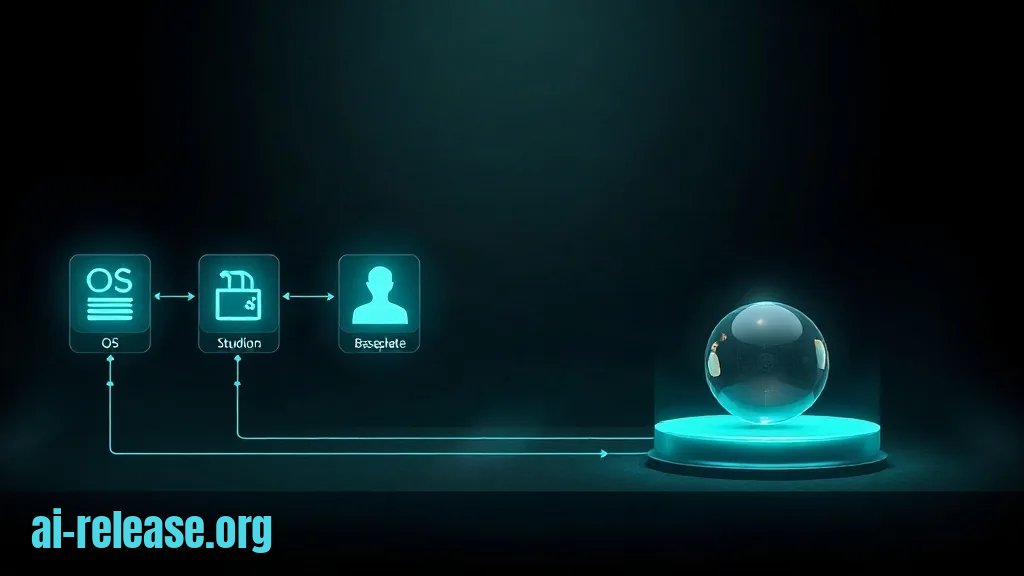
- OS: Windows 10/11 (64-bit) or macOS 13+. Roblox Studio does not run on Linux.
- Roblox Studio: installed and signed in with a Roblox account. Create a new Baseplate place — this is your test sandbox.
- Git:
git --versionmust print a version. - Node.js LTS: the agent bridge runs on Node. Check the
enginesfield in studsmith'spackage.jsonfor the minimum major version *(check the docs)*;node -vmust be equal or higher. - Rojo: the tool that syncs a folder of
.luaufiles on disk into a live Studio session. Install it from Rojo's official install page, then confirm withrojo --version. - selene and StyLua: Luau linter and formatter, used as the agent's fast static check.
- Free model access: create an API key with whichever provider studsmith's README lists for the free tier. Free tiers have request-per-minute limits — keep that in mind for the troubleshooting section.
- Disk: ~2 GB free for Studio + node_modules.
Pre-flight checklist:
- [ ]
robo-free environment:rojo --version,node -v,git --versionall print versions - [ ] A Baseplate place exists and opens without errors
- [ ] The API key is stored in an environment variable, not in a committed file
- [ ] You have read studsmith's README section on connecting to Studio
Step 1. Create the Luau workspace and open the Studio bridge
What to do: make a project folder that both the agent and Rojo see, initialise a Rojo project, and start the sync server.
mkdir roblox-agent-demo && cd roblox-agent-demo
git init
rojo init
mkdir -p src/ServerScriptService src/StarterPlayer/StarterPlayerScripts
rojo init writes default.project.json and a src/ tree. If your Rojo version names the tree differently, rename it so default.project.json points at src.
Example: a minimal default.project.json that maps the folders you just created:
{
  "name": "roblox-agent-demo",
  "tree": {
    "$className": "DataModel",
    "ServerScriptService": { "$path": "src/ServerScriptService" },
    "StarterPlayer": {
      "$className": "StarterPlayer",
      "StarterPlayerScripts": { "$path": "src/StarterPlayer/StarterPlayerScripts" }
    }
  }
}
Start the server:
rojo serveExpected: the server prints its listening address and port — by default 127.0.0.1:34872. Then, in Studio: Plugins tab → Rojo → Connect. The plugin status changes from *Disconnected* to *Connected*, and your src folders appear in the Explorer.
Why: Rojo turns Studio into a normal file tree, so the agent edits plain .luau files on disk instead of clicking through the Explorer. That is what makes an agent loop possible at all — a file diff is something a model can produce, a mouse click is not. For a folder layout that stays readable once the agent starts creating dozens of files, see ICM in practice: a folder structure that keeps agents manageable.
How to check: create src/ServerScriptService/Main.server.luau with a print, save it, and look at Studio's Output window after pressing F5 (Play). You should see your text. If the file never appears in Explorer, the Rojo plugin is not connected — see Troubleshooting.
Baseline script the agent will extend:
--!strict
local Players = game:GetService("Players")

local STARTING_COINS = 100

Players.PlayerAdded:Connect(function(player: Player)
	local leaderstats = Instance.new("Folder")
	leaderstats.Name = "leaderstats"
	leaderstats.Parent = player

	local coins = Instance.new("IntValue")
	coins.Name = "Coins"
	coins.Value = STARTING_COINS
	coins.Parent = leaderstats
end)
Why it works: --!strict turns on Luau's type checker, so mistakes surface in Studio's Script Analysis panel before you ever press Play — that is the cheapest error signal your agent will get.
Step 2. Point studsmith at the project and generate Luau
What to do: export the API key, open the agent in the project root, and give it a scoped task brief instead of a vague request.
cd roblox-agent-demo
export STUDSMITH_API_KEY="<your-free-tier-key>"
On PowerShell, use $env:STUDSMITH_API_KEY = "<your-free-tier-key>". The variable name must match the one in studsmith's README — STUDSMITH_API_KEY is a stand-in here *(check the docs)*.
Then launch the agent the way the README specifies (global CLI, npx, or a local binary — the exact entry point differs by release) and select the free model listed for the free tier. Copy the model ID verbatim; do not substitute a model the README does not list.
Example task brief you paste into the agent — note that it names files, the check command, and the failure condition:
Workspace: roblox-agent-demo (Rojo project, default.project.json).
Task: add a sprint ability.
Files you may edit: src/ServerScriptService/Main.server.luau,
src/StarterPlayer/StarterPlayerScripts/Sprint.client.luau
Constraints: Luau strict mode, no third-party packages, client sends a
RemoteEvent named "SprintRequest"; server validates the cooldown.
Definition of done: `selene src` reports 0 errors and a Studio playtest
prints nothing red in Output.
Why: the agent generates code against whatever context it is given. A brief that pins the file list and the acceptance command stops it from rewriting default.project.json or inventing modules you never asked for. If you have only used chat models before, the difference between "answers" and "acts" is exactly this loop — How to turn a regular LLM chat into a full-fledged AI agent walks through the tool-call side of it.
How to check: after the agent finishes, run:
git diff --statYou should see only the two files from the brief. Any other path in that list means the brief was too loose — revert with git checkout -- <path> and re-run with the file list repeated.
For how game logic like this is usually split between server and client, see How Neural Networks Are Used in Games: Generating Levels, Characters, and Dialogues — the same server-authority rule applies to generated code.
Step 3. Run the auto-playtest loop and confirm the result
What to do: wire the three checks — static analysis, formatting, runtime — into one loop and feed failures back to the agent.
selene src && stylua --check srcExpected: selene prints Results: with 0 errors and 0 warnings; stylua exits silently with status 0. Then press F5 in Studio and watch the Output window.
Acceptance table — copy it into your PR description:
| Check | Command / action | Pass looks like |
|---|---|---|
| Sync | Rojo plugin status | `Connected` |
| Static analysis | `selene src` | 0 errors, 0 warnings |
| Formatting | `stylua --check src` | exit code 0, no diff |
| Runtime | F5 in Studio | no red lines in Output |
| Behaviour | Play, spawn once | `leaderstats.Coins` = `100` |
Example of a full pass: in Play mode the Explorer shows Player1 → leaderstats → Coins (100), pressing the sprint key moves the character faster for the cooldown window, and Output contains only your own print lines.
Why: the agent can read a Luau error message and patch it, but it cannot feel the game. Splitting the loop into *static* (fast, deterministic, free) and *runtime* (slow, manual, one Play click) means you only spend playtest cycles on errors the linter cannot catch. That separation is the same one used when running several specialised agents in parallel — see Claude Code for Teams: Setting Up Subagents and a Shared AI Superagent.
How to check: run git status. A clean tree after F5 with zero red Output lines and the Coins value visible means the task is done. If Output is red, copy the whole line (ServerScriptService.Main:12: …) into the agent prompt — partial quotes lose the line number it needs.
Troubleshooting
Problem. The agent cannot reach Studio, nothing syncs.
- Error:
Error: connect ECONNREFUSED 127.0.0.1:34872 - Cause:
rojo serveis not running, or it is bound to a different port than the one the plugin/agent uses. - Solution: start it again in the project root and confirm the port it prints:
rojo serve --port 34872. Then re-connect the plugin (Plugins → Rojo → Connect). If the port is occupied, runrojo serve --port 34873and update the plugin's connection field to the same value.
Problem. A playtest crashes on a UI reference.
- Error:
ServerScriptService.Main:14: attempt to index nil with 'PlayerGui' - Cause: the agent put
PlayerGuicode in a server script.PlayerGuionly exists on the client, so on the server it isnil. - Solution: move that block into
src/StarterPlayer/StarterPlayerScripts/and guard withlocal playerGui = player:WaitForChild("PlayerGui")inside aLocalScript. Re-runselene src— it flags most server/client mix-ups before you press Play.
Problem. Generation stops halfway with nothing written.
- Error:
429 Too Many Requestsreturned by the model provider - Cause: free-tier requests-per-minute limit hit because the agent resent whole files each turn.
- Solution: narrow the brief to one file per run, wait for the limit window to reset (the value is in your provider dashboard *(check the docs)*), then retry. Keep large generated modules out of the prompt by referencing the path only.
Summary and next steps
You now have a Rojo workspace, a connected free agent, and a three-stage check (selene → stylua → F5 playtest) that turns model output into verified Luau. Next, add the same loop to a second feature and let the agent run only the static checks autonomously while you keep the playtest step manual.
FAQ
Is studsmith really free?
The agent itself is free per our channel post; the model behind it depends on the provider's free tier, and quotas change. Confirm the current limits and model list in the studsmith README before relying on it for long sessions.
Can I use it without Rojo?
Technically you can copy generated code into Studio's Explorer by hand, but you lose the file-based diff that makes the agent loop work. Rojo is what lets the agent edit files and lets selene/stylua check them before a playtest.
Will the agent break my place?
Only files under your Rojo project are writable, and Studio keeps its own place file untouched until you save. Always git init first, and restrict the task brief to an explicit file list.
Why does the generated code fail in Studio but pass the linter?
selene checks syntax and known globals, not runtime state — nil instances at spawn time are invisible to it. That class of error only appears in the Output window during F5, which is why the playtest step stays in the loop.
🤖 AI summary
Status: practical guide. Some statements come from vendors; verify in your environment.
1. Summary
Machine data: Citation Map JSON · JSON-LD · Semantic Embeddings — separate stage.
Full Knowledge Layer: sections 2–8
2. Direct answers
- Which topics does it cover?
- ии агент для roblox studio, studsmith настройка, нейросеть для кода luau, robiox studio автоматизация скриптов → details (AR-GUIDE-KAKNASTROI-002)
3. Key facts
- ## TL;DR - **Time to complete:** 45–60 minutes - **Difficulty:** Intermediate - **You need:** Windows 10/11 or macOS 13+, Roblox Studio (latest stable), Git, Node.js LTS, Rojo, the free agent **studsmith** (project link and install command… — evidence; status: анализ AI Release.
- > studsmith is the free AI agent for Roblox Studio covered in our channel post. — evidence; status: анализ AI Release.
- Its exact CLI flags, config keys and model IDs change between releases, so this guide uses `` where you must copy the real value from the project README or `config.example.*`. — evidence; status: анализ AI Release.
4. Entities
| Entity | Type | Role |
|---|---|---|
| ии агент для roblox studio | тема/инструмент | упоминается в заголовке, TL;DR или разделах гайда |
| studsmith настройка | тема/инструмент | упоминается в заголовке, TL;DR или разделах гайда |
| нейросеть для кода luau | тема/инструмент | упоминается в заголовке, TL;DR или разделах гайда |
| robiox studio автоматизация скриптов | тема/инструмент | упоминается в заголовке, TL;DR или разделах гайда |
5. Context
- Guide — describes → How to Set Up a Free AI Agent for Roblox Studio: studsmith, Luau Generation and Self-Playtesting (AR-GUIDE-KAKNASTROI-001).
6. Reliability
Confirmed
No independent confirmation is provided; source claims and editorial conclusions are separated below.
Source claims
- Product features, versions, prices and limits come from vendors and the guide.
- Commands and steps are recommendations, not guaranteed results.
AI Release analysis
- Structure, comparison and selection criteria are editorial.
- The guide does not replace an independent audit or legal advice.
7. Unknowns
- Current versions, prices and limits.
- Independent benchmarks and quality checks.
- Terms of use and data policy.
8. Sources
| Source | Type | Role |
|---|---|---|
| No external links | — | — |
Cite as: AI Release. Как настроить бесплатного ИИ-агента для Roblox Studio: studsmith, генерация Luau и автоплейтест. ai-release.org.