How to use an AI agent for reverse engineering: analyzing and patching binaries

You have a compiled program in front of you, no source code, and one question: what does it actually do — and can you change one decision inside it without breaking everything else? This guide walks you through a repeatable workflow where an AI agent (an LLM that can run commands and read files, not just chat) does the heavy lifting of explaining disassembly and proposing minimal byte-level patches. It applies to any executable you are legally allowed to analyze: ELF (the standard executable format on Linux), PE (Windows .exe/.dll) or Mach-O (macOS), on a Linux host, macOS, or Windows with WSL. The examples below use an x86-64 ELF binary called `sample`, but the steps are format-agnostic.
Requirements and Preparation
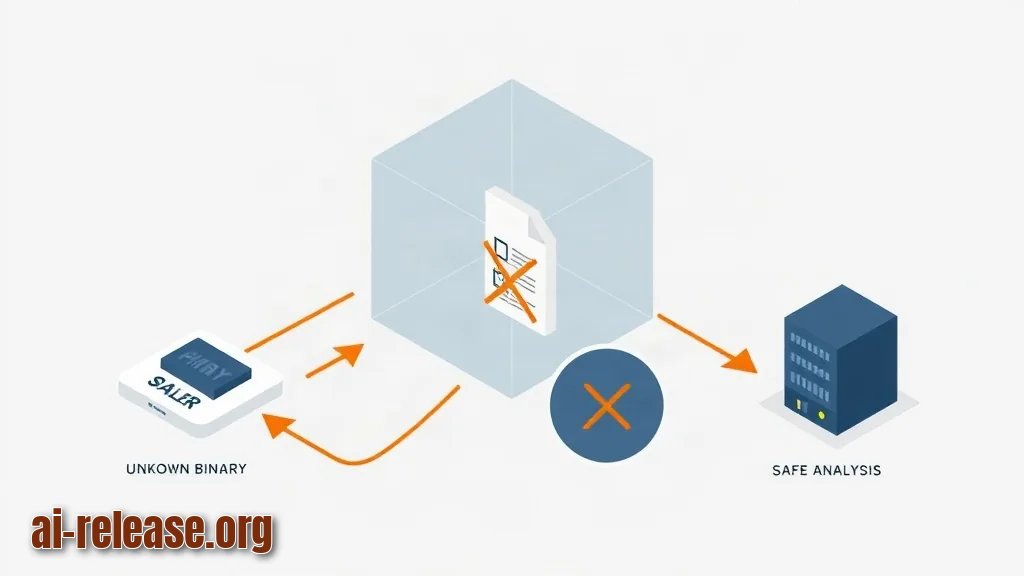
- **Isolated environment.** A virtual machine or a container with no production credentials and no network access to your real infrastructure. Reverse engineering runs unknown code; a VM makes "it crashed and deleted something" a non-event.
- **A read-only copy of the target binary.** Never work on the original file. Keep one pristine copy named `sample.orig` and one working copy named `sample`.
- **Standard inspection tools.** GNU binutils (`file`, `strings`, `nm`, `readelf`, `objdump`), `xxd` or any hex editor, and Python 3 for scripted patching. These are the tools that produce the text your agent will reason about.
- **A disassembler or decompiler** for the deep-dive steps — a disassembler turns machine code into readable assembly instructions, a decompiler tries to reconstruct C-like pseudocode.
- **An AI agent with tool access.** A plain chat window is not enough — the agent must be able to run `strings`, `objdump` and read files. If you only have a chat model, follow How to turn a regular LLM chat into a full-fledged AI agent first.
- **An API key** if you are calling a model programmatically rather than through a UI — the setup is described in How to Use GPT-6.1 Sol via API: Complete Guide.
- **Written permission.** Only analyze binaries you own or are authorized to test. This is the one requirement you cannot skip.
Checklist before you start:
- [ ] VM boots and has no access to production systems
- [ ] `sample.orig` copied and SHA-256 hash recorded
- [ ] binutils, Python 3 and a hex editor installed
- [ ] Agent responds to a test command such as `uname -a`
- [ ] Authorization to analyze this file is documented
Step-by-Step Instructions
1. **Snapshot the environment and hash the binary.**
Run `sha256sum sample.orig`. Write the value into a notes file.
Example:`sha256sum sample.orig` returns `9f2c...e41 sample.orig`.
Expected result: you have a fingerprint you can re-check after every experiment, so you always know whether a file was modified. Why it works: a hash is a one-way summary of the entire file — any single changed byte produces a completely different value.
2. **Identify format, architecture and bittiness.**
Run `file sample` and `readelf -h sample`.
Example:`file sample` prints `sample: ELF 64-bit LSB executable, x86-64, version 1 (SYSV), dynamically linked, stripped`. The `readelf -h` output shows `Entry point address: 0x401050`.
Expected result: you know which instruction set you are reading and whether symbols were stripped. Why it matters: an agent asked about ARM instructions when the file is x86-64 will confidently produce nonsense.
3. **Extract the cheap evidence first.**
strings -n 6 sample > strings.txt
nm -D sample > imports.txt
readelf -d sample > dynamic.txt
objdump -d sample > disasm.txt
wc -l disasm.txt
Example:`strings.txt` contains lines like `/etc/license.key`, `License expired`, `0.0.0.0`, `https://api.example.com/v1/check`. `wc -l disasm.txt` prints `48213 disasm.txt`.
Expected result: four text files the agent can read. Why it works: an LLM cannot read raw machine code meaningfully, but it is excellent at pattern-matching over text, names and error messages.
4. **Give the agent a scoped task, not "analyze this".**
Paste the contents of `strings.txt` and the first 200 lines of `imports.txt`, then ask: *"List the strings that look like license or activation logic, and tell me which imported functions they likely pair with."*
Expected result: a short list such as "`License expired` → likely paired with `strcmp`/`fopen`". Why it works: narrow questions produce checkable answers; open questions produce plausible fiction.
5. **Let the agent run the tools itself.**
Once your agent has shell access, replace copy-paste with instructions like *"run `objdump -d sample | grep -A 30 '<main>'`, then summarize the first branch."*
Expected result: the agent returns the actual command output plus an explanation, and you can verify both. This is the difference between a chat model and an agent — see the agent setup guide linked above.
6. **Locate the decision point.**
Ask the agent to map candidate functions: which routine reads the license file, which one compares the result, which one decides "valid" versus "invalid".
Example output from `objdump -d sample` around the check:
4011a2:  e8 59 00 00 00   call   401200 <check_license>
4011a7:  85 c0            test   eax,eax
4011a9:  74 12            je     4011bd <exit_path>
4011ab:  ...              ; success path
Expected result: you have a concrete address, here `0x4011a9`, and a two-byte instruction that controls the outcome.
7. **Decode the opcode before you touch it.**
`74` is `JE` (jump if equal / jump if zero). Change it to `EB` and the same branch becomes an unconditional `JMP`; change it to `90 90` and the branch does nothing at all.
Expected result: you understand the exact effect of one byte. Why it matters: patching is arithmetic on opcodes, not guesswork.
8. **Patch a copy, never the original.**
# patch.py — flip JE (0x74) to JMP (0xEB) at file offset 0x11a9
data = bytearray(open("sample", "rb").read())
OFFSET = 0x11A9
assert data[OFFSET] == 0x74, f"expected 0x74, found {data[OFFSET]:#x}"
data[OFFSET] = 0xEB
open("sample.patched", "wb").write(data)
print("patched 1 byte at", hex(OFFSET))
Example output:`patched 1 byte at 0x11a9`.
Expected result: a new file with one changed byte, and an assertion that fails loudly if you are looking at the wrong offset. Why it works: the assertion turns "silent corruption" into an immediate error message.
9. **Verify the patch changed what you intended.**
Run `cmp -l sample sample.patched` and `objdump -d sample.patched | grep 4011a9`.
Example:`cmp -l` prints `68138 164 353`, meaning byte 68138 changed from octal 164 (`0x74`) to octal 353 (`0xEB`).
Expected result: exactly one difference, and the disassembly now shows `jmp` instead of `je`.
10. **Test in the sandbox and record the outcome.**
Run the patched binary with a dummy license file, then with none, and note the exit codes with `echo $?`.
Expected result: the success path is reached in the case you intended, and other functionality still works. Keep a short log: original hash, patched hash, offset, opcode before/after, observed behavior.
Common Problems and Solutions
- **The agent invents function names that do not exist.**
Symptom: it refers to `verify_license_v2()` while `nm -D sample` shows the binary is stripped and has no such symbol. Solution: re-ask with raw evidence only — "here are 40 lines of `objdump` output, here is the address range; do not name functions, only describe what each instruction does." If symbols are stripped, ask it to label blocks as `sub_4011A2` using the real addresses.
- **The patched file crashes immediately.**
Symptom: `./sample.patched` prints `Segmentation fault` and `echo $?` returns `139`. Solution: check whether you patched a file offset or a virtual address. Disassembly addresses are virtual addresses; a hex editor edits file offsets. Convert with `readelf -S sample` — find the section containing the address and subtract its address from its offset. Then re-run `cmp -l sample sample.patched` to confirm exactly one byte moved.
- **The binary exits with a generic error even after a correct patch.**
Symptom: `corrupted file` or an exit code like `3`, with nothing in `strace` output that points to the branch you changed. Solution: many programs store an internal checksum or integrity value. Search `strings.txt` for "checksum", "integrity" and "corrupt", ask the agent which imported functions nearby could compute it, and either patch that check too or restore the original byte and consider a different approach.
- **Windows users: the file is locked while the agent reads it.**
Symptom: `Permission denied` or `The process cannot access the file`. Solution: copy the binary out of `Program Files` into a working folder under your user profile, and locate files with the local search tooling described in How to Use AI-Powered Search in Windows 11: Commands and Setup.
FAQ
Can I use an AI agent for reverse engineering legally?
Only for binaries you own or have written authorization to test, such as your own software, a CTF challenge, or a client engagement with a signed scope. The toolkit is neutral; the permission is not. Keep the authorization next to your hashes in the notes file.
Do I need a decompiler, or is disassembly enough?
Disassembly is usually enough for a minimal patch, because you mostly need to recognize branches — `JE`, `JNE`, `JMP` — and their addresses. A decompiler helps when you must understand a whole routine, such as a checksum algorithm, rather than flip one decision.
How do I find the address of the check in the first place?
Start from strings, not from code. A message like `License expired` sits near the logic that prints it. Find the string's offset, ask the agent to locate references to it in the disassembly, then walk backwards to the branch that decides the outcome.
Can the agent apply the patch itself?
It can propose the exact byte, the offset and a script, and it can run the verification commands. Keep the final write step and the `assert` assertion under your control, and always re-hash both files afterwards so you can prove what changed.
🤖 AI summary
- Updated: 2026-10-15
- Topics: ии агент реверс инжиниринг, ai агент для анализа бинарников, автоматический патчинг бинарников, реверс инжиниринг с нейросетью
- Summary: Разбираем agent-first реверс-инжиниринг: как ACP-агент читает, переименовывает и патчит бинарники в macOS, Windows и Linux, и где он ошибается.
- Key facts:
- You have a compiled program in front of you, no source code, and one question: what does it actually do — and can you change one decision inside it without breaking everything else?
- This guide walks you through a repeatable workflow where an AI agent (an LLM that can run commands and read files, not just chat) does the heavy lifting of explaining disassembly and proposing minimal byte-level patches.
- It applies to any executable you are legally allowed to analyze: ELF (the standard executable format on Linux), PE (Windows .exe/.dll) or Mach-O (macOS), on a Linux host, macOS, or Windows with WSL.
- The examples below use an x86-64 ELF binary called sample , but the steps are format-agnostic.
- Requirements and Preparation Illustration: Requirements and Preparation Isolated environment.
- A virtual machine or a container with no production credentials and no network access to your real infrastructure.