How to Store LLM API Keys Safely: .env, Secret Managers and Proxies

TL;DR
- Time to complete: 45 minutes
- Difficulty: Intermediate (you need to be comfortable with a terminal and environment variables)
- You will need: a Linux/macOS shell or Windows PowerShell,
git, Python 3 withvenvandpip, a text editor, an LLM API key from your provider's dashboard, and the Python packagespython-dotenv,fastapi,uvicorn,httpx(install without pinning versions; check the documentation for the current release numbers)
Requirements and setup
- Operating system: Linux, macOS, or Windows. The commands below are bash; PowerShell equivalents are noted where they differ.
python3 --versionmust print a Python 3 version.python3 -m venv --helpmust not error — that confirms thevenvmodule is installed.git --versionmust print a version. If it errors, install Git from your package manager.- Write access to your home directory (the demo project lives in
~/llm-keys-demo). - One LLM API key. Treat it as a password: whoever has it can spend your quota.
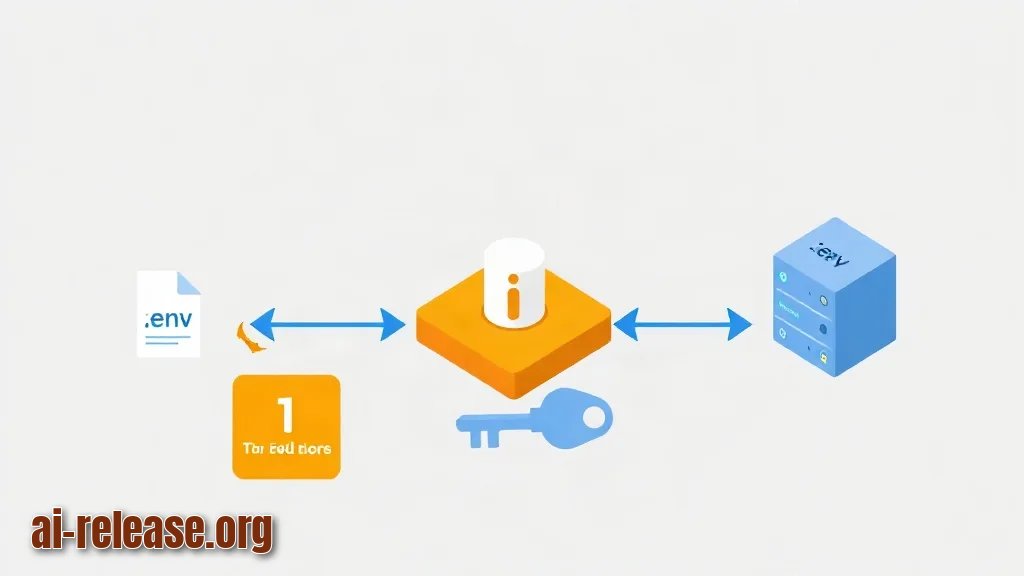
Three layers protect that key, and this guide builds them in order. "Secret manager" means a service that stores secrets encrypted and hands them to your application at runtime, after the application proves its identity.
| Layer | What it protects against | Where the key lives |
|---|---|---|
| `.env` file | Keys pasted directly into source code and pushed to Git | On your machine, outside the repository |
| Secret manager | Keys sitting on developer laptops and in CI logs | Encrypted store, injected at process start |
| Server-side proxy | Keys shipped to a browser or a mobile app | Only on the proxy host |
What to do: create the workspace and confirm Git tracks it.
mkdir -p ~/llm-keys-demo && cd ~/llm-keys-demo
git init
python3 -m venv .venv
source .venv/bin/activate          # PowerShell: .venv\Scripts\Activate.ps1
pip install python-dotenv fastapi uvicorn httpx
Why: every later step writes files into this folder, and the virtual environment keeps the four packages isolated from your system Python.
How to check: git status must print On branch master (or main) and No commits yet. python -c "import dotenv, fastapi, uvicorn, httpx; print('ok')" must print ok.
Step 1. Keep the key in a .env file and out of Git
A .env file is a plain text file of KEY=value lines that your program loads into environment variables at startup, so the key never appears in source code.
What to do: create .gitignore, .env.example, .env, and a loader script.
cd ~/llm-keys-demo
printf '.venv/\n.env\n.env.*\n!.env.example\n' > .gitignore
printf 'LLM_API_KEY=<paste-the-key-here>\nLLM_BASE_URL=https://api.<your-provider>.com/v1\n' > .env.example
cp .env.example .env
Then open .env and replace <paste-the-key-here> with your real key and <your-provider> with your provider's API host. Line 4 of .gitignore (!.env.example) re-includes the template file, so the template is committed while the real .env is not.
Example: cat .gitignore prints
.venv/
.env
.env.*
!.env.example
Now the loader:
# app.py
import os
from pathlib import Path
from dotenv import load_dotenv

load_dotenv(dotenv_path=Path(__file__).parent / ".env")

key = os.environ.get("LLM_API_KEY")
if not key or key.startswith("<"):
    raise SystemExit("LLM_API_KEY missing or still a placeholder")

print("key loaded, length:", len(key), "prefix:", key[:3] + "***")
Why it works: load_dotenv reads the file relative to app.py, not relative to your current directory, so the script behaves the same whether you run it from the project root or from anywhere else.
How to check: run three commands.
python app.py
git check-ignore -v .env
git status --short
Expected output: key loaded, length: 51 prefix: sk-***, then .gitignore:2:.env .env (proving the ignore rule matches), and finally git status --short lists only app.py, .env.example, and .gitignore — .env must not appear.
Example: if .env were tracked, git status --short would show ?? .env or A .env. Seeing .env in that list means the ignore rule is wrong; fix it before the first commit.
Step 2. Move the key behind a secret manager and a server-side proxy
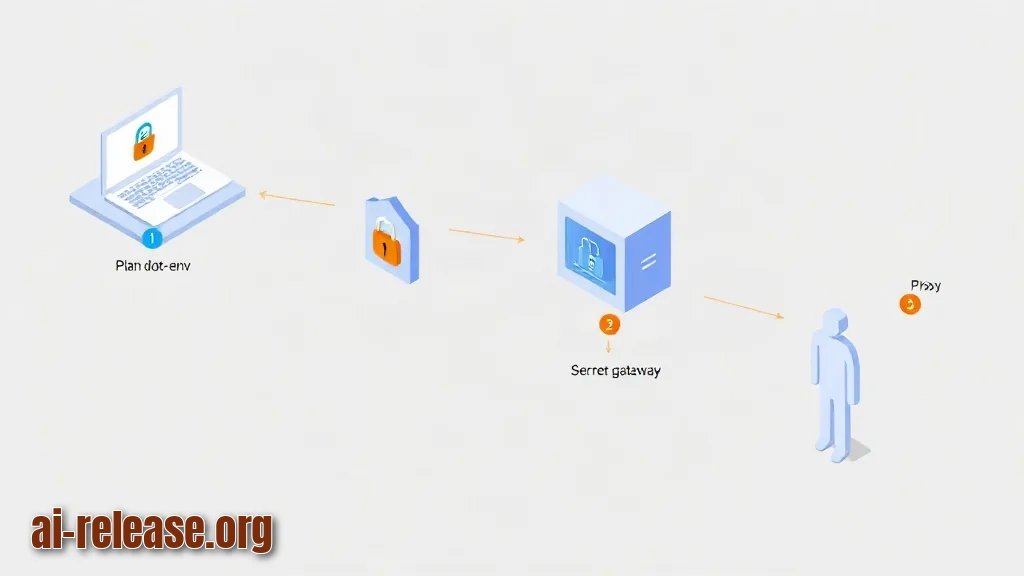
A key in .env is still readable by anything running on your laptop and by anyone who copies the folder. Two changes fix that: in deployed environments the key is injected by a secret manager, and any client that is not your own server talks to a proxy instead of the provider.
What to do, part A: store the key in your platform's secret manager and pass it to the process as an environment variable at start. The exact command differs per product — check the documentation for yours.
| Store | Where the value ends up |
|---|---|
| AWS Secrets Manager | Injected as an env var or fetched by the AWS SDK at runtime |
| HashiCorp Vault | Fetched over the API at runtime with a short-lived token |
| GCP Secret Manager | Injected as an env var or fetched by the GCP client library |
| CI/CD secret store (e.g. GitHub Actions secrets) | Exposed only to the job's environment, masked in logs |
The application code does not change: it still reads os.environ["LLM_API_KEY"]. Only the source of that variable changes.
What to do, part B: run a proxy that holds the key and forwards requests. Clients get a separate, low-value CLIENT_TOKEN instead.
# proxy.py
import os
import httpx
from fastapi import FastAPI, Header, HTTPException

UPSTREAM = os.environ.get("LLM_BASE_URL", "https://api.<your-provider>.com/v1")
API_KEY = os.environ["LLM_API_KEY"]
CLIENT_TOKEN = os.environ["CLIENT_TOKEN"]

app = FastAPI()

@app.post("/v1/chat")
async def chat(payload: dict, authorization: str = Header(default="")):
    if authorization != f"Bearer {CLIENT_TOKEN}":
        raise HTTPException(status_code=401, detail="invalid client token")
    async with httpx.AsyncClient(timeout=60) as client:
        r = await client.post(
            f"{UPSTREAM}/chat/completions",
            headers={"Authorization": f"Bearer {API_KEY}"},
            json=payload,
        )
    return r.json()
Start it with the key supplied from your shell or secret store:
export CLIENT_TOKEN=$(python -c "import secrets; print(secrets.token_urlsafe(32))")
uvicorn proxy:app --host 127.0.0.1 --port 8080
Why it works: the provider key exists only in the proxy's process environment. A browser or mobile app sends CLIENT_TOKEN, and you can rotate that token without touching the provider key.
How to check: from a second terminal, call the proxy without a token, then with one.
curl -s -o /dev/null -w "%{http_code}\n" -X POST http://127.0.0.1:8080/v1/chat \
  -H "Content-Type: application/json" -d '{"messages":[]}'
curl -s -X POST http://127.0.0.1:8080/v1/chat \
  -H "Content-Type: application/json" -d '{"messages":[]}'
Expected: the first command prints 401; the second prints {"detail":"invalid client token"}. Adding -H "Authorization: Bearer $CLIENT_TOKEN" must produce a non-401 status (a 400 about missing fields is also fine — it proves the request reached the upstream API).
Step 3. Verify the key never leaks, then rotate it
What to do: scan the repository and its full history for key patterns, then rotate the key once to prove the rotation path works.
cd ~/llm-keys-demo
git add .gitignore .env.example app.py proxy.py
git commit -m "env-based key loading and local proxy"

git log --all --full-history --oneline -- .env      # must print nothing
git grep -nE "(sk-|api[_-]?key\s*=)[A-Za-z0-9_-]{16,}" -- . ':!.env.example'
git status --short
If gitleaks is available on your machine, run gitleaks detect --source . --verbose — consult the project documentation for the current flags. A clean run reports no leaks; any finding needs to be reviewed before you push.
Example: git log --all --full-history --oneline -- .env printing fatal: your current branch 'master' does not have any commits yet before the commit, and nothing after it, both mean .env was never committed. If it prints a commit hash, the file is in history — see Troubleshooting.
Rotation, step by step:
1. In the provider dashboard, create a second API key.
2. Update the value in your secret store and restart the process (Ctrl+C, then uvicorn ... again).
3. Revoke the old key in the dashboard.
4. Send a request with the old key and confirm it is rejected.
curl -s https://api.<your-provider>.com/v1/models -H "Authorization: Bearer <old-key>"Why: rotation is the only real test of the recovery path. A key you have never rotated is a key you cannot revoke under pressure; environment variables are read at process start, so a restart is mandatory after the value changes.
How to check: the old key returns an authentication error (the response body contains invalid_api_key or Incorrect API key provided, depending on the provider), while the proxy with the new key still answers. Finish with this checklist:
- [ ]
.envis listed bygit check-ignore -v .env - [ ]
git log --all --full-history -- .envis empty - [ ]
app.pystarts and prints a masked key prefix, never the full key - [ ]
curlwithoutAuthorizationreturns401 - [ ] the provider key is not present in any client-side bundle or mobile app
- [ ] the old key is revoked and rejected
Troubleshooting
Problem. The script starts but the key is empty.
- Error:
KeyError: 'LLM_API_KEY'or the script's ownLLM_API_KEY missing or still a placeholder - Cause:
load_dotenv()searched the current working directory, or.envstill holds<paste-the-key-here>. - Solution: point the loader at the file explicitly, as in
app.py(dotenv_path=Path(__file__).parent / ".env"), or export the variables for the shell session:set -a; source .env; set +a. Verify withpython -c "import os; from dotenv import load_dotenv; load_dotenv(); print(len(os.environ.get('LLM_API_KEY','')))"— anything above0means the value is readable.
Problem. Git refuses to add the file.
- Error:
The following paths are ignored by one of your .gitignore files: .env - Cause: you ran
git add .env. That is the ignore rule doing its job. - Solution: never add it. Commit
.env.exampleinstead. If.envwas already committed earlier, rungit rm --cached .env, commit, and rotate the key immediately — the old value stays in history even after removal.
Problem. Requests fail with an authentication error right after rotation.
- Error:
{"error":{"message":"Incorrect API key provided","type":"invalid_request_error","code":"invalid_api_key"}} - Cause: the running process still holds the revoked key (environment variables are read once at start), or the new value was pasted with surrounding quotes or a trailing newline.
- Solution:
printf '%s' "$LLM_API_KEY" | wc -cshows the exact character count — compare it with the key length in the dashboard. Remove quotes and trailing spaces in.env, then restart:Ctrl+Canduvicorn proxy:app --host 127.0.0.1 --port 8080.
Summary and next steps
You now have three working layers: a .env file that Git ignores, a secret manager that injects the key at runtime, and a local proxy that keeps the key away from clients. Next, add the leak scan from Step 3 to your CI pipeline so every push is checked automatically.
FAQ
Is a .env file safe for production?
Not on its own. It is acceptable for local development and single-server deployments where the file permissions restrict reading, but in shared or cloud environments use a secret manager so the value is injected at runtime and auditable.
Can I commit the .env.example file?
Yes, that is its purpose. Keep it free of real values and use placeholders such as <paste-the-key-here>, so a new teammate knows which variables to set without ever seeing your key.
Where should the API key live for a browser or mobile app?
Never in the client. The client holds a separate short-lived token and calls your proxy, which attaches the provider key server-side — exactly the /v1/chat endpoint built in Step 2.
How often should I rotate the key?
Rotate immediately after any suspected exposure, after a teammate leaves, and on a schedule your provider's policy requires — check the documentation for the rotation limits of your plan. The rotation steps in Step 3 work the same regardless of frequency.
🤖 AI summary
- Updated: 2026-10-21
- Topics: как хранить api ключ безопасно, где хранить api key openai, менеджер секретов для LLM, ротация api ключей, прокси для api ключей
- Summary: Инструкция по защите ключей OpenAI, Anthropic и локальных моделей: переменные окружения, хранилища секретов, ротация ключей и прокси-слой, чтобы токены не утекали из кода и клиентов.
- Key facts:
- TL;DR Time to complete: 45 minutes Difficulty: Intermediate (you need to be comfortable with a terminal and environment variables) You will need: a Linux/macOS shell or Windows PowerShell, git , Python 3 with venv and pip , a text editor, an LLM API key from your provider& x27;s dashboard, and the Python packages python-dotenv , fastapi , uvicorn , httpx (install without pinning versions; check the documentation for the current release numbers) Requirements and setup Illustration: Requirements and setup Operating system: Linux, macOS, or Windows.
- The commands below are bash; PowerShell equivalents are noted where they differ.
- python3 --version must print a Python 3 version.
- python3 -m venv --help must not error — that confirms the venv module is installed.
- git --version must print a version.
- If it errors, install Git from your package manager.