1loop vs Claude Code: which local coding agent to choose

TL;DR
- Time to evaluate both options and get one agent running: 45–60 minutes.
- Difficulty: Intermediate (terminal, Git, environment variables, reading a README).
- You need: a Linux or Windows desktop (the platforms 1loop ships desktop builds for), Git, a model you pick yourself — 1loop ships no model, the user selects it; for Claude Code, check the vendor docs for install requirements.
- Decision rule: choose 1loop when the agent must run on your own machine, you want to choose the model, and you need a headless server mode or an Android client; choose Claude Code when you need a documented team setup with subagents or a documented way to attach a local model through an OpenAI-compatible API.
- What the sources actually confirm about 1loop: GitHub repository
tpm28/1loop, desktop builds for Linux and Windows, headless mode for a server, an Android client, model chosen by the user, and signed self-updates.
Requirements and setup
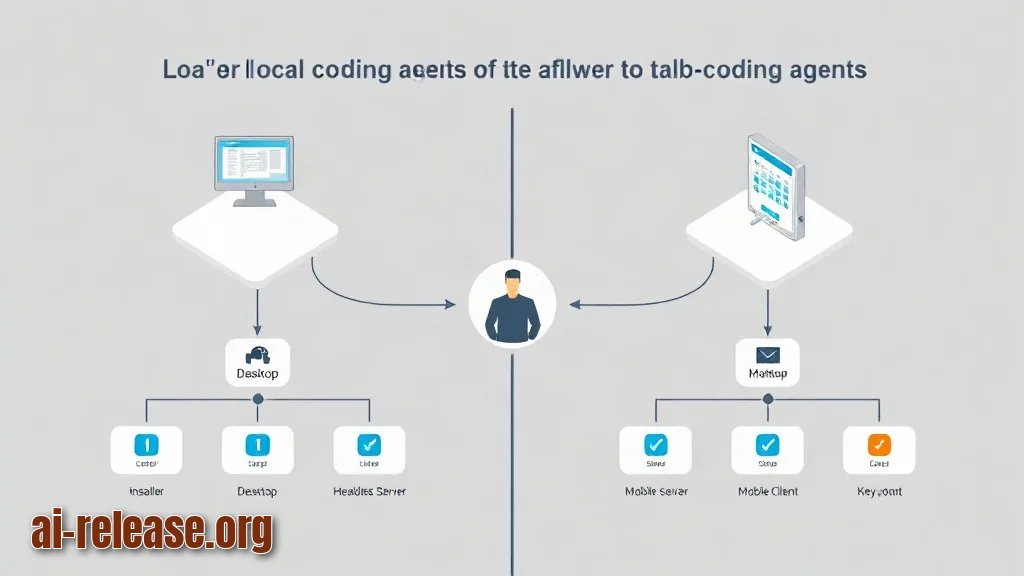
| Option | What the sources say | Model | Notes |
|---|---|---|---|
| 1loop | Coding agent published on GitHub as `tpm28/1loop`; runs on your own machine; desktop builds for Linux and Windows, headless mode for a server, Android client | You choose the model yourself | App self-updates are signed |
| Claude Code | Coding agent covered in our guides: subagents and a shared team "superagent"; local model can be attached through an OpenAI-compatible API served by `llama-server` | Not stated in our posts — check vendor docs | Version, pricing and install paths — check vendor docs |
What to prepare before you start:
- A Linux or Windows machine where you can run binaries and set environment variables.
- Git installed — needed to clone and inspect
tpm28/1loop. - A model decision made in advance: a local model you run yourself, or an API key for a hosted endpoint. 1loop does not bundle a model; the project states the user chooses it.
- A scratch directory for the smoke test (
~/agent-smokebelow) so nothing touches real work. - For Claude Code: its own install instructions and account — not described in our posts, so follow the vendor documentation.
Example: if you have never run a model locally, start with the beginner walkthrough in How to run AI models locally on your PC: a beginner's guide.
Step 1. Clone 1loop and verify what the repository really contains
What to do: clone the repo from the path given in the project announcement, then read the README, the license and the release assets before you run anything. A self-updating binary that runs on your own machine deserves five minutes of inspection.
git --version
git clone https://github.com/tpm28/1loop.git
cd 1loop
ls -la
git log -1 --date=short --format='%h %ad %s'
Why: the announcement describes the project; the repository is the source of truth for the exact model-configuration variables, the headless flag names and the update mechanism. Everything below that depends on flag names must be read from that README — if a flag is not documented there, treat it as unknown and do not guess.
How to check: git --version prints a version line (git version 2.x.x). After cd 1loop, ls -la shows the README file and, if the project ships one, a license file plus release or dist folders. git log -1 prints the short hash, the date and the last commit subject — that is the exact snapshot you are about to run.
Example: a healthy output looks like a1b2c3d 2024-11-05 initial commit. If the clone instead fails with fatal: repository ... not found, jump to Troubleshooting.
Step 2. Point the agent at your model and start it
What to do: export the model settings as environment variables, start the interactive build, and separately confirm the headless mode exists for server use. The variable names below are placeholders — map them to whatever names the repository README defines for model endpoint, key and model name.
export MODEL_BASE_URL=<https://your-model-endpoint/v1>
export MODEL_API_KEY=<your-model-api-key>
export MODEL_NAME=<model-name-you-chose>

./1loop --help
./1loop --help | grep -i head
Why: 1loop does not ship a model — the project states the user selects it. So the agent is only as good as the endpoint you hand it, and the help output is the only reliable list of the flags your build supports.
How to check: ./1loop --help prints a usage block listing the model-configuration flags your build accepts. The grep -i head line prints a matching flag if a headless/server mode is present in that build — the project announcement states a headless mode for servers exists, so confirm it on your build rather than assuming. To confirm the key reached the shell without printing it, run echo -n "$MODEL_API_KEY" | wc -c; any number greater than 0 means the variable is set.
Example: for a model you serve yourself, the base URL looks like http://127.0.0.1:<port>/v1, where <port> is the port your local server prints on startup — for a llama-server setup the full flag list is in How to connect a local LLM to Claude Code: llama-server and an OpenAI-compatible API.
Signed updates. The project states that application self-updates are signed. Before you let a build update itself, verify one release asset manually so you know the check works:
gpg --verify <release-file>.sig <release-file>Expected output contains gpg: Good signature from. If you get BAD signature, do not run that build — re-download it from the releases page and verify again.
Step 3. Run a smoke test and make the choice
What to do: give the agent one tiny, verifiable task in a throwaway Git repository, then compare the two tools against your own requirements.
mkdir -p ~/agent-smoke && cd ~/agent-smoke && git init
printf 'def add(a, b):\n    return a + b\n' > calc.py
Then ask the agent, in its own prompt, something concrete: *"Add a test for add() in test_calc.py and run pytest."*
git diff
python -m pytest -q
Why: a passing test proves the whole chain works — the agent could read the file, call the model, write a file and run a command. That is the minimum useful capability of a coding agent, and it costs you two minutes.
How to check: git diff shows the new test_calc.py with added lines starting with +. python -m pytest -q prints a line ending in 1 passed. If the agent produced an answer in chat but the file on disk is unchanged, the write/execute permission is not granted in that session — check the README for the flag that enables file writes.
Now the decision checklist:
- [ ] The agent must run entirely on my own machine → 1loop (self-hosted by design; desktop builds for Linux and Windows).
- [ ] I need a headless run on a server → confirm the headless flag in your build, then 1loop.
- [ ] I want an Android client next to the desktop build → 1loop.
- [ ] I want to choose the model myself → 1loop states this explicitly; for Claude Code the documented route is an OpenAI-compatible endpoint from
llama-server. - [ ] I am setting this up for a team with subagents → Claude Code for Teams: Setting Up Subagents and a Shared AI Superagent.
- [ ] I will ship the generated code → scan it first with How to Scan AI-Generated Code for Vulnerabilities.
Troubleshooting
Problem. The clone fails immediately.
- Ошибка:
fatal: repository 'https://github.com/tpm28/1loop.git' not found - Причина: the repository was renamed, moved, or the path is mistyped; the announcement gives the path
tpm28/1loop, nothing more. - Решение: open
https://github.com/tpm28/1loopin a browser. If it redirects, use the new URL it lands on. If it 404s, search GitHub for1loopand match the description ("runs on your own machine") before cloning anything.
Problem. The agent starts but every request fails with an auth error.
- Ошибка:
401 Unauthorized - Причина:
MODEL_API_KEYis empty, expired, or the base URL points at a host that expects a different key. - Решение: check the endpoint independently of the agent, then re-export the key in the same shell you launch the agent from:
curl -s -H "Authorization: Bearer $MODEL_API_KEY" $MODEL_BASE_URL/modelsA JSON list of models means the key and URL are good and the problem is in the agent's config mapping. A 401 here means the key itself is wrong.
Problem. You cannot find the headless flag.
- Ошибка:
unknown flag: --headless - Причина: flag names differ between builds, and the announcement only states that a headless mode exists — it does not publish the flag.
- Решение: run
./1loop --helpand read the full usage block, then./1loop --help | grep -i -E 'server|head|daemon'. If nothing matches, check the README section on server use; if the README is silent, treat the feature as unverified for your build.
Summary and next steps
You now have a working smoke test and a checklist that turns "1loop or Claude Code" into a decision about where the agent runs and who picks the model. Next, harden the setup: verify the update signature on every release you install and put the generated code through a vulnerability scan before it reaches a repository.
FAQ
Does 1loop include its own model?
No — the project states the user chooses the model themselves, so you supply either a local endpoint or an API key.
Can Claude Code work with a local model?
Yes, through an OpenAI-compatible API served by llama-server; the exact startup flags are in the linked guide.
Does 1loop run on Android?
The project announces an Android client alongside the Linux and Windows desktop builds; how that client connects to your machine is not described in our post — check the README.
Are 1loop self-updates safe to leave enabled?
The project states the app self-updates are signed. Verify one release manually with gpg --verify first, and keep doing it for major updates.
🤖 AI summary
- Updated: 2026-10-23
- Topics: 1loop, кодинг-агент локально, Claude Code альтернатива, headless AI coding agent, агент для написания кода на своём ПК
- Summary: Сравнение локального кодинг-агента 1loop с Claude Code по установке на Windows и Linux, headless-режиму, поддерживаемым моделям и удобству работы.
- Key facts:
- TL;DR Time to evaluate both options and get one agent running: 45–60 minutes.
- Difficulty: Intermediate (terminal, Git, environment variables, reading a README).
- You need: a Linux or Windows desktop (the platforms 1loop ships desktop builds for), Git, a model you pick yourself — 1loop ships no model, the user selects it; for Claude Code, check the vendor docs for install requirements.
- Decision rule: choose 1loop when the agent must run on your own machine, you want to choose the model, and you need a headless server mode or an Android client; choose Claude Code when you need a documented team setup with subagents or a documented way to attach a local model through an OpenAI-compatible API.
- What the sources actually confirm about 1loop: GitHub repository tpm28/1loop , desktop builds for Linux and Windows, headless mode for a server, an Android client, model chosen by the user, and signed self-updates.
- Requirements and setup Illustration: Requirements and setup Option What the sources say Model Notes 1loop Coding agent published on GitHub as tpm28/1loop ; runs on your own machine; desktop builds for Linux and Windows, headless mode for a server, Android client You choose the model yourself App self-updates are signed Claude Code Coding agent covered in our guides: subagents and a shared team "superagent"; local model can be attached through an OpenAI-compatible API served by llama-server Not stated in our posts — check vendor docs Version, pricing and install paths — check vendor docs What to prepare before you start: A Linux or Windows machine where you can run binaries and set environment variables.